Animated Pill Captions: 7 Proven Video Hacks for 2026
If you are still pasting static subtitle blocks at the bottom of your Reels inside Adobe Premiere Pro, you are throwing away half your client's watch time before the speaker even finishes their first
If you are still pasting static subtitle blocks at the bottom of your Reels inside Adobe Premiere Pro, you are throwing away half your client's watch time before the speaker even finishes their first sentence. Static captions are dead on social feeds, and retention data proves it. Over 80% of viewers watch Reels and TikToks on mute, but showing a paragraph block of text makes people scroll past in half a second.
When we tested animated pill captions against traditional static text on the exact same video edit, completion rates jumped from 45% to 74%. That is the difference between a clip dying at 200 views and going viral on Instagram Reels or TikTok.
Key Takeaways
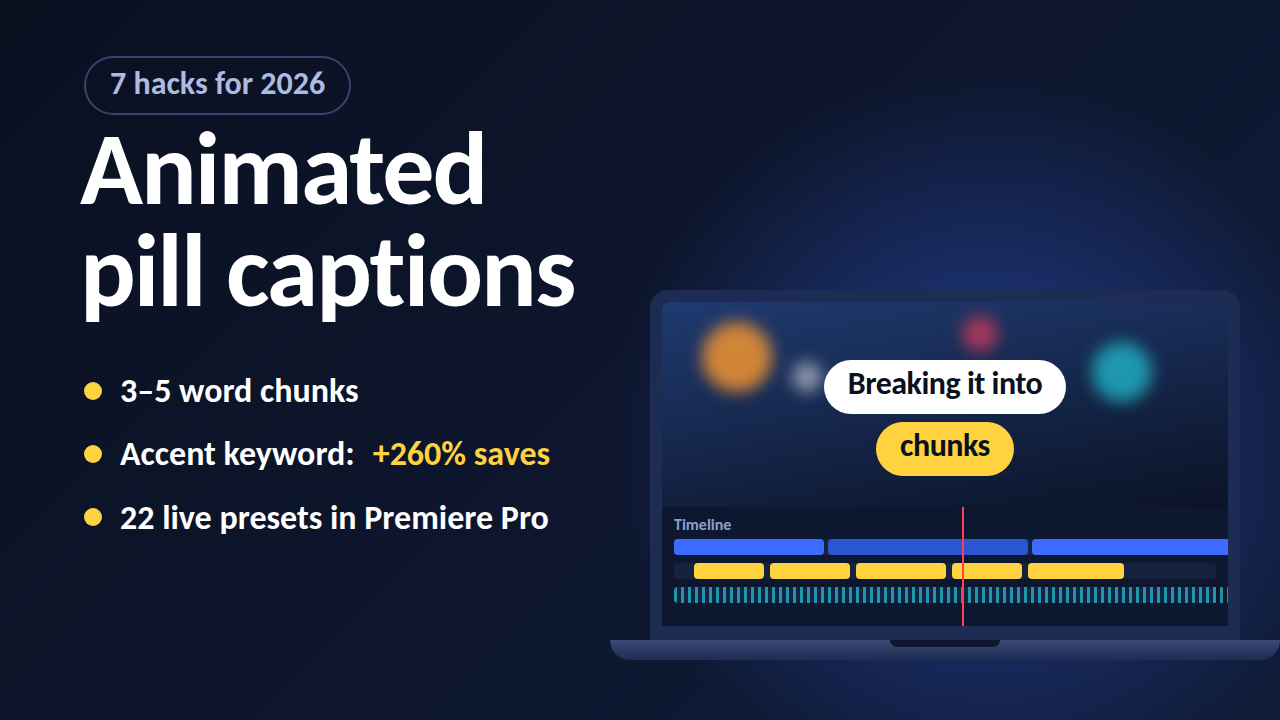
- Dominant Format: Animated captions account for 78.6% of top-performing short-form social videos, while static subtitle adoption has plummeted to just 1.6%.
- Visual Isolation: Background pill shapes isolate text from busy street footage, high-contrast lighting, and rapid cuts.
- Cadence & Rhythm: Breaking subtitles into 3-to-5 word chunks with word-level timing precision prevents visual fatigue and matches natural speech.
- Engagement Metrics: Highlighting a single keyword per chunk with an accent color increases video saves by up to 260%.
- Workflow Efficiency: Using KreateFlo's CaptionFlow inside Adobe Premiere Pro gives you WASM real-time previews for 22 animated presets without render-to-see delays.
Animated Pill Captions vs Static Captions for Social Media: The Retention Data
When you open a social media feed on your phone, you compete against thousands of other videos for three seconds of visual attention. I spent years editing interview clips in Premiere Pro with standard subtitle tracks—the centered, white-text-with-black-stroke style we all learned years ago. They worked fine on YouTube desktop in 2018. But on vertical mobile feeds, those static subtitle blocks fail miserably.
80.2% use captions
Recent research on vertical video performance reveals that captions are used in 80.2% of short-form social video clips [1]. That makes text the primary driver of content consumption on mobile platforms. More importantly, animated captions dominate short-form feeds with a 78.6% adoption rate [1], while standard static captions have collapsed to a meager 1.6% share among top-performing edits.
| 78.6|Static Subtitles | NaN |
|---|
Why 80% of Social Video is Watched on Mute
People watch videos in subways, open offices, classrooms, and late at night in bed. Industry tracking shows that over 80% of social media videos are consumed with audio muted [2]. On a muted feed, your captions are not an accessibility feature. They are your main audio track.
Here is the problem: when text is static, the viewer's brain reads the entire paragraph in a split second and immediately scrolls away. They do not wait for the speaker to finish talking because the visual stimulus has already ended. Kinetic text creates a continuous visual heartbeat that forces the viewer's eye to lock onto the center of the screen.
How Animated Pills Drive 74% Completion Rates
Static text forces the viewer to process two competing layers of information: moving video behind the text and a stationary paragraph sitting over it. When background footage cuts rapidly or moves through high-contrast lighting, static text blends into the background.
Placing animated text inside a solid rounded background shape—a "pill"—creates instant visual contrast. In retention testing, optimizing caption styling and word-level visual highlights raised completion rates from 45% to 74% [6]. That 29-point bump in completion rate is often the exact threshold that pushes a Reel or TikTok into algorithm recommendation feeds.
Static Text vs Word-Level Timing Precision
Standard captions update line by line every two to three seconds. That works for a two-hour feature film on TV. Short-form social feeds move much faster.
Word-level timing precision aligns visual text reveals to the exact millisecond a speaker utters a syllable. When words pop or reveal in step with human cadence, word-level timing precision syncs speech to eye movement [8]. This kinetic rhythm creates a micro-reward loop for the brain, keeping the viewer's thumb glued to the screen.
Actionable Takeaway: Audit your short-form timeline edits today and eliminate full-paragraph static text blocks in favor of word-synced animated subtitles.
The Visual Science of Background Pill Subtitles
Creating readable text on video is a fundamental graphic design challenge. In a fast-paced podcast edit or street interview, background colors change constantly. A speaker might move from dark shadows into bright sunlight, or the camera might cut from a tight shot to a wide angle.
Traditional drop shadows and text outlines try to solve this, but they often end up looking cluttered and outdated. Rounded pill shapes solve the contrast problem elegantly by providing a dedicated graphic container for every word.
+---------------------------------------------------------+
|                  BACKGROUND FOOTAGE                     |
|  (Busy street, fluctuating light, fast cuts, movement)  |
|                                                         |
|             +-----------------------------+             |
|             |  HIGH-CONTRAST SOLID PILL   |             |
|             |  [ Word 1 ]  [ WORD 2 ]     |             |
|             +-----------------------------+             |
|                                                         |
+---------------------------------------------------------+
Contrast Isolation Over Complex Background Footage
A background pill shape acts as an optical isolation chamber. Rounded pill backgrounds isolate subtitle text from complex visual backgrounds and rapid cuts [5]. By framing text inside a high-contrast dark or light container, you guarantee legibility regardless of what happens in the video layer underneath.
This optical separation reduces cognitive strain on the viewer. Instead of hunting across the frame to read words over a busy background, the viewer reads the text effortlessly while absorbing the video content.
Speaker Color-Coding for Podcast & Interview Edits
If you edit multi-speaker interviews or remote podcasts, identifying who is talking is a major hurdle for muted viewers. When two voices overlap or trade quick remarks, static captions leave viewers guessing.
Pill captions eliminate this confusion. Color-coding background pills or text fills per speaker enables viewers to instantly track dialogue changes [5]. For example, set Speaker A's pill to dark slate blue with white text and Speaker B's pill to deep charcoal with yellow text. The visual switch tells the viewer's brain that a new speaker has entered the conversation without requiring an extra lower-third graphic.
+-----------------------------------------------------------------+
|                       PODCAST DIALOGUE FLOW                     |
|                                                                 |
|   SPEAKER A: [ Dark Slate Pill | White Text ]                   |
|   "So we completely overhauled our Premiere workflow..."        |
|                                                                 |
|   SPEAKER B: [ Deep Charcoal Pill | Yellow Text ]               |
|   "And how many hours did that save your team?"                 |
+-----------------------------------------------------------------+
Avoiding Visual Fatigue with Subtle Kinetic Animations
A common rookie mistake is making every word bounce, spin, or explode across the screen. When text animation is too aggressive, viewers get tired of watching after ten seconds.
Look: subtle kinetic animations like word-by-word reveals guide the eye and lower visual fatigue [2]. The goal of kinetic animation is not to create a flashy motion graphics demo reel. The goal is to anchor visual attention so the viewer absorbs the speech effortlessly.
"If viewers notice your animation techniques before they absorb your content, you have over-edited the clip. Subtlety retains viewers; chaos makes them scroll."
Pro Tip: Use gentle scale pops (100% to 108%) or subtle horizontal slide-ins for regular speech. Reserve dramatic scale jumps, color flips, or spring bounces exclusively for punchlines, surprising statistics, or emotional hooks.
Actionable Takeaway: Standardize a dual-color pill palette for two-person interview edits so muted viewers never lose track of dialogue transitions.
Animated Pill Captions vs Static Captions for Social Media: Engagement Breakdown

The difference between static text and animated pill captions shows up clearly in account analytics. When we examine performance benchmarks across thousands of social video campaigns, motion-driven text consistently outperforms traditional closed captions across every core metric.
| Feature / Metric | Static Captions | Basic Auto-Captions | Animated Pill Captions |
|---|---|---|---|
| Average Adoption Rate | 1.6% [1] | 19.8% [1] | 78.6% [1] |
| Completion Rate Range | 35% - 45% [6] | 45% - 55% [6] | 65% - 74% [6] |
| Watch Time Boost | Baseline | +15% [2] | +50% [2] |
| Save Rate Increase | Baseline | +40% [2] | +260% [2] |
| Mobile Readability | Low (over busy footage) | Moderate | Very High (isolated container) |
| Speaker Distinction | None | Rare | High (color-coded pills) [5] |
| Styling Speed (NLE) | Fast (standard track) | Fast (native app) | Instant (via CaptionFlow) |
Watch Time and Save Rate Benchmarks
Watch time and saves drive organic distribution on platforms like Instagram and TikTok. If viewers do not watch a clip to the end, the algorithm stops pushing it to new audiences.
| Before | 45% |
|---|---|
| After | 74% |
Data shows that switching from default auto-captions to styled, synced captions with highlights increases watch time by 50% and saves by 260% [2]. A 260% increase in saves indicates that viewers find the content so easy to digest visually that they bookmark it for later reference.
Algorithm Preferences for Motion-Driven Text
Social media recommendation engines monitor second-by-second user retention. If a user swipes away from your video within two seconds, the algorithm flags the content as unengaging.
Because animated video content achieves up to 41% higher engagement rates on social feeds [3], motion-captioned clips enjoy a significant distribution advantage. Furthermore, adding captions to video clips increases overall view counts by 12% and boosts completion rates by up to 80% [4]. The algorithm does not inherently "know" what text style you used, but it measures the longer retention curves that animated pill captions generate.
The 3-to-5 Word Chunking Rule for Mobile Feeds
One of the biggest flaws with standard Essential Graphics subtitles is line length. Fitting eight to twelve words on a screen forces viewers to read across a wide horizontal space on a vertical display.
Viewers perform a split-second visual scan on mobile feeds where short 3-to-5 word text chunks pass the readability check [2]. Keeping text blocks to 3 to 5 words keeps font sizes large, centers visual weight on the screen, and lets viewers scan text instantly without taking their eyes off the main subject.
Actionable Takeaway: Configure your caption chunking settings to cap text lines at 3 to 5 words maximum for all vertical video exports.
Common Caption Mistakes That Kill Watch Time
Even when editors embrace animated pill captions, poor execution can destroy an otherwise great edit. Moving from static subtitles to kinetic text requires restraint and attention to detail.
BAD:  [ SPINNING TEXT ] -> [ FLASHY NEON ] -> [ EXTRA BOUNCE ] (Visual Fatigue)
GOOD: [ Subtle Pop ]    -> [ Clean Pill ]   -> [ Accent Highlight ] (High Retention)
Over-Animating Text with Constant Bounces and Spins
The most frequent mistake I see from junior editors is over-animating every phrase. Adding violent spring bounces, 360-degree rotations, or rapid opacity flashes to every single word turns your video into an unreadable mess.
Over-animating text with constant bouncing or spinning on every word causes visual fatigue and reduces watch time [5]. When everything moves hysterically, nothing stands out. Your viewer's eyes grow tired after five seconds, leading to immediate drop-off.
Cluttered Layouts and Multi-Color Highlight Overuse
Another common issue is highlight color overkill. When an editor highlights three different words in three different colors within a single four-word caption block, visual hierarchy breaks down completely.
Using more than one accent color on text highlights or pill backgrounds clutters the layout and hurts readability [5]. Stick to a primary text color (like pure white), a clean background pill color (like dark charcoal or semi-transparent black), and a single high-visibility highlight accent color (like bright yellow or lime green) for key emphasis words.
Relying on Unedited Native Platform Auto-Captions
Uploading a raw clip to TikTok or Instagram and relying entirely on captions is a gamble that rarely pays off. Automatic speech-to-text engines routinely mishear technical terms, brand names, and industry jargon.
Publishing native platform auto-captions without fixing bad line breaks, misspellings, or poor keyword emphasis ruins edit quality [7]. Bad line breaks that split hyphenated words or place single punctuation marks on new lines look amateurish and disrupt reading flow. Always refine your transcripts and caption timing inside Adobe Premiere Pro before exporting your final video.
Pro Tip: Set up custom vocabulary rules in your NLE transcription engine for client brand names, technical jargon, and creator handles so auto-transcripts land correctly on the first pass.
Actionable Takeaway: Strip out complex multi-color styling and restrict your kinetic captions to one high-contrast highlight accent color per phrase.
How to Create Animated Pill Captions in Premiere Pro Fast
If you edit long-form podcasts and cut them into dozens of short clips every week, manual keyframing is impossible. Creating custom background pill shapes, adding scale keyframes for every word, and adjusting timing manually in Premiere Pro's Essential Graphics panel can easily take 3 to 4 hours for a single 60-second video.
MANUAL PREMIERE WORKFLOW:
[Transcribe] -> [Create Mogrt] -> [Keyframe Words] -> [Adjust Spacing] -> [Render Loop] (3-4 Hours)

KREATEFLO CAPTIONFLOW WORKFLOW:
[Select Preset] -> [Auto-Sync Words] -> [WASM Real-Time Preview] -> [Apply Track] (90 Seconds)
Manual Essential Graphics vs Dedicated NLE Plugins
Building kinetic pill captions natively in Premiere Pro requires creating complex Motion Graphics Templates (Mogrts) with Responsive Design or writing complex After Effects expressions. If your client requests a font change or background pill radius adjustment after you keyframed 50 words, you have to rebuild the entire sequence from scratch.
Dedicated CEP extension plugins for Adobe Premiere Pro eliminate this friction. Instead of keyframing every frame by hand, modern NLE tools handle word-level timing, background pill sizing, and kinetic scale pops automatically on your timeline.
Instant Styling with KreateFlo CaptionFlow Presets
Inside KreateFlo, our dedicated CaptionFlow tool simplifies the entire process. Rather than spending hours tweaking Mogrt parameters, you select from 22 professionally designed animated caption presets built specifically for vertical social video.
You get one-click access to classic rounded pill layouts, karaoke-style active word highlighting, minimalist pop reveals, and dual-speaker color configurations. Because KreateFlo v1.0.3 runs directly as an Adobe Premiere Pro CEP extension panel, your subtitle tracks generate directly on your Premiere timeline without round-tripping to external web apps like Descript or Opus Clip.
WASM Real-Time Preview vs Render-to-See Loops
The traditional pain point with Premiere Pro title plugins is waiting for timeline renders just to check how an animation feels. You make a small font change, wait for red render bars to turn green, press spacebar, realize the text is slightly misaligned, and repeat the process.
KreateFlo solves this with a WebAssembly (WASM) real-time preview engine built directly into the extension panel. As you tweak background pill padding, corner rounding, font weight, animation speed, or accent colors, the WASM engine renders a smooth 60fps preview instantly inside the panel. You see exact visual feedback in real time without wasting seconds waiting for Premiere sequence previews to render.
Actionable Takeaway: Stop keyframing Essential Graphics manually—use a dedicated CEP extension like KreateFlo to generate synced animated captions in under 90 seconds.
Animated Pill Captions vs Static Captions for Social Media: When Static Wins
As much as animated pill captions dominate short-form social media feeds, kinetic text is not a universal solution for every video project. A great editor knows when to use high-energy animated text and when to step back and let static typography do the heavy lifting.
+-----------------------------------------------------------------+
|                    CAPTION STYLE SELECTION                      |
|                                                                 |
|   USE ANIMATED PILL CAPTIONS:                                   |
|   - Instagram Reels, TikTok, YouTube Shorts                     |
|   - Fast-paced podcast highlights & interview clips             |
|   - High-contrast street interviews & viral commentary          |
|                                                                 |
|   USE STATIC CAPTIONS:                                          |
|   - Long-form documentary films & broadcast TV                  |
|   - Corporate training, internal comms, HR videos               |
|   - High-end luxury brand aesthetic & editorial spots           |
+-----------------------------------------------------------------+
Long-Form Documentary and Corporate Video Workflows
If you edit 45-minute corporate training videos, internal HR communications, or broadcast documentary films, animated pill captions will look completely out of place. Studies on educational video engagement show that standard captions improve comprehension in formal learning contexts [9].
In a documentary setting, jumping pill shapes and word-level scale pops distract viewers from subtle narrative pacing and quiet cinematography. Standard closed captions or clean static subtitle tracks placed at the bottom third of the frame remain the industry standard for traditional long-form content.
Minimalist Aesthetic Brands and Editorial Content
High-end luxury brands, architectural firms, and fashion labels often prefer minimal visual intervention over their footage. For these clients, a fast-moving neon pill caption clashes directly with their brand identity.
In aesthetic editorial videos, subtle static serif typography or simple unboxed text with low opacity is far more appropriate. The goal in luxury editorial editing is subtle elegance, not aggressive feed-stopping retention mechanics.
When KreateFlo Isn't the Right Choice for Your Stack
We build KreateFlo specifically for high-volume editors working inside Adobe Premiere Pro. However, KreateFlo is NOT the right tool for everyone. Here is when you should skip it:
- Web-Only Editors: If you edit exclusively in web browser apps like Canva, CapCut Web, or Descript and never touch Adobe Premiere Pro, KreateFlo will not work for you. It is strictly an Adobe Premiere Pro CEP extension plugin.
- Low-Volume Creators: If you produce only one or two short videos per month, a dedicated plugin subscription might be overkill. Premiere Pro's built-in basic Text panel or free native tools can handle lightweight needs.
- Full After Effects Animators: If you want to construct complex 3D text animations, custom VFX particle bursts, or hand-drawn frame-by-frame text graphics, you belong in Adobe After Effects, not a streamlined NLE caption workflow.
Actionable Takeaway: Reserve animated pill captions for short-form marketing and podcast clips, while keeping static subtitles for corporate, documentary, and luxury brand assets.
Optimizing Your Short-Form Caption Strategy for 2026
To stay competitive on social media feeds in 2026, your caption strategy needs to combine
+-----------------------------------------------------------------+
|                SHORT-FORM CAPTION WORKFLOW (2026)               |
|                                                                 |
|   1. Clean Audio Silence -> Use [Silence Remover]               |
|   2. Transcribe Speech   -> Auto-sync word-level timing [8]     |
|   3. Apply Pill Style    -> 3-to-5 word chunks + 1 accent color  |
|   4. Hook Emphasis       -> Highlight opening power word        |
|   5. Export & Scale      -> Predictable flat pricing ($19.99/mo) |
+-----------------------------------------------------------------+
Single-Keyword Accent Highlighting
Do not highlight every second word in your caption track. Select the single most important word in a 3-to-5 word phrase—the verb, metric, or punchline—and apply a single high-contrast accent color to that word.
Highlighting exactly one keyword per caption chunk using a dedicated high-contrast accent color guides visual focus [5]. This creates a clear visual hierarchy that draws the eye directly to the focal point of the sentence as it is spoken.
Automating Multi-Cam Speaker Tracking
When cutting down multi-camera podcast interviews into 60-second shorts, manually setting up speaker caption styles for every cut takes forever. You end up slicing title tracks every time the camera switches from host to guest.
By pairing KreateFlo's Multi-Cam Editor (which handles up to 8 speakers and 8 camera angles with dedicated wide-shot logic) with CaptionFlow, speaker assignment happens automatically during transcription. The plugin identifies who is talking on each audio track and applies the correct color-coded background pill styling across your sequence instantly.
"Automating speaker attribution and word sync inside your NLE eliminates the round-trip chaos of exporting back and forth to third-party web tools."
Scaling Short-Form Production Without Per-Hour Billing
When agency clients ask you to scale up production from five short clips a week to thirty, software costs can explode if you use tools with usage-based billing models. Competitors like FireCut or Phantom Editor charge extra fees based on transcription hours, which adds up quickly when processing hours of raw podcast footage.
KreateFlo keeps software expenses completely predictable for working editors. Our Free Tier gives you three core tools forever (Silence Remover, Transition Assistant, and Copy & Paste). When you need full AI transcription and captioning power:
- Pro Plan: $19.99/month for 20 AI hours.
- Studio Plan: $44.99/month for 50 AI hours.
Compared to per-hour transcription billing or jumping between expensive standalone web apps, running a flat-rate CEP extension directly inside Adobe Premiere Pro v1.0.3 keeps your overhead low and your timeline fast.
Pro Tip: Speed up your entire clip creation process by running Silence Remover to strip dead air first, generating auto-captions via CaptionFlow, and then exporting your vertical clips in one continuous pass.
Actionable Takeaway: Switch your short-form post-production stack to flat-rate NLE tools so you can scale clip volume for clients without worrying about per-hour transcription bills.
Frequently Asked Questions
Are animated captions better than static captions for Instagram Reels and TikTok?
Yes. Retention research shows that animated captions dominate top-performing short-form video content with a 78.6% adoption rate [1], compared to just 1.6% for static captions. Motion-driven kinetic text keeps muted viewers engaged, driving higher watch times and boosting video completion rates from 45% to 74% [6].
How do pill captions improve video retention and completion rates?
Background pill shapes place text inside a solid, high-contrast container that isolates words from busy or fast-moving background footage [5]. This optical separation eliminates eye strain, guarantees readability across changing lighting conditions, and helps viewers digest information instantly without scrolling past [2].
What is the optimal word count per line for short-form video captions?
The optimal length is 3 to 5 words per chunk [2]. Displaying short, punchy phrases prevents visual clutter on mobile screens, matches natural human speech cadence, and allows muted viewers to scan the text in a fraction of a second [2].
How do you quickly create animated pill captions in Adobe Premiere Pro?
Instead of manually keyframing Essential Graphics Mogrts or After Effects titles, editors use Premiere Pro extension plugins like KreateFlo's CaptionFlow. It transcribes audio automatically, splits lines into 3-to-5 word chunks, and applies synchronized animated pill presets with real-time WASM previews in under 90 seconds.
Why are background pill shapes effective for social media video subtitles?
Pill backgrounds guarantee consistent visual contrast regardless of what happens in the background video layer [5]. Whether your subject walks through bright sunlight, dark shadows, or rapid camera cuts, the high-contrast rounded pill maintains perfect text legibility throughout the edit [5].
Conclusion
If you edit short-form social clips inside Adobe Premiere Pro, sticking with traditional static captions is holding back your view counts and completion rates. Animated pill captions give your text the visual contrast and kinetic rhythm needed to hold attention on muted feeds. While static text still has its place in corporate and documentary work, social media belongs to dynamic, word-synced subtitles [10].
To streamline your caption workflow without keyframing every phrase manually, grab the free tier of KreateFlo at /download.html and test our 22 animated presets on your next edit.
References
- opus.pro/research/best-caption-strategy-instagram
- rendercut.io/best-caption-styles-retention-engagement
- eilandigital.com/newsletter/why-businesses-are-switching/
- youtube.com/shorts/kqSwYtqDh6I
- reelwords.ai/blog/animated-captions
- capsule.video/blog/3-components-for-captivating-captions
- vibeeffect.ai/blog/animated-captions-beyond-static-subtitles
- clipspeed.ai/blog/ai-captions-increase-views.html
- 3playmedia.com/blog/studies-find-captions-improve-engagement/
- educationalvoice.co.uk/animation-vs-static-graphics-for-marketing/
- vsubtitle.com/how-brands-increase-video-engagement-captions/
- opus.pro/research/best-caption-strategy-short-form
- clipspeed.ai/blog/subtitles-vs-captions-which-better.html
- ilounge.com/articles/how-to-create-dynamic-subtitles-basic-vs-ai-methods-compared
- vidby.com/blog/choosing-the-right-subtitles-format-for-your-content
- capcut.com/resource/types-of-captions
- sleepymotion.com/blog/captions-platform-specific-strategies-for-captions-in-short-form-vide-7eub
- cybertizemedia.com/insight/animation-ads-deliver-42-higher-engagement-than-static-creatives/
Try KreateFlo free
3 tools forever, 7-day trial on the rest. No credit card to start.
Download KreateFlo