AI Tools for Video Editing: Best Free vs Paid 2026 Guide
Editing a 20-minute video manually for 4 hours when an AI tool can do it in 90 seconds is like driving a horse and buggy on the highway. Yet, thousands of editors still do it every single day inside A
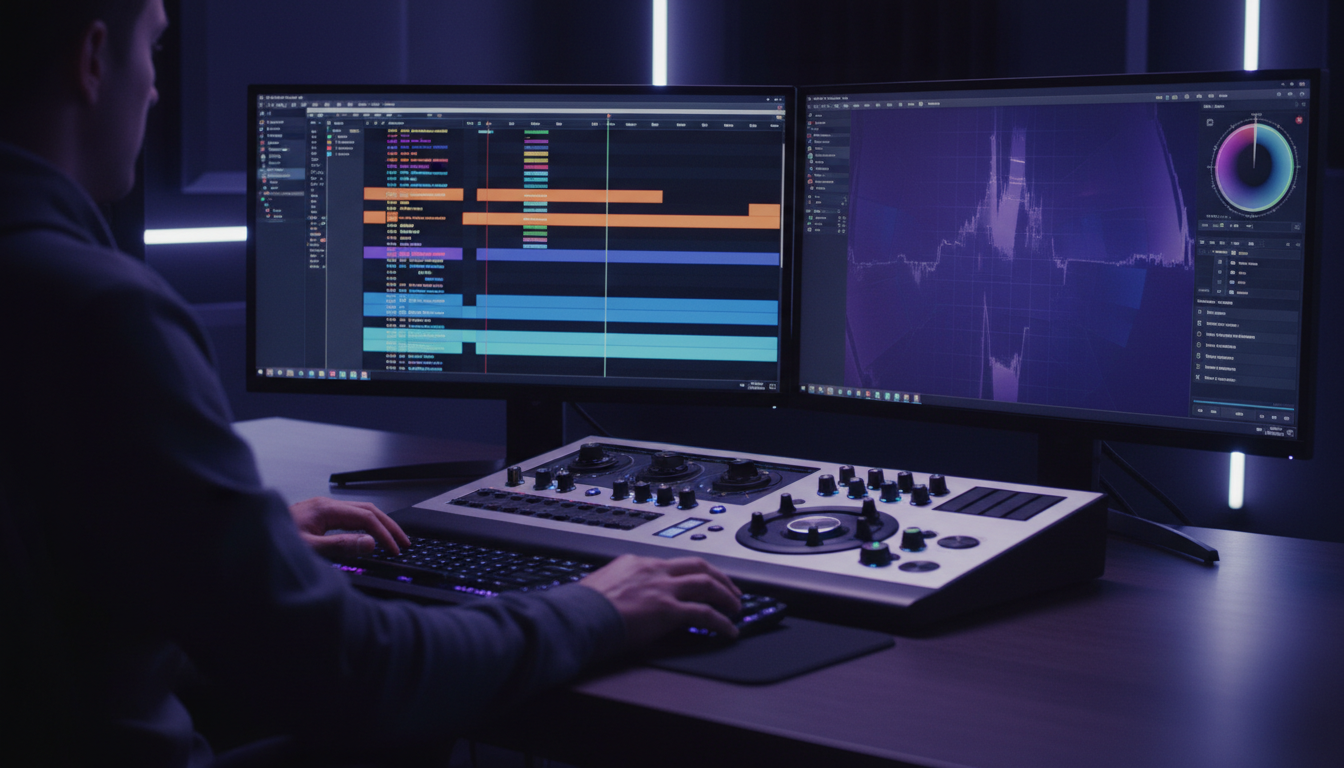
Editing a 20-minute video manually for 4 hours when an AI tool can do it in 90 seconds is like driving a horse and buggy on the highway. Yet, thousands of editors still do it every single day inside Adobe Premiere Pro. If you are still manually cutting silences or matching multi-cam tracks, you are lighting your hourly rate on fire. We do not have time for that anymore. AI tools in 2026 can cut your post-production time by up to 70 percent, but only if you choose the right stack instead of subscribing to five different overpriced web platforms.
If you are overwhelmed by the sheer volume of choices, you are not alone. In this guide, I will break down the best AI tools for video editing free vs paid alternatives, look at the real-world performance of native Premiere Pro plugins versus standalone web apps, and explain how to build a high-speed post-production workflow that keeps your wallet happy.
Key Takeaways
- Manual editing of a 20-minute video takes 3 to 5 hours, while AI tools cut post-production time by up to 70 percent.
- Free tools like DaVinci Resolve can handle 80 percent of basic professional editing needs without watermarks.
- Standalone web-based AI tools force slow upload and download cycles that destroy professional timeline editing speed.
- Competitors like AutoPod ($29/mo) and FireCut ($14-$29/mo) offer single-feature plugins with no permanently free tiers.
- Keep your monthly software costs low by using KreateFlo's $19.99/mo Pro plan to get 33+ integrated Premiere Pro tools.
- Avoid hybrid credit traps like Descript, where heavy AI use requires purchasing extra hours on top of your subscription.
Best AI Tools for Video Editing Free vs Paid Alternatives: The Reality Check
The Post-Production Bottleneck in 2026
We are all feeling the crunch. Client deadlines are shorter, expectations are higher, and budgets are tighter.
The numbers support this urgency; 91 percent of businesses use video as a marketing tool [8]. This massive volume means video is no longer a differentiator—it is table stakes. To keep up with this demand, we are seeing a massive shift away from high-budget production toward high-speed, high-engagement automated vertical shorts vertical video trends to target shrinking audience attention spans.
If you are manually hunting down filler words, scanning raw footage for highlights, or ripple-deleting dead space, you cannot compete. When you implement automated workflows, AI editing tools boost team productivity by 47 percent [1] and reduce the manual grinding that turns a creative job into a chore.
- Key Stat: 91% of businesses are actively using video as a primary marketing tool in 2026.
Why Standalone Web Tools Fail Pro Editors
The internet wants you to believe that web-based AI tools are the future. You have probably seen slick marketing campaigns urging you to upload your raw footage to their cloud platforms. Do not buy into the hype. For professional editors, standalone cloud tools are incredibly frustrating.
But here is the ugly truth: web-based platforms force you into a slow upload-download loop, lock your original high-resolution footage behind a compressed preview window, and strip away your fine-grained timeline control. When a client asks for a quick change—like sliding an edit point two frames to the left or adjusting a specific audio crossfade—you are stuck. You either have to re-render the entire clip on their servers or rebuild the edit from scratch in your native timeline.
"Web-based editors are perfect for beginners who don't know how to use a timeline. For professionals, they are golden handcuffs that separate you from your native assets."
The Hybrid Setup Strategy
If you want to save hours without going broke, you need a hybrid strategy. This means using highly capable free desktop software for raw construction and color, combined with highly focused native plugins inside your primary editor to automate the repetitive tasks. Stop subscribing to expensive $99+/month AI platforms before evaluating a capable free stack [4].
By using free tools where they excel and investing only in timeline-integrated plugins, you can build a workflow that actually saves hours. The gap between free and paid has narrowed. This means you can easily replicate the features of high-end platforms that charge premium subscriptions of $99 to $299 per month [3] with a leaner, smarter setup.
Actionable Takeaway: Audit your current software stack and list every tool you pay for. If it requires you to export XML files back and forth or upload raw gigabytes of footage to a web browser, target it for replacement with a timeline-native plugin.
Best Free AI Tools for Video Editing: Free Desktop Software vs Plugins
DaVinci Resolve: The Premier Free Desktop Suite
If you want a professional-grade editor without a monthly subscription, Blackmagic Design is the gold standard. DaVinci Resolve serves as a premier free professional editing suite [3] with incredibly powerful built-in AI tools. While the paid Studio version costs a one-time fee of $295, the free tier is shockingly robust.
In my experience, Resolve's neural engine handles tasks that used to require dedicated third-party plugins. For example, the built-in voice isolation tool cleans up background noise instantly, while its AI-powered color tools automatically adjust color balance and tone across different camera matching profiles [10]. If you are a solo creator or running a small boutique agency, you can edit high-end commercial projects on Resolve's free tier without ever seeing a watermark.
CapCut: The Fast-Draft Social King
CapCut has become the default choice for social media creators, and it is easy to see why. It offers a highly capable free plan with its paid Pro tier starting at $7.99 per month [2]. For quick vertical video drafts, social clips, and rough assemblies, CapCut's automated transitions and keyframe animations are incredibly fast.
However, CapCut is a closed ecosystem. If you are doing professional client work, you will quickly hit its ceiling. You cannot export your timeline as a clean XML to move it to After Effects, the audio mixer is basic, and recent updates have pushed previously free features behind their paid wall. In fact, CapCut Pro subscriptions jumped from $9.99 to $19.99 monthly in many markets [1], making it less of an obvious budget choice.
KreateFlo Free: Three Forever-Free Timeline Tools
If you edit in Adobe Premiere Pro and do not want to jump between separate apps, you can use KreateFlo. We designed KreateFlo as a native Premiere Pro CEP extension rather than a standalone app. Our free tier is not a limited-time trial—it gives you three essential tools completely free forever.
With the free version, you get our basic Silence Remover, Transition Assistant, and Copy & Paste tools. Instead of paying a subscription just to strip dead space from an interview, you can run our native silence tool directly on your sequence. It cuts out the silence, ripples the timeline, and leaves you with a clean, editable track in seconds without spending a single dime.
Actionable Takeaway: Use DaVinci Resolve's free tier for heavy color grading and audio isolation, and install the free KreateFlo extension in Premiere Pro to handle your daily timeline cleanup tasks like silence removal.
Best AI Tools for Video Editing Free Download vs Paid Subscriptions

AutoPod: The $29/mo Premium Multi-Cam Standard
If you edit multi-cam podcasts every day, you have probably heard of AutoPod. It is a highly focused Premiere Pro plugin that automates multi-camera switching based on audio levels. It does exactly what it promises, but it comes with a catch: it does not offer a permanently free tier, charging a flat individual subscription price of $29 per month autopod pricing.
AutoPod is excellent at what it does, but paying $29 a month for a tool that only handles multi-cam switching is tough to swallow when the AI video editing software market continues its rapid global expansion through 2026 [5], bringing much more versatile tools to the table. If your workflow requires more than just switching cameras, you will end up stacking multiple subscriptions.
FireCut: The Mid-Tier Timeline Optimizer
FireCut is another Premiere Pro AI editing plugin that targets repetitive tasks. It starts at $14 per month (or $11 per month billed annually) for its Starter tier, with its Pro tier priced at $29 per month firecut starter pricing.
FireCut is great at removing silences, adding transitions, and generating basic subtitles. It is a reliable mid-tier choice, but like AutoPod, it is billed on a recurring monthly model. If you are looking for a best ai tools for video editing free download option, FireCut's restricted trials will eventually force you to open your wallet once you hit their output limits.
Descript: The Text-Based Hybrid and Its Credit Trap
Descript popularised the text-based editing workflow, allowing you to edit videos like a text document [2]. You delete a word from the transcript, and Descript deletes the corresponding video frame. It is a fantastic tool for editing interviews, but its pricing model is highly restrictive.
Descript utilizes a hybrid pricing model ranging from $16 to $50 per month [10], but its free plan limits users to just 1 hour of transcription per month. Even on their paid plans, you run into the hybrid usage credit trap. If you edit high volumes of footage, you will quickly burn through your monthly transcription hours and be forced to purchase expensive add-on credits, even though you are already paying a premium monthly subscription.
| Tool | Format | Pricing | Best For |
|---|---|---|---|
| DaVinci Free | Standalone App | Free | Grading & Audio Clean |
| CapCut Pro | Standalone / Web / Mobile | $7.99 - $19.99/mo | Quick Social Drafts |
| AutoPod | Premiere Plugin | $29/mo | Multi-Cam Only |
| FireCut | Premiere Plugin | $14 - $29/mo | Timeline Cleanup |
| Descript | Standalone App / Cloud | $16 - $50/mo (Credit-based) | Text-Based Editing |
| KreateFlo | Premiere CEP Extension | Free (3 tools) / $19.99/mo | All-in-One Native Editing |
Actionable Takeaway: Avoid subscribing to single-feature plugins like AutoPod if you also need subtitles or silence removal. Look for unified plugins that bundle these tools together under one flat subscription.
Why Native Premiere Pro Plugins Beat Standalone Cloud Platforms
The Upload-Download Death Loop
If you have ever tried to edit a 4K multi-cam shoot on a web platform, you know the pain. You have to upload hundreds of gigabytes of raw footage to their servers, wait for their cloud models to process it, and then download compressed proxy files to your machine.
While 48 percent of content creators use cloud-based editing tools [1] to bypass local hardware limitations, these web-based limits are velocity killers for professional editors who manage massive high-resolution project folders [4]. A native plugin bypasses this death loop entirely. Because it runs directly on your local system, there is zero upload or download time.
Keeping Creative Control of Your Timeline
Web-based AI tools are notorious for stripping away your creative choices. They analyze your video, make cuts, apply styling, and hand you a finished file. But what if you do not like the placement of a specific cut? What if the background music overlaps with a speaker's voice?
With a native Premiere Pro plugin, the AI does not export a flattened video file. Instead, it writes cuts, transitions, and audio adjustments directly onto your active sequence. Adobe Premiere Pro holds 35 percent of the video editing software market [1] because professionals demand precise control. Native plugins respect this workflow, keeping your cuts non-destructive so you can adjust every single edit frame-by-frame on your timeline.
Seamless Native Collaboration
Native plugins keep your project files clean and collaborative. If you are working with an assistant editor or sending your project to a client for review, you do not have to export massive video files or invite them to a third-party cloud platform.
You can simply share the Premiere Pro project file (.prproj). Since the plugin made the edits directly on the sequence, any other editor can open the timeline on their machine and see the exact same cuts, even if they do not have the plugin installed. This native workflow allows you to reformat content for multiple platforms [9] and make immediate client revisions on the fly without hopping between browser tabs.
Actionable Takeaway: Stick to native desktop plugins for your primary editing timeline. Use web-based platforms only for high-level generative tasks like generating AI voices or background music tracks.
The Hidden Costs of Relying on Free AI Video Editors

Resolution Limits and Intrusive Watermarks
Let's be honest: free online video editors are businesses, not charities. They have to pay for expensive cloud computing power, and they recoup those costs by crippling their free tiers.
Free tiers often carry a hidden cost of slower rendering speeds, severe duration limits, and intrusive watermarks that jeopardize professional brand credibility [3]. If you deliver a video to a corporate B2B client with a "Made with CapCut" or "Descript" logo burned into the corner, you will look like an amateur.
Slower Rendering Speeds and Throttled Processing
When you use a free web-based tool, you are placed at the back of the line. Your rendering jobs are sent to low-priority servers, meaning a simple 60-second export can take 15 to 30 minutes to process during peak hours.
If you are working under a tight client deadline, this throttling is a massive liability. Paid tools buy you dedicated server priority and local GPU-accelerated rendering, ensuring your exports finish in seconds rather than hours. With 82 percent of internet traffic coming from video [7], turnaround speed is your most valuable asset.
Commercial Rights and B2B Liabilities
This is the one nobody talks about until it is too late: licensing. Many free AI video editors place strict restrictions on their free exports, forbidding commercial use. If you use a free tool to edit a video for a client's paid ad campaign, you might be violating the software's terms of service.
Warning: Many free online tools lack robust privacy terms. When you upload raw files, your client's unreleased footage could be used to train generic AI models [4]. If a client finds out their confidential corporate town hall or product demo was uploaded to train a public AI model, you could face severe legal and financial liabilities.
- Marketers Using AI for Ideation:
- 2022: 40%
- 2024: 65%
- 2026: 86%
Actionable Takeaway: Always read the end-user license agreement (EULA) of any free tool you use for client projects. If it does not explicitly grant commercial usage rights or guarantee data privacy, do not use it for B2B client work.
How to Calculate Your Video Tool ROI and Build Your 2026 Stack
The Cost-Per-Video Formula
If you want to keep your business profitable, you have to run it like a business. That means tracking exactly how much your software stack costs you per video produced. Use this simple formula:
$$\text{Cost Per Video} = \frac{\text{Total Monthly Tool Subscriptions}}{\text{Number of Videos Produced Per Month}}$$
Your goal should be to keep your average tooling cost below a $50 per video threshold. If you are paying $200 a month for five different AI tools but only delivering four videos, your cost per video is $50. That is a massive chunk of your margin. Keep your monthly tooling optimized; modern AI video production reduces average costs by 91 percent [6] compared to traditional manual post-production pipelines.
- Traditional vs AI Video Cost Per Minute: $4,500 vs. $400.
When to Stick to Free Tiers
If you are a solo creator posting one video a week, or if you are editing hobby projects for fun, do not pay for software. You have more time than money, and the free stack is incredibly powerful.
You can build a highly capable hybrid workflow that combines DaVinci Resolve for heavy editing and color grading with CapCut's free tier for quick vertical short-form exports [3]. This setup costs you absolutely nothing and will easily handle 80 percent of your creative needs.
When to Upgrade to Studio-Grade Plugins
If editing is your main source of income, or if you manage high-volume content pipelines for multiple clients, you need to upgrade. A survey found 55 percent of video teams use AI to automate video editing tasks, saving an average of 12 hours per project [10].
If a paid plugin saves you just two hours per project, it has paid for itself on the very first video. You can implement text-based editing on long-form interviews and edit your timeline directly by deleting words in the auto-generated transcript [2]. The time you save can be reinvested into taking on more clients, improving your storytelling, or simply getting your weekends back.
Actionable Takeaway: If your monthly editing time exceeds 20 hours, upgrade to a professional, unified timeline plugin. The time saved will easily cover the subscription cost within your first client invoice.
The Timeline-Integrated Alternative: Why We Built KreateFlo

33+ Native Premiere Tools in One Panel
When we started building KreateFlo, we wanted to solve a specific problem: tool fatigue. We were tired of paying for AutoPod for multi-cam, FireCut for silence removal, and Descript for transcription, all while juggling separate browser windows for captions and audio cleanup. It was expensive, slow, and messy.
So we built KreateFlo (currently version v1.0.3) as a unified, timeline-native CEP extension for Adobe Premiere Pro. We bundled 33+ professional tools into a single, clean panel. Instead of paying $100+ a month for five different subscriptions, you get everything in one place. Our pricing is straightforward: our Pro plan is $19.99/mo with 20 AI hours, and our Studio plan is $44.99/mo with 50 AI hours.
Pro Tip: If you want to keep costs at zero, our free tier gives you Silence Remover, Transition Assistant, and Copy & Paste forever with absolutely no usage caps or watermarks.
AI Multi-Cam Editing That Actually Works
Our Multi-Cam Editor is built to compete directly with AutoPod but at a much more accessible price point. It handles up to 8 speakers and 8 cameras, allowing you to assign dedicated wide-shots so the AI knows exactly when to cut to a group angle versus an individual close-up.
Because it runs natively inside Premiere Pro, it generates clean, non-destructive cuts on your active sequence. If the AI cuts to the wrong camera during a cough, you do not have to open a web browser or re-render. You can simply grab the edit point on your timeline and slide it over. It matches the performance of the most expensive plugins on the market but is integrated into our unified, budget-friendly panel.
Real-Time Animated Captions Without Render Loops
If you edit short-form content, you know how frustrating it is to generate captions. Most tools require you to apply a style, render the video to see how it looks, make a change, and render it again. It is a slow, tedious loop.
Our CaptionFlow tool solves this with 22 animated caption presets and a WASM-powered real-time preview. You can change fonts, adjust colors, and watch the animations update instantly on your screen without waiting for a render loop. Our voice transcription supports 40+ languages, including Bangla and Hindi, helping you reach global audiences without the traditional expense of localization [9].
But let's be completely honest: KreateFlo is NOT the right pick for everyone. If you edit primarily in DaVinci Resolve or Final Cut Pro, KreateFlo will not work for you—we are exclusively a Premiere Pro extension. If you do not edit long-form interviews, podcasts, or high-volume short-form clips, our advanced multi-cam and transcription tools might be overkill. But if you live in Premiere Pro every day and want to stop paying for multiple fragmented subscriptions, KreateFlo is built for you.
Short-form video delivers the highest ROI of any content format [8], and studies show 85 percent of people have been convinced to buy a product or service after watching a video [7]. Building an efficient pipeline is how you scale to capture that value.
Actionable Takeaway: Download the KreateFlo extension today. Get our three essential timeline tools completely free forever, or upgrade to Pro for $19.99/mo to get full access to our AI multi-cam editor, real-time captions, and transcriptions.
Frequently Asked Questions
What is the best completely free AI video editor without a watermark in 2026?
DaVinci Resolve is the best completely free desktop video editor without a watermark, offering industry-grade editing and professional AI features. For timeline assistants, KreateFlo offers three essential Premiere Pro tools completely free forever with no watermarks.
How do free AI video editing tools compare to paid platforms for professional workflows?
Free AI tools can now handle up to 80 percent of basic video editing needs, but they lack advanced capabilities like native multi-camera switching, deep workflow integrations, and rapid rendering on large files. Paid platforms are necessary when you edit high volumes of client work under tight deadlines.
What are the pricing tiers and feature differences of Descript in 2026?
Descript uses a hybrid pricing model ranging from $16 to $50 per month, with a highly restrictive free plan that limits users to 1 hour of transcription per month. On paid plans, you may still need to purchase extra credits if you hit high-volume usage limits.
Is it worth upgrading to paid plugins like AutoPod or FireCut for Premiere Pro?
Upgrading is worth it if you edit multi-cam podcasts daily. However, AutoPod charges $29/mo for single-feature tools, and FireCut costs up to $29/mo. KreateFlo provides a better value by combining multi-cam, animated captions, and 30+ other tools for $19.99/mo.
How can video editors calculate if paid AI tools are delivering a positive ROI?
Divide your total monthly tool costs by your video output. If your tooling costs average less than $50 per video and save you at least two hours per project, the paid AI tools are delivering a highly positive return on investment.
You do not need to spend hundreds of dollars a month on fragmented web tools to build an efficient editing workflow. Start by maximizing free desktop suites like DaVinci Resolve or using free social media tools like CapCut for quick drafts. When you are ready to automate your professional timeline inside Adobe Premiere Pro without overpaying for individual tools, download the KreateFlo plugin. Get three essential editing tools completely free forever, or upgrade to Pro for $19.99/mo to start cutting your post-production time by 70 percent.
References
- autofaceless.ai/blog/video-editing-software-statistics-2026
- logicity.in/en/blog/5-ai-video-editing-apps-creators-rely-on-in-2026
- resource.digen.ai/ai-video-editing-software-free-vs-paid-2026/
- joyspace.ai/free-vs-paid-ai-video-tools
- meticulousresearch.com/product/ai-video-generation-and-editing-software-market-forecast-6359
- aivideobootcamp.com/blog/generative-ai-media-statistics-2026/
- kapwing.com/resources/115-video-marketing-statistics-for-creators-2026/
- digitalapplied.com/blog/video-marketing-statistics-2026-data-points
- hailuoai.video/pages/blog/ai-video-editor-trends
- zipdo.co/ai-in-the-video-industry-statistics/
- fluxnote.io/guides/ai-video-tools-comparison-free-paid-2026
- coherentmarketinsights.com/blog/media-and-entertainment/ai-video-generation-in-2026-trends-reshaping-the-industry-3383
- ltx.io/blog/ai-video-trends
- researchandmarkets.com/reports/6226988/generative-ai-in-video-creation-market-report
- corebrief.in/best-ai-video-editing-tools-2026/
- visla.us/blog/listicles/video-marketing-trends-for-2026/
- pexo.ai/blog/best-free-ai-video-editing-software-1555
- videoai.me/blog/best-free-ai-video-editors-2026
- reap.video/blog/best-ai-video-editing-tools
- rtechreview.in/best-ai-powered-video-editors-for-youtubers-free-vs-paid-2026-guide/
- wavespeed.ai/blog/posts/best-ai-video-editors-2026/
- zapier.com/blog/best-ai-video-generator/
- manus.im/blog/best-ai-video-generator
Try KreateFlo free
3 tools forever, 7-day trial on the rest. No credit card to start.
Download KreateFlo