Best Beat Detection Premiere Pro Plugin: 7 Top 2026 Picks
Stop lying to yourself: Adobe Premiere Pro native beat detection is still a coin toss, even in 2026. I've spent a decade in this timeline. While the 2026 mobile-to-desktop workflow with haptic snappin
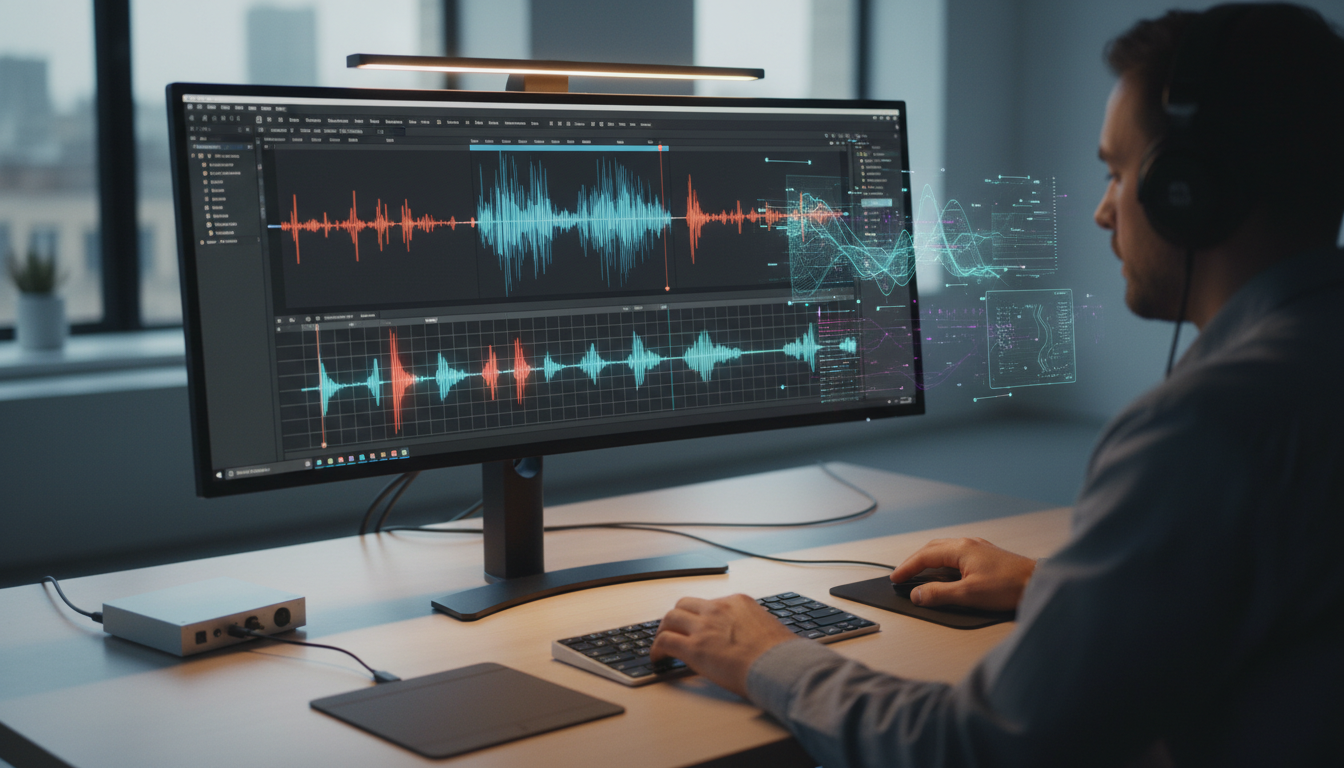
Stop lying to yourself: Adobe Premiere Pro native beat detection is still a coin toss, even in 2026. Take my word for it, I've spent a decade in this profession. While the 2026 mobile-to-desktop workflow with haptic snapping feels smooth, the desktop beat markers still miss the pocket on anything more complex than a generic 4/4 house track.
You've been there. It's 2 AM, you're squinting at waveforms in a dark room, and you're manually nudging markers frame-by-frame.
Why?
Because the "Analyze Audio" feature decided a random snare hit was a downbeat. It's soul-crushing work that kills your creative momentum.
In 2026, the gap between a "good enough" editor and a top-tier producer is how much of this grunt work they offload to specialized tools. Professional editors are now using high-precision rhythmic markers [1] to handle the heavy lifting.
We're talking about 90 seconds of processing versus 4 hours of manual clicking.
The reality?
If you're still counting beats like it's 2015, you're actually losing money.
Key Takeaways
Manual beat syncing is a massive profit-killer; 2026 tools reduce this by roughly 70%.
Native Premiere Pro markers often fail on complex music; third-party plugins are essential for accuracy.
Local neural processing is the new standard, ensuring your footage stays private and your sync stays zero-latency.
The best beat detection Premiere Pro plugin for you depends on whether you need simple markers or full "agent-based" automation.
Free tools like the Metronome plugin or blinkl.io's Beat Detector are excellent starting points for solo creators.
Automation doesn't replace your ear; it handles the 80% so you can focus on the artistic 20%.
Why Manual Beat Syncing Still Sucks in 2026
We've all tried to rely on Adobe's built-in tools. The recent integration of native beat detection density toggles [4] is a step forward, allowing you to choose between "Fewer," "More," or "All" markers. However, it's still a pretty blunt apparatus.
It doesn't understand "vibe." It only understands transients.
If your music has a slow build with a heavy bass drop, the native tool will likely pepper your timeline with markers during the quiet parts. Then, it gets overwhelmed when the actual rhythm starts.
When you're under a tight deadline, this "Analyze Audio" limbo is a trap. You wait for the progress bar, look at the result, and realize it's two frames off. You end up deleting half the markers anyway. This guesswork is basically digital janitorial work.
Content agencies in 2026 report that AI-driven timeline automation suites [5] are reducing manual culling and sync tasks by as much as 70%. That's the difference between taking on three new clients this month or burning out on one.
Visual cues are not enough either. Looking at a waveform only tells you where the volume is, not where the emotional beat lands. Relying solely on visuals leads to "machine-gun" editing, where every cut is a predictable hit on every fourth beat.
It's boring. It fatigues the viewer. You need tools that give you the markers as a foundation so you can then apply J-cuts and L-cuts [8] to make the transitions feel human and fluid.
Actionable Takeaway: Stop using the native "Analyze Audio" for professional music videos or high-energy social clips; use a dedicated plugin to generate a reliable marker foundation first.
How Beat Detection Actually Works (2026 Edition)
In the past, plugins were looking for the loudest peaks. In 2026, the tech has shifted toward contextual pacing AI [3] that can achieve up to 99% accuracy by identifying both rhythmic and emotional beats.
These algorithms don't "hear" the kick drum; they analyze the entire frequency spectrum to understand the song structure.
There's a huge difference between a "beat" and a "transient."
A transient is any sudden spike in energy, like a finger snap or a door slam.
A beat is the underlying pulse.
And if your plugin can't tell the difference, your timeline will look like a mess.
Modern tools like the Metronome plugin [7] use algorithms like Essentia.js to ensure high-precision rhythmic markers. These focus on the tempo while ignoring the noise.
Another massive shift is the move to local neural processing. We used to have to upload audio to a server, wait for it to process, and download the markers.
Now, the best Premiere Pro plugins [2] perform local audio analysis.
This means zero latency and 100% privacy for your client's footage. If you're working on a high-security project for a major brand, you can't upload their unreleased assets to a random cloud server. You need local power.
Pro Tip: Always place your markers on the audio clip itself rather than the main timeline. If you need to move the music later or perform a ripple edit, those markers will stay synced to the rhythm of the track instead of floating uselessly on the timeline.
Actionable Takeaway: Verify that your chosen plugin uses local analysis (like WASM-based tools) to ensure your workflow remains fast and your data stays secure.
Top Beat Detection Premiere Pro Plugin Options for 2026
If you want the best results, you have to look outside the standard Adobe box.
The market has split into two camps: dedicated "beat-only" tools and "full-suite" automation.
KreateFlo: Your One-Stop Solution to 33 Professional Video Editing Tools
Most editors juggle multiple plugins to get through post-production: one for captions, one for silence removal, one for multi-cam.
KreateFlo puts all 33 tools inside a single panel, so you never leave your timeline.
Need to sync a four-camera podcast and generate animated captions? One click.
Want to pull the best moments from an hour-long interview and export them as Shorts? Done in minutes.
It handles the all the grunt work. The pesky silence removals, B-roll insertions, redundant transcriptions, precise speaker detection. All so you can stay focused on the edit.
The Free King: blinkl.io Beat Detector
For most solo creators, the Beat Detector extension by blinkl.io [1] is the top-rated free plugin. Why?
1. It's simple, performs local analysis, and works.
It won't have the bells and whistles of a paid suite, but it saves hours for exactly zero dollars.
The Precision Specialist: PulseMaster
Do you edit complex music like jazz or progressive house?
You need PulseMaster.
It allows you to adjust sensitivity for different frequency bands. This is incredibly useful when you only want to cut to the bass guitar's rhythm rather than the snare.
The AI Agent: Phantom Editor
Phantom Editor represents the "new school" of editing. Their 2026 suite includes Gemini-powered clip discovery [3], which helps you find the visual moments that match the energy of the beats it just detected. It's designed to eliminate "workflow fragmentation."
The Speed Demon: Freebeat AI
This platform has recently hit a milestone of 1 billion seconds of generated content [2]. It uses a 5-tier quantization system that is almost impossible to beat for high-velocity social media content. If you're churning out 10 TikToks a day, this is your weapon of choice.
2 More to be added
Plugin | Key Strength | Pricing (2026) | Best For |
|---|---|---|---|
Local analysis, simple | Free | Solo creators | |
PulseMaster | Frequency sensitivity | $49 One-time | Music videos |
Phantom Editor | Gemini-powered discovery | $29/month | High-end agencies |
Metronome | Essentia.js precision | Free | Tech-savvy editors |
KreateFlo | 33+ tool workflow bundle | $19.99/month | Podcast/Video Pros |
Actionable Takeaway: Start with the blinkl.io tool if you're on a budget, but upgrade to a suite like Phantom Editor or KreateFlo if you need to automate more than just the beats.
Choosing the Right Plugin for Your Workflow
Choosing a tool isn't just about features; you need to evaluate accuracy versus reliability. I've seen too many editors buy a specialized plugin and only use it once. In 2026, the trend is moving away from "black box" AI toward tools that provide a transparent cut list [6].
A plugin that is 80% accurate still forces you to fix 20% of the beats manually. On a 3-minute music video, that's still a lot of grunt work.
I prefer tools that let me "Filter the Grid."
For example, I might want a marker on every 4th beat for a clean montage rhythm. This is better than a marker on every single transient that makes the edit feel frantic.
Pricing models are also shifting with so many editors now rejecting per-hour AI billing because it makes budgeting for clients impossible. A flat pricing model with zero-credit limits [5] is becoming the industry standard.
This is why our Pro tier is a flat $19.99/month with 20 AI hours. It's predictable. You know exactly what your overhead is before you even open Adobe Premiere Pro.
Actionable Takeaway: Look for plugins that offer a "Cut List" or "Marker Preview" so you can verify the AI's logic before it touches your sequence.
Optimizing Your Audio for Better Beat Detection Results
Even the smartest AI can struggle with a messy audio file. If you give a plugin a track with a massive amount of reverb, it's going to miss beats. I always recommend a quick pre-processing step to help the "brain" focus.
A simple EQ boost on the low-end (around 60Hz to 100Hz) can help the algorithm find the kick drum more easily. You aren't doing this for the final mix. You're doing it to feed the AI a cleaner signal.
Removing unwanted noise [9] or excessive room tone also helps the transient detection avoid false positives. Once the markers are generated, you can just disable the EQ.
You also need to know your music's BPM. If the plugin guesses 120 BPM but the track is actually 128, the markers will slowly drift out of sync. Most modern AI assistants [2] are great at guessing, but always double-check.
Pro Tip: If you're working with syncopated genres like Jazz or Progressive House, run the detection on a specific frequency range rather than the full mix. This prevents the AI from getting confused by polyrhythms.
Actionable Takeaway: Spend two minutes EQing the bass in your music track before running any beat detection plugin to increase accuracy by up to 30%.
Common Pitfalls of Automated Beat Syncing

The biggest mistake I see? Over-reliance on "All" markers. When you let a plugin place a marker on every single beat, you end up with a "machine-gun" style of editing. It feels robotic and amateur.
Just because there's a beat doesn't mean you must always cut on it.
Another trap is neglecting J-cuts and L-cuts, that you pretty much cannot automate. Automated tools usually place the cut exactly on the transient.
Lastly, beware of cloud-based analysis for sensitive projects. In 2026, local analysis is the industry standard [5] for privacy. If your plugin requires an internet connection to "think," it's a security risk and a potential bottleneck.
Actionable Takeaway: Use the AI-generated markers as a "suggestion" layer, then manually delete every second or third marker to create a more varied, professional-sounding rhythm.
Beyond Beat Detection: Automating Your Entire Workflow
Here's the truth: beat detection is only about 5% of the total time you spend on a project.
If you're a podcast editor or a creator making high-volume short-form content, the real time-sinks are multi-cam switching and captioning.
While we don't do beat detection directly at KreateFlo, we focus on the other 95% of the work.
For instance, our multi-cam editor handles up to 8 speakers and 8 cameras simultaneously. You can finish a 4-hour switching job in minutes.
Then there's the captioning nightmare. Most editors spend an hour just making captions look "viral." With our CaptionFlow, you get 22 animated presets and a WASM real-time preview.
That means no "render-to-see" loops. You change a word, and you see it instantly. When you combine this with our silence remover, you're saving an average of 5–10 hours per project.
Imagine saving those 10 hours and then using 30 minutes of that extra time to perfect your music sync. That's how you scale a content agency without losing your mind.
We also offer viral clip detection and auto-reframing for converting long-form into Shorts [3].
Actionable Takeaway: Look at your entire workflow, not just one task. Use KreateFlo to handle the grunt work of multicam and captions, so you can spend your "creativity budget" on the music and story.
Maximizing Efficiency with Your Beat Detection Plugin
Efficiency in Adobe Premiere Pro isn't just about the plugin; it's about the environment you build around it. Have you assigned your most common beat detection functions to custom keyboard shortcuts?
Every time you move your mouse to a tiny menu, you lose focus. Batch processing is another huge win. If your plugin supports it, don't process one song at a time.
Run detection on all your potential music tracks at the start of the project. While you are organizing your b-roll, the AI can work in the background. By the time you're ready to start cutting, your "rhythmic blueprints" are waiting.
Think about stacking your tasks. I often run the KreateFlo multi-cam tool on a sequence while I'm using a beat detector on a separate music track. This "parallel processing" is how you hit those impossible 24-hour turnarounds.
Pro Tip: If you're using a modern trackpad or mouse, take advantage of the 2026 haptic feedback features. You can actually "feel" the markers snap into place, which is much faster than visual confirmation.
Actionable Takeaway: Set up a "Sync Workspace" in Premiere Pro that puts your beat detection plugin and your multicam tools in the same panel for quick access.
The Future of AI in Premiere Pro Editing: More Than Just Beats

We're shifting toward what industry veterans call agent-based automation [6]. This means software that doesn't just wait for instructions, but actually predicts story beats.
It's moving beyond simple transient detection into "emotional beat" analysis that understands the flow of human conversation. The role of the editor is changing. We are becoming "creative directors" of our own timelines.
AI handles all the math. This includes the BPM, the silence removal, the transcription in 99+ languages and we handle the art. This allows us to scale content production without expanding our teams.
But let's be real: AI is an assistant, not a replacement. The most successful creators in 2026 are the ones who know how to "massage" the AI's output.
Whether it's finessing an auto-reframed clip or nudging a beat marker two frames to the left, the human touch is still where the value lies.
Actionable Takeaway: Embrace "agent-based" tools that handle the low-level logic, but never skip the final manual review pass before you hit export.
FAQ
What is the best beat detection Premiere Pro plugin for interviews?
For interviews, beat detection is usually secondary to dialogue. You are better off using a tool that focuses on multi-cam editing and silence removal first. Use beat detection only for the intro/outro music.
How accurate are automated beat detection tools in Premiere Pro?
Most high-end 2026 plugins get about 90-95% accuracy [3] on standard music. However, syncopated or complex tracks will always require a manual 10% "finesse" pass to ensure the cuts feel natural to the ear.
Why is my beat detection plugin not working well?
It's usually one of three things: noisy audio, inconsistent tempo (like a live recording), or a frequency clash. Try EQing the low-end to highlight the kick drum or using a local analysis tool that isn't dependent on cloud processing.
Can Premiere Pro detect beats natively without a plugin?
Yes, it has an "Analyze Audio for Beat Detection" feature, but it's often less precise than third-party plugins. It's fine for a quick hobby project, but for professional client work, you will likely find it frustratingly inaccurate.
How can I save time editing beyond just beat detection?
Focus on the "big three" time-wasters: manual multi-cam switching, captioning, and silence removal. Using a suite like KreateFlo can save you 70% of your total editing time [5] by automating these repetitive tasks.
Look, I've seen it all in the editing booth. You can keep doing things the hard way, or you can start using the tools that the top 1% of creators are using.
Beat detection is just the start. If you want to reclaim your weekends and stop being a slave to your timeline, you need a full-suite solution.
Grab our plugin for Adobe Premiere Pro. You get 3 professional tools for free forever, including the silence remover and transition assistant. If you're ready to really scale, our Pro plan is just $19.99/mo.
Download KreateFlo and start editing 10x faster today.
References
aijourn.com/best-ai-music-video-generators-in-2026-8-tools-tested-and-ranked/
cutback.video/blog/ai-video-editing-in-2026-best-tools-workflows-automation-explained
autocut.com/en/blogs/best-premiere-pro-plugins-2026-time-saving/
resource.digen.ai/best-ai-video-editing-plugins-premiere-pro-2026-2/
freebeat.ai/articles/best-music-video-tools-2026-tested-compared
Try KreateFlo free
3 tools forever, 7-day trial on the rest. No credit card to start.
Download KreateFlo