Premiere Pro Multilingual Captions: Ultimate 2026 Guide
Relying 100% on automated caption translation in Adobe Premiere Pro will burn your client relationships faster than a corrupted scratch disk. AI gets native speech transcription right about 92% of the
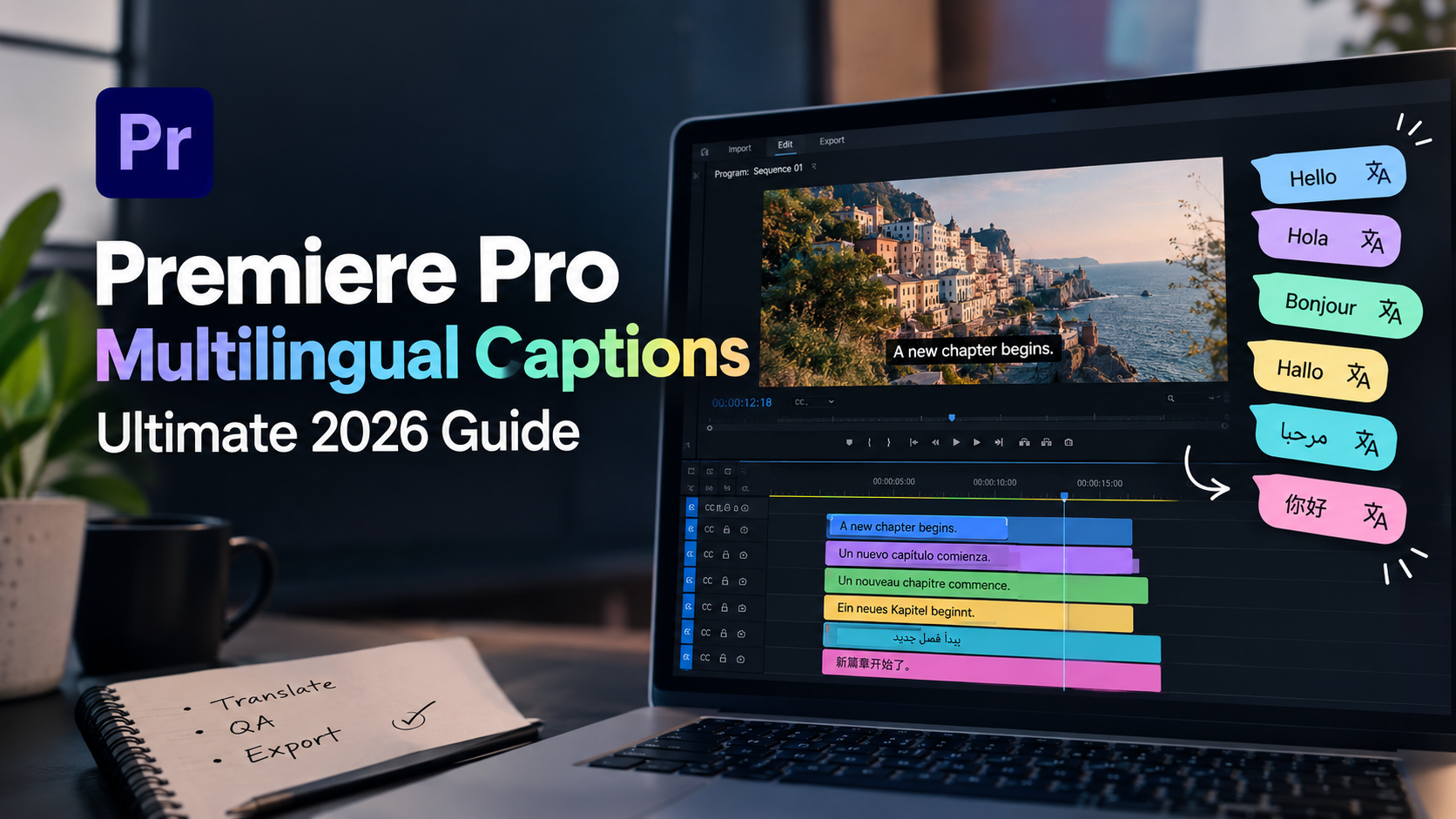
Relying 100% on automated caption translation in Adobe Premiere Pro will burn your client relationships faster than a corrupted scratch disk. AI gets native speech transcription right about 92% of the time. But throw multi-language translations into the mix? You're suddenly staring down mistranslated brand names, broken line wraps, and timing drift that waste 4 hours of manual QA per export.
I edit podcasts and long-form video interviews in Adobe Premiere Pro every single day. I know the pain of watching a client point out a mangled sponsor name in Spanish three minutes after you hit export.
Can you fully automate multilingual caption QA in Premiere Pro in 2026?
The honest answer is no. You can't push a single button and walk away. But if you set up your project correctly, clean your audio stems, and use global search tools, you can automate 80% of the grueling work. That turns a 4-hour manual audit into a 15-minute review.
Here's how the tech actually works under the hood, where AI fails, and how to build a subtitle QA workflow that keeps your client happy without destroying your sanity.
Key Takeaways
Full automation is a myth: AI handles raw speech recognition well, but human oversight is mandatory for proper nouns, regional context, and brand names.
Audio isolation is non-negotiable: Cleaning background music and noise before running AI transcription eliminates the majority of downstream translation bugs.
Native limits vs. plugins: Premiere Pro natively transcribes 19 languages, while plugins like AutoCut and Fluen extend timeline translation up to 80+ languages.
Global Search-and-Replace saves hours: Fix recurring misspellings across hundreds of caption boxes in 90 seconds inside the Text panel.
Lock timing before styling: Finalize text accuracy and timing cuts before applying motion graphics or animated presets to prevent visual layout bugs.
Smart plugin selection: Tools like KreateFlo's CaptionFlow combine 22 animated presets with WASM real-time preview so you never wait on render loops.
Can You Automate Multilingual Caption QA in Premiere Pro? The 2026 Reality
Let's get realistic about speech-to-text algorithms inside video editors. We all want a magical button that takes a 60-minute multi-speaker podcast, transcribes it, translates it into five languages, checks grammar, and formats the captions perfectly.
That technology doesn't exist yet.
What we do have in 2026 is extremely fast baseline transcription that cuts raw typing out of our day. But treating AI output as final delivery files? That's how editors lose retainer clients.
92% on clean dialogue
What Adobe Premiere Pro Native Speech to Text Handles Well
Adobe's native engine has improved dramatically over the last few project releases. On clean, isolated dialogue tracks, Premiere Pro's built-in ASR engine achieves roughly 92% accuracy [1]. With the release of version 26.2, Adobe updated its speech-to-text processing models, delivering improved accuracy across supported languages by up to 36% [2].
If you work strictly in major European or American dialects with a decent studio microphone, native Speech to Text in Premiere Pro handles punctuation and speaker separation surprisingly well. Out of the box, Adobe supports native Speech to Text in 19 languages [4]. For single-language long-form edits, it gives you a solid starting baseline.
Where Fully Automated Multilingual QA Fails
The problems start the moment you translate that baseline text into secondary languages. Machine translation engines work word-by-word or phrase-by-phrase without understanding context.
Here's where fully automated QA breaks down completely:
Brand names and technical jargon: AI frequently translates proper nouns literally (e.g., turning "Apple" into the literal fruit in foreign languages).
Homophones and regional slang: Words that sound identical in spoken English get translated into completely wrong foreign terms.
Text expansion: Languages like German or Portuguese take up 20% to 30% more visual space than English, causing subtitle text to spill off screen or wrap into four awkward lines.
**Tone and formality:before running translation prevents those errors from multiplying across every language track on your timeline.
Awkward Line Segmentation and Word Breaks
Good captions match natural speech phrasing. Bad captions break sentences across line boundaries in ways that hurt comprehension.
When translated text expands, Premiere Pro's default caption generator often leaves single words dangling on a second line. Or it splits noun-verb pairs awkwardly across screen boundaries.
The impact? Research shows that clean, properly formatted captioned video content achieves up to 40% higher completion rates [1] on social platforms compared to uncaptioned or poorly wrapped text.
Subtitle Timing Drift Across Frame Rates
If your sequence frame rate is 23.976 fps but your subtitle track was generated against a 29.97 fps audio stem, you'll experience timing drift. The captions might start out in sync at minute one, but by minute fifteen, the subtitles pop up 12 frames late.
Want to catch this early? When reviewing long-form podcasts, check subtitle start points at the 5-minute, 30-minute, and 50-minute marks to ensure timing sync remains locked across the sequence.
Punctuation Gaps and Missing Sentence Structures
AI speech engines often struggle with run-on sentences in interview settings. When a speaker pauses to gather their thoughts, the AI might drop a period mid-thought or omit punctuation altogether for three paragraphs.
In translated tracks, missing punctuation destroys context. Foreign viewers are forced to re-read sentences twice just to figure out where a thought ends.
Audio Cleanup First: How Pre-Clearing Tracks Saves Hours of QA
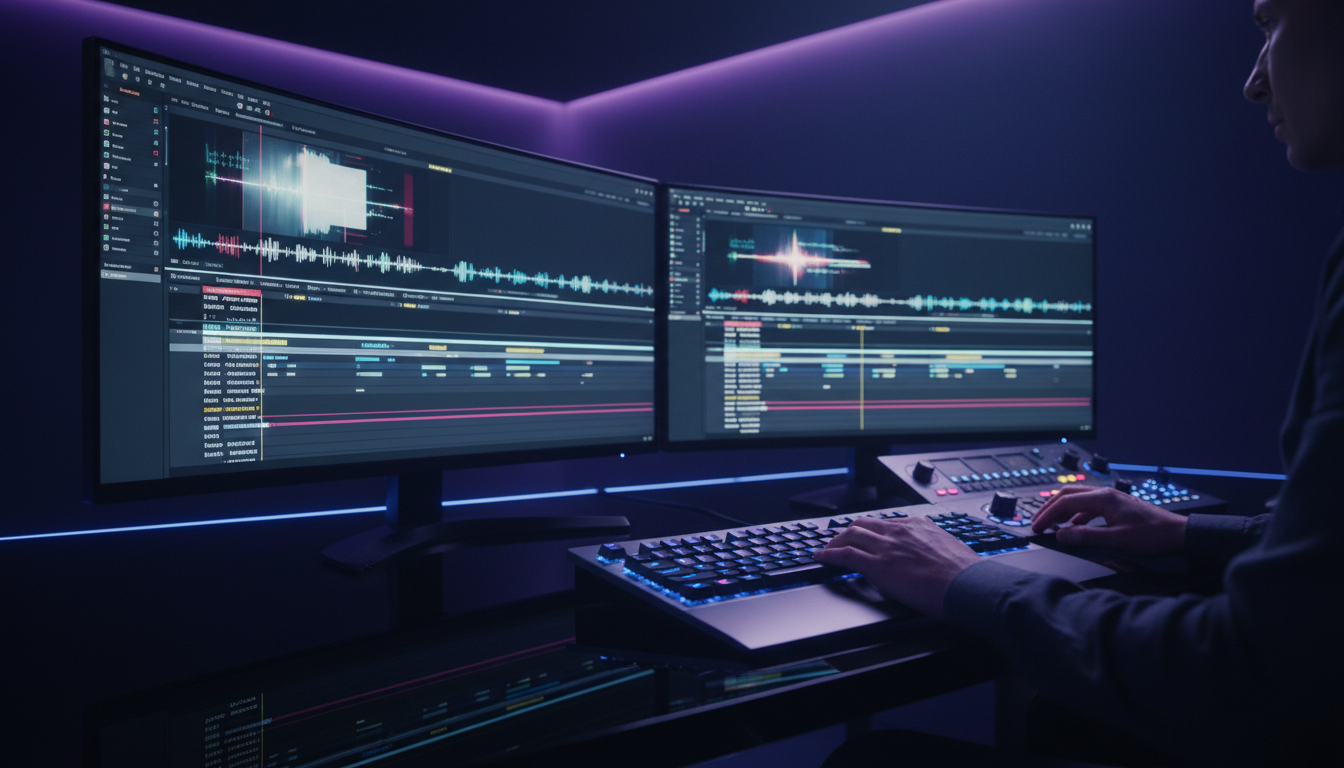
The biggest mistake I see editors make is running AI transcription on a full final mix. If your audio track has low-fidelity room echo, background music, or heavy sound effects, speech recognition accuracy drops off a cliff.
| Before | 4 Hours |
|---|---|
| After | 15 Minutes |
Raw Audio Mix (Dialogue + Music + FX)
  └─► Dirty AI Transcript (80% Accuracy)
        └─► 4 Hours of Manual Subtitle Fixing
Isolated Dialogue Stem (EQ + Noise Cleanup)
  └─► Clean AI Transcript (98% Accuracy)
        └─► 15 Minutes of Quick Review
Isolating Dialogue from Music and Sound Effects
Always isolate your dialogue stems onto dedicated tracks before running transcription. Mute your background music tracks, sound effects, and audio beds.
Running AI speech recognition on an isolated dialogue track can turn a 4-hour manual transcript cleanup into a 15-minute review pass. You can consult industry guidance on handling complex video transcripts [8] to optimize audio feeds prior to running automation.
Tackling Heavy Accents and Low-Gain Audio
When working with remote podcast guests recorded over Zoom or Riverside, audio levels fluctuate wildly. Low-gain dialogue causes AI models to skip quiet word endings, while heavy room reverb leads to hallucinated words.
Run a quick compressor and gain normalization pass on your guest track before sending it to the transcription engine. Giving the AI a clean, predictable gain structure immediately boosts recognition accuracy on accented speech.
Using Essential Sound Panel Before Running AI Transcripts
You don't need an external audio editor to prepare tracks for transcription. Inside Premiere Pro, select your dialogue clips, open the Essential Sound panel, tag them as "Dialogue," and check Denoise and Auto-Match under the Dynamics section.
Taking 60 seconds to pre-clear your audio stem inside Premiere Pro drastically reduces downstream spelling errors across all your translated subtitle tracks, as noted in popular guides for caption automation extensions for Premiere Pro [10].
Pro Tip: Create an "Audio Pre-Flight" track preset in Premiere Pro. Tagging dialogue clips and hitting Denoise + Auto-Match before hitting Transcribe cuts raw recognition bugs in half before you even touch translation.
Can You Automate Multilingual Caption QA in Premiere Pro? A 5-Step QA Process
Here's the exact step-by-step workflow I use to QA and format multilingual captions inside Adobe Premiere Pro without losing hours to manual editing.
Step 1: Clean Dialogue Stem ──► Generate English Transcript
Step 2: Text Panel ──────────► Global Search & Replace (Fix Brand Names)
Step 3: Timeline Plugin ──────► Translate into Target Languages
Step 4: Audit Formatting ────► Max 37 CPL / 2 Lines Per Block
Step 5: KreateFlo Extension ─► Apply CaptionFlow Animated Presets (WASM Real-Time)
Step 1: Clean Audio and Generate Base Transcript
Mute everything on your timeline except the primary dialogue tracks. Open the Text panel in Premiere Pro, click Transcribe, and choose your source language. Let the engine finish generating the base sequence transcript before touching any visual settings.
Step 2: Execute Global Search-and-Replace for Terminology
Don't fix misspellings line by line. Click the Search icon inside Premiere Pro's Text panel. Type the misspelled word in the search field and your brand name in the Replace field.
Click Replace All. Fixing a recurring guest name or technical product term across 300 caption blocks takes 90 seconds instead of an hour.
Step 3: Translate Timeline Tracks with Third-Party Plugins
Because Premiere Pro doesn't natively translate caption tracks into secondary languages on the timeline, open a translation extension to generate target language tracks. You can read up on translating subtitles directly on the timeline [9] to see how these timeline plugins bypass external app export loops.
Step 4: Audit Line Counts and Reader Speed Rules
Once your translated caption track drops onto the timeline, check character counts. German and Spanish tracks will invariably overflow.
Set your target caption rules to a maximum of 37 characters per line and no more than 2 lines per caption block. Split long blocks where natural pauses occur in the speech waveform.
Step 5: Apply Visual Captions with Real-Time WASM Preview
After text accuracy and cut points are locked, apply your visual caption styling. If you edit short-form vertical clips for TikTok, YouTube Shorts, or Instagram Reels, basic static subtitles won't cut it.
This is where I open KreateFlo inside Premiere Pro. KreateFlo is an Adobe Premiere Pro plugin (CEP extension v1.0.3) that bundles 33+ specialized editing tools into one extension panel.
Instead of tweaking Mogrt files or waiting on slow render-to-see-changes loops, KreateFlo's CaptionFlow tool features 22 animated caption presets powered by WebAssembly (WASM) for real-time previewing right inside your sequence.
You get immediate visual feedback without rendering scratch files every time you change a highlight color or font weight.
Comparing Top Plugins for Multilingual Captions in Premiere Pro
Premiere Pro's native tools get you halfway there, but serious multilingual workflows require extensions. Here's how the top Premiere Pro plugins compare when handling translation and caption workflows.
Plugin / Tool | Target Languages | Key Strength | Pricing Model | Best For |
|---|---|---|---|---|
Premiere Pro Native | 19 Languages | Built-in ASR, zero extra cost | Included with CC | Single-language rough transcripts |
Fluen.ai | 50+ Languages | Timeline translation tracks | Subscription | International corporate translation |
AutoCut | 80+ Languages | Fast subtitle translation | Tiered licenses | High-volume multi-language editors |
PremiereCopilot | 99 Languages | OpenAI Whisper engine accuracy | Per-minute / credits | Noisy audio & complex dialects |
KreateFlo (v1.0.3) | 40+ Languages | 33+ editing tools + WASM animated captions | Free tier (3 tools), Pro $19.99/mo, Studio $44.99/mo | All-in-one podcast & short-form editors |
Fluen.ai and AutoCut for Expanded Language Translation
When you need to translate an English timeline into French, Spanish, or Japanese, third-party plugins bridge the gap. Fluen.ai timeline caption translation [5] allows you to convert existing caption tracks into over 50 languages without leaving Premiere Pro.
Similarly, AutoCut expands automated translation up to 80+ languages [6] across both Premiere Pro and DaVinci Resolve. Both tools excel at pure text translation, but they focus purely on subtitle tracks rather than broader timeline automation.
Whisper-Powered Extensions like PremiereCopilot
For dialogue recorded in noisy environments or featuring heavy accents, OpenAI Whisper extensions deliver higher baseline accuracy than standard NLE engines. Tools utilizing Whisper-powered engines report up to 99.5% accuracy [7] across 99 languages.
If you edit non-English long-form interviews in regional dialects like Hindi or Bangla, Whisper-backed tools save significant typing time during initial transcription.
How KreateFlo Fits into Your Captioning Workflow
Instead of paying for single-purpose plugins that only handle captions, we built KreateFlo to replace the multi-subscription stack.
KreateFlo is a CEP extension running natively inside Premiere Pro. It includes 33+ specialized editing tools designed specifically for podcast and video editors who need to turn long-form content into viral short-form clips.
When it comes to captions, KreateFlo supports voice transcription in 40+ languages (including Bangla and Hindi). But captioning is just one piece of the puzzle. KreateFlo also handles:
AI Multi-Cam Editing: Cuts multi-speaker interviews automatically for up to 8 speakers and 8 cameras, including a dedicated wide-shot designation.
Silence & Filler Word Removal: Cleans up dead air and repetitive "ums" in seconds.
Viral Clip Detection & Auto-Reframing: Finds top podcast moments and reframes them for 9:16 vertical video.
Pricing is straightforward. Competitors like FireCut use complex per-hour billing models that penalize you for editing longer projects. KreateFlo offers a Free tier with 3 tools forever (Silence Remover, Transition Assistant, Copy & Paste). Our Pro plan is $19.99/month for 20 AI processing hours, and our Studio plan is $44.99/month for 50 AI hours.
Pro Tip: If you edit multi-speaker interviews regularly, combine AI multi-cam cutting with automatic captioning in one pass. It eliminates round-trip rendering between multiple standalone web apps.
Formatting and Readability Rules for Translated Subtitles
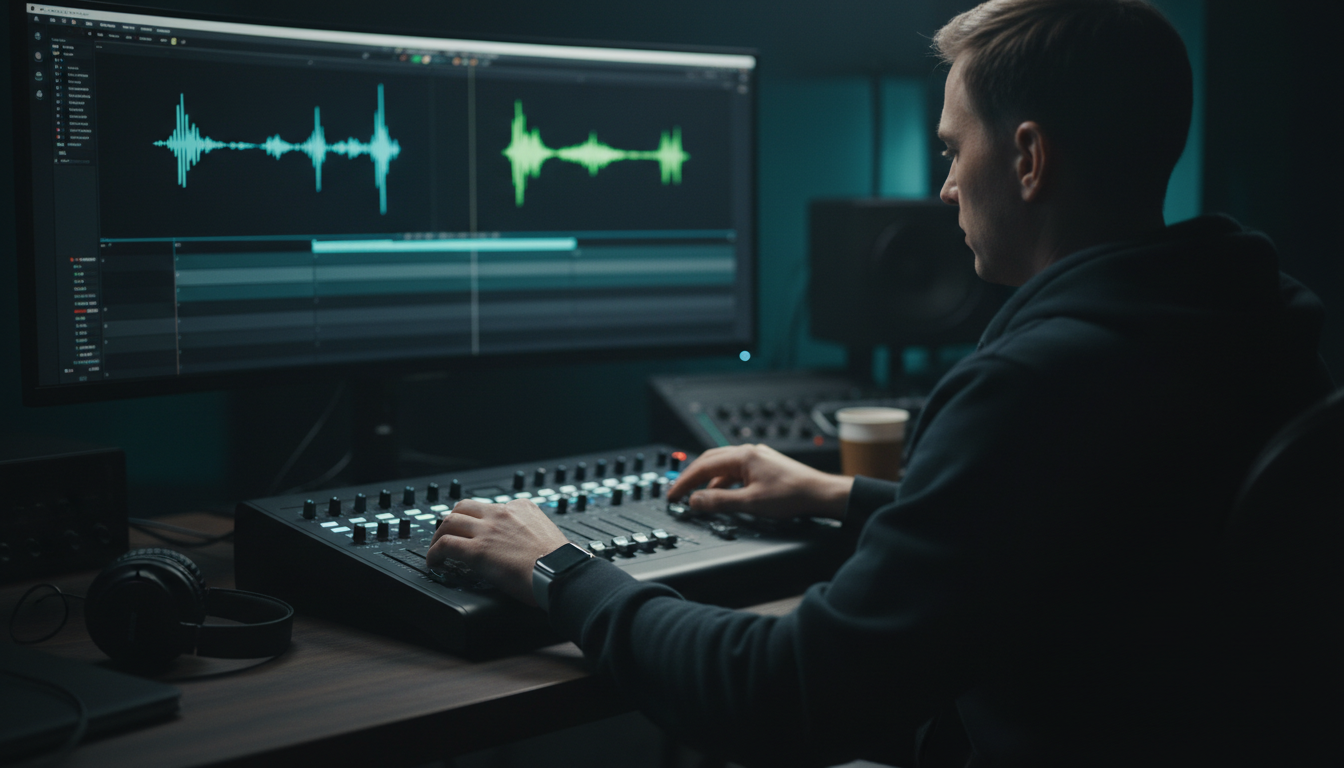
A perfectly translated subtitle is useless if a viewer can't read it before it disappears off screen. Different languages require different visual constraints.
Enforcing Character-Per-Line Limits Across Languages
When translating from English to languages with long compound words (like German or Finnish), your line character counts will spike.
Keep these hard rules active during your QA pass:
Maximum Line Length: 37 to 42 characters per line for horizontal video (16:9); 20 to 26 characters per line for vertical social video (9:16).
Maximum On-Screen Lines: 2 lines maximum. Never allow a caption box to stack into 3 or 4 lines.
Minimum Display Duration: 1.2 seconds per caption block so the brain has time to register the text.
If a translated phrase exceeds 42 characters, split it manually into two separate timed blocks rather than squeezing tiny text onto the screen.
Incorrect (Overcrowded German Translation):
"Wir müssen die Funktionsweise dieser neuen Technologie genau analysieren." (74 chars - 1 line)
Correct (Split for Readability):
Block 1 (1.5s): "Wir müssen die Funktionsweise dieser"
Block 2 (1.5s): "neuen Technologie genau analysieren."
Exporting Burned-in Short-Form Video vs. Sidecar SRT/VTT Files
How you export your captions depends on your target platform:
Burned-In (Open Captions): Mandatory for short-form clips on Instagram Reels, TikTok, and YouTube Shorts. The animated graphic styling is baked directly into the video pixels, guaranteeing your branded fonts and colors display on every device.
Sidecar Files (.SRT / .VTT): Mandatory for YouTube long-form, Vimeo, and corporate video players. Sidecar files allow viewers to toggle captions on or off and select their preferred language natively.
Preventing Layout Bugs When Switching Subtitle Tracks
If you edit a video with multiple language tracks on separate subtitle tracks in Premiere Pro, changing fonts after the fact can mess up your vertical alignment.
Always finalize your line breaks and text edits first. Once the text is locked, select all caption blocks on that track, open the Essential Graphics panel (or KreateFlo's CaptionFlow panel), and apply your styling globally across the track in one click.
When KreateFlo Isn't Enough: Knowing When You Still Need a Human
We built KreateFlo to speed up your editing workflow, not to mislead you with false promises. Trust matters more than hype. There are specific editing scenarios where AI automation should never be left unsupervised.
                       ┌─────────────────────────────┐
                       │   Is your video project...  │
                       └──────────────┬──────────────┘
                                      │
              ┌───────────────────────┴───────────────────────┐
              ▼                                               ▼
   [ High-Stakes / Legal / Medical ]              [ Social Clips / Creator Podcasts ]
              │                                               │
              ▼                                               ▼
  ┌───────────────────────────────┐               ┌───────────────────────────────┐
  │  HUMAN LOCALIZATION REQUIRED  │               │  KREATEFLO 80% AUTOMATION     │
  │  Must hire native proofreader │               │  Fast AI draft + 15-min QA    │
  └───────────────────────────────┘               └───────────────────────────────┘
High-Stakes Corporate and Legal Video Localization
If you're editing a medical device instructional video, a legal deposition, or financial earnings calls, a single mistranslated term can result in legal liability or compliance rejection.
In these environments, AI tools (including KreateFlo, Descript, and FireCut) should only be used to generate rough working drafts. A certified native human translator must review every line before final client handoff.
Cultural Nuances and Slang Beyond AI Comprehension
AI models don't understand sarcasm, regional humor, or modern Internet slang. If a podcast guest uses heavy colloquialisms or localized idioms, machine translation will translate the words literally. That makes the guest sound bizarre or incomprehensible to international viewers.
When editing comedy, pop-culture, or casual interview podcasts, budget time for a quick manual pass by a native speaker of the target language.
Building a Hybrid QA Workflow that Keeps Costs Low
The smartest agencies don't choose between 100% manual work and 100% AI automation. They build a hybrid pipeline:
Use AI tools to handle dialogue stem transcription, baseline translation, silence removal, and multi-cam cutting (saving ~80% of manual editing time).
Use global Search and Replace to clean up brand names and technical terms in 90 seconds.
Perform a quick 15-minute human QA pass to verify line wraps, timing, and local slang.
This hybrid approach allows video editors to take on more clients, ship content faster, and maintain high standards without working 14-hour days.
Frequently Asked Questions
Can Premiere Pro automatically translate captions into multiple languages natively?
No. Premiere Pro natively transcribes up to 19 languages using its built-in Speech to Text engine, but it does not translate text from one language to another on the timeline. To translate caption tracks directly inside Premiere Pro without exporting SRT files to web apps, you need third-party plugins like Fluen, AutoCut, or AI extensions like KreateFlo.
How accurate is Adobe Premiere Pro Speech to Text for non-English languages?
Premiere Pro achieves roughly 92% accuracy on clean, isolated non-English dialogue. Adobe's speech recognition updates in version 26.2 reduced transcription and translation errors by up to 36%. However, performance drops on noisy tracks or heavy regional accents, making pre-transcription audio cleanup essential.
What is the best way to fix recurring word errors across translated captions?
Open the Text panel in Premiere Pro and click the Search icon to use global Search and Replace. Replacing misspelled guest names, technical terms, or brand names across an entire sequence takes about 90 seconds instead of manually editing hundreds of individual caption blocks.
Should I apply animated caption styles before or after translated QA?
Always complete text accuracy, grammar checks, line splits, and timing sync before applying visual styling or motion presets. Applying animated styles early can lead to text wrapping glitches and layout bugs when translated phrases expand in length.
Should I export burned-in captions or sidecar SRT files for multilingual video?
Export burned-in (open) captions for short-form social media clips on TikTok, Instagram Reels, and YouTube Shorts to guarantee your visual brand styling displays on all mobile devices. Use sidecar .SRT or .VTT files for long-form YouTube videos and corporate websites so viewers can toggle subtitle languages natively in the video player.
Ready to Speed Up Your Premiere Pro Editing Workflow?
You cannot fully automate multilingual caption QA in Premiere Pro yet, but you can eliminate 80% of the manual grinding. By pre-clearing your dialogue stems, using global search-and-replace, and locking timing before styling, you turn a 4-hour manual headache into a 15-minute final review.
If you're tired of juggling multiple per-hour subscriptions for captioning, silence removal, and multi-cam cutting, try KreateFlo. KreateFlo runs directly inside Adobe Premiere Pro as a CEP extension, bundling 33+ tools into one panel.
Start with our Free tier (3 tools forever), or upgrade to Pro for $19.99/month to access CaptionFlow's 22 WASM real-time animated presets, AI Multi-Cam editing for up to 8 speakers, and automatic silence removal.
Download KreateFlo for Premiere Pro and reclaim your editing hours today.
References
cutback.video/blog/how-to-auto-generate-captions-in-premiere-pro-(using-ai)
cutback.video/blog/how-to-automatically-translate-captions-in-premiere-pro
znippet.ai/blog/premiere-pro-plugins-for-subtitle-and-caption-automation
gminsights.com/industry-analysis/captioning-and-subtitling-solutions-market
sonix.ai/resources/automated-translation-accuracy-statistics/
autocut.com/en/blogs/how-to-create-animated-captions-automatically-in-Premiere-Pro/
Try KreateFlo free
3 tools forever, 7-day trial on the rest. No credit card to start.
Download KreateFlo