Descript Pricing: Ultimate Breakdown & Hidden Costs Guide
Descript looks cheap at $16 a month until a single two-hour client podcast burns through your entire monthly media hour quota in one afternoon. I edit podcasts in Adobe Premiere Pro every single day,

Descript looks cheap at $16 a month until a single two-hour client podcast burns through your entire monthly media hour quota in one afternoon. I edit podcasts in Adobe Premiere Pro every single day, and I spent the last month auditing Descript's pricing changes to see what you actually get for your money—and where the hidden caps hit your timeline.
*Pro Tip: Calculate your monthly media footprint by multiplying camera angles by raw recording duration. A 2-camera podcast running 1 hour produces 2 hours of raw media. That single project burns 20% of a Hobbyist plan.
Actionable Takeaway: Audit your last month of raw footage logs before subscribing so you do not get stuck mid-edit.
The Hidden Limits: Watermarks, Exports, and AI Credits
Evaluating Descript pricing requires understanding how raw footage imports differ from exported output. As highlighted in Sonix AI's breakdown of Descript pricing [3], editors who calculate transcription needs based on finished video length instead of total raw camera files face rapid quota depletion.
Transcription Hour Caps vs Raw Media Footprint
Descript deducts media minutes the moment you import or record audio and video into the app [6]. Here is the problem. If you shoot a 90-minute interview with three camera angles and two room microphones, you import 7.5 hours of raw media into your project.
That single recording consumes 75% of your entire monthly Hobbyist allowance. Unused media minutes do not roll over to the next billing cycle [6].
Export Resolution Bottlenecks and Watermarks
Export settings create another hidden bottleneck for commercial video production. Analysis from MeetGeek's review of Descript features [4] emphasizes that lower tiers restrict video export resolution to 720p or 1080p, creating hidden deliverable limits for client work.
If a client demands 4K masters or ProRes archives, you are forced onto the Creator tier ($24–$35/mo) regardless of how few transcription hours you consume. Free exports include watermarks on certain visual features, preventing professional distribution.
The True Cost of Extra AI Credits
Descript explains in their official media minutes and AI credits guide [6] that AI credits are consumed by tools like Studio Sound, Green Screen, and Eye Contact, with Underlord interactions drawing additional credits.
Tools like Studio Sound cap out at 30 credits per file application [6]. But prompting Underlord for script edits or clip generation drains credits dynamically based on output length. When your monthly credits run out, you must purchase top-up credit packages to continue using automated tools [6].
Actionable Takeaway: Track your monthly usage of specialized AI effects alongside raw imports to avoid purchasing unexpected credit top-ups mid-month.
Round-Tripping vs Native Premiere Pro Plugins

For editors who work inside Adobe Premiere Pro daily, using a standalone web or desktop application like Descript introduces significant workflow friction. Moving files between applications breaks native editing timelines and adds management overhead.
[[STAT:30 Minutes:wasted per episode on round-tripping XMLs]]
The Friction of Exporting XML and Media Between Apps
Exporting compositions from Descript back into Premiere Pro relies on XML transfers or intermediate file exports. A study by Trebble on video editing tools and pricing models [7] revealed that external text-based editors force video creators into repetitive file conversions and XML exports.
Re-linking high-resolution source media, adjusting cut offsets, and fixing offline audio files regularly eats 15 to 30 minutes per episode. Over a month of edits, that round-tripping overhead wastes hours of billable labor.
Why Video Editors Prefer Native CEP Extensions
Native Adobe Premiere Pro CEP extensions run directly inside your NLE workspace. Plugin extensions like KreateFlo operate on your active sequence without requiring file uploads, proxy conversions, or XML exports.
You apply AI tools directly to timeline clips while preserving color grades,
Timeline Sync Issues and Frame-Rate Mismatches
Exporting XML files between separate software environments frequently leads to frame rate rounding errors. A sequence edited at 23.976 fps in an external web tool might drift out of sync when re-imported into a 29.97 fps Premiere sequence.
Fixing sub-frame audio clips and misaligned cut points manually destroys any time saved by text-based trimming.
Pro Tip: Keep your sequence settings native to your delivery specs in Premiere Pro. Using native plugins prevents timeline offset errors caused by XML frame-rate conversion between external web apps and your timeline.
Actionable Takeaway: Choose integrated CEP extensions over standalone web applications to eliminate file re-linking and retain complex Premiere Pro timeline effects.
Descript Pricing: What You Actually Get for the Cost vs Alternatives
When evaluating software investments, comparing Descript against timeline-native alternatives reveals distinct cost structures. As noted in BlitzCut AI's analysis of editing software pricing [5], timeline plugins offer significantly better dollar-per-hour value for editors who already own professional NLE software.
| Feature / Pricing Metric | Descript (Creator Tier) | KreateFlo (Pro Tier) | AutoPod | FireCut |
|---|---|---|---|---|
| Monthly Cost | $24/mo (Annual) / $35/mo [1] | $19.99/mo | $29/mo | $14–$29/mo |
| Primary Platform | Standalone Desktop / Web | Adobe Premiere Pro CEP | Adobe Premiere Pro | Adobe Premiere Pro |
| Monthly AI Usage | 30 Media Hours / 800 Credits [1] | 20 AI Processing Hours | Unlimited Multi-Cam | Hourly Tier Caps |
| Free Tier | 1 Hour / 720p Limits [1] | 3 Tools Free Forever | 30-Day Trial | Trial Only |
| Multi-Cam Support | Automatic Layouts [1] | Up to 8 Speakers / 8 Cams | Up to 10 Cams | Multi-Cam Tool |
| Captioning | Dynamic Captions [1] | CaptionFlow (22 WASM Presets) | No Captions | Basic Captions |
| Workflow Model | External Round-Trip | Native Timeline Plugin | Native Timeline Plugin | Native Timeline Plugin |
Descript vs KreateFlo: Feature Set and Pricing Comparison
KreateFlo provides 33+ tools in a single Adobe Premiere Pro plugin (v1.0.3). Instead of charging per user seat with strict export resolution gates, KreateFlo offers a free tier with 3 tools forever: Silence Remover, Transition Assistant, and Copy & Paste.
For high-volume editing, KreateFlo Pro costs $19.99/mo for 20 AI hours, while the Studio tier costs $44.99/mo for 50 AI hours. Because KreateFlo runs natively inside Premiere Pro, you do not pay extra for 4K exports or cloud storage tiers.
Descript vs FireCut and AutoPod for Multi-Cam Editing
AutoPod charges $29/mo strictly for multi-camera switching and jump-cut automation. FireCut relies on hourly or tiered billing structures that scale up as edit volume increases.
Descript offers layout-based multi-cam switching, but requires uploading every camera track to their server first. KreateFlo's Multi-Cam Editor handles up to 8 speakers and 8 camera angles natively on your timeline, including dedicated wide-shot designations for balanced switching.
Descript vs Dedicated Web Editors like Opus Clip
Web tools like Opus Clip focus on extracting short-form clips from long video links. Descript provides Underlord to suggest viral moments from transcripts.
However, web clippers re-compress your footage and limit manual editing precision. Native Premiere plugins let you generate shorts, reframe vertical video, and customize animated captions with real-time WASM previews without leaving your master timeline.
Actionable Takeaway: Compare per-hour AI caps and native plugin capabilities to find the most cost-effective tool for your actual editing volume.
Calculate Your Real Monthly Cost: Hours vs Features
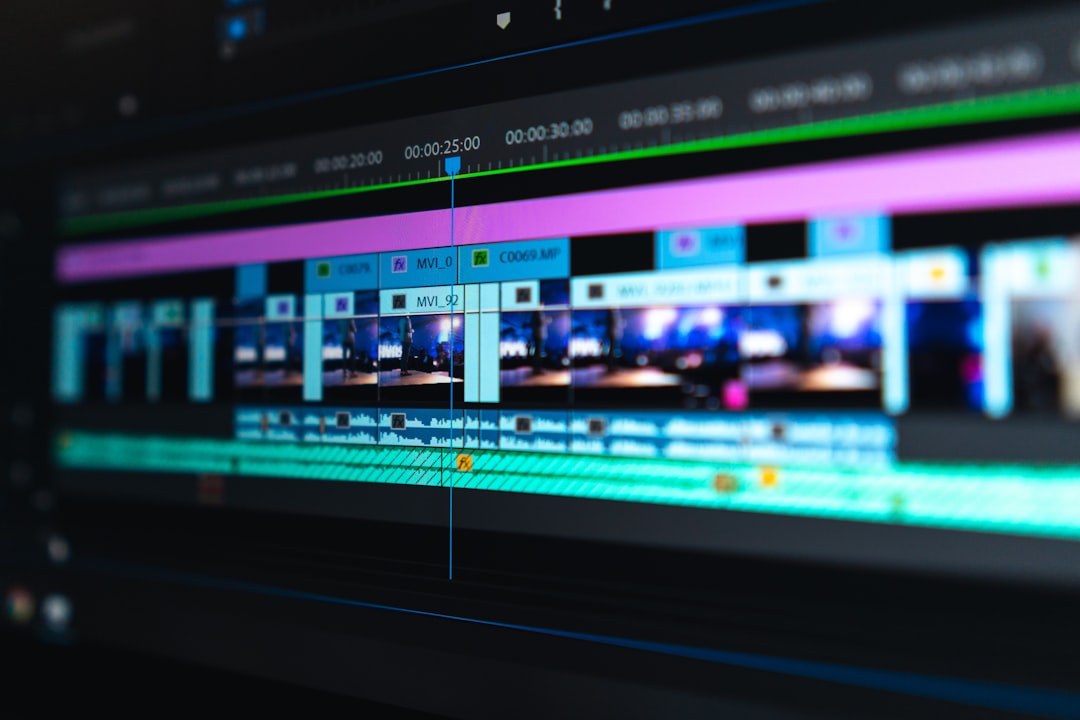
To avoid overpaying for video editing software, calculate your raw footage throughput before selecting a subscription plan.
Total Monthly Raw Media = (Episodes per Month) x (Average Length in Hours) x (Number of Camera Angles + Mic Tracks)
Auditing Your Monthly Raw Footage Volume
Let's do the math for a practical editing workflow:
- 4 podcast episodes per month
- Each interview runs 1.5 hours
- 2 camera angles + 1 separate room mic track = 3 media streams
4 episodes x 1.5 hours x 3 streams = 18 Raw Media Hours
On Descript's Hobbyist plan (10 media hours limit) [1], you run out of transcription quota during episode 3. You are forced to upgrade to the Creator plan ($24–$35/mo) [1] just to process your standard monthly workload.
Evaluating Single Editor vs Agency Team Requirements
Content agencies producing 20 hours of finished interview content per week handle over 120 hours of raw multi-cam media monthly. Buying individual seat subscriptions across team members under Descript's Business tier ($50–$65/user/mo) [1] quickly scales costs into hundreds of dollars every month.
Using native Premiere Pro extensions with pooled processing hours delivers lower per-episode costs for high-volume editing teams.
Calculating ROI on Time Saved per Episode
Manual silence removal and filler word trimming on a 60-minute interview takes roughly 2 to 3 hours of timeline scrubbing. Using automated AI silence removal cuts that process down to 90 seconds.
At a standard freelance editing rate of $50/hour, saving 2.5 hours per episode yields $125 in saved billable labor per project. So the right tool pays for its monthly subscription cost during its very first run.
Actionable Takeaway: Run your raw footage hours through the calculation formula before choosing a fixed monthly subscription.
When Descript Makes Sense (and When It Does Not)
Descript is a solid application, but it is built for a specific type of creator. Knowing when to use it—and when to avoid it—saves both budget and frustration.
When Descript is Worth the Money
Descript excels in specific production scenarios:
- You are an audio-first podcaster who edits narrative audio like a text document.
- You do not use traditional NLE software like Adobe Premiere Pro or DaVinci Resolve.
- You need quick text-based script cleanups, AI voice regeneration, or quick screen recordings.
- You collaborate primarily with writers, marketing teams, or non-editors who prefer reading text over scrubbing video timelines.
When Premiere Pro Editors Should Avoid Descript
If you edit video inside Adobe Premiere Pro daily, Descript often introduces unnecessary cost and complexity:
- You manage multi-camera video edits with complex visual timelines, color grades, and graphics.
- You deliver 4K master files or ProRes archives to commercial clients.
- You dislike transferring large media files back and forth between cloud servers and local drives.
- You already pay for Adobe Creative Cloud and want to keep your editing environment consolidated.
Honest Caveats on Plugin Workflows
Native extensions like KreateFlo are designed specifically for video editors working inside Adobe Premiere Pro. If you do not use Premiere Pro, or if you prefer editing video clips by selecting text in a browser window, KreateFlo is NOT the right tool for you.
Plugin toolsets require Premiere Pro installed on your workstation, focusing on timeline automation rather than standalone web editing.
Actionable Takeaway: Stick with Descript if you prefer text-document editing, but stay inside Premiere Pro with native extensions if timeline precision matters to you.
A Better Workflow inside Adobe Premiere Pro

Keeping your entire post-production pipeline on a single timeline eliminates asset clutter and speeds up project delivery.
Keeping Your Entire Edit on One Timeline
Working natively inside Premiere Pro v1.0.3 keeps your source files, cuts, multi-cam sequences, and audio processing in one project file. You avoid downloading proxy media, exporting XMLs, or re-linking missing media clips.
Automating Captions, Cuts, and Reframing without Leaving NLE
With KreateFlo's 33+ integrated tools, you can handle every stage of podcast post-production inside Premiere:
- Run AI silence removal to trim dead air across tracks in 90 seconds.
- Automate multi-cam switching for up to 8 speakers with intelligent wide-shot logic.
- Generate animated captions using CaptionFlow with 22 customizable presets and WASM real-time preview (no render loop required).
- Auto-reframe landscape edits into vertical shorts for TikTok, Instagram Reels, and YouTube Shorts.
Trying Free Tools Forever vs Subscription Commitments
Rather than locking key features behind strict export resolution limits, KreateFlo offers 3 core tools completely free forever: Silence Remover, Transition Assistant, and Copy & Paste.
When you need multi-cam switching or advanced captioning, Pro plans start at $19.99/mo for 20 AI hours. You can test native timeline tools on your current sequence before committing to paid monthly plans.
Ready to streamline your Premiere Pro timeline? Download KreateFlo for Premiere Pro and test 3 free tools forever on your next edit.
Frequently Asked Questions
How much does Descript cost per month?
Descript offers a Free tier ($0), a Hobbyist plan at $16/mo billed annually ($24/mo monthly), a Creator plan at $24/mo billed annually ($35/mo monthly), and a Business plan at $50/user/mo billed annually ($65/user/mo monthly) [1].
Is Descript free plan practical for long-form podcast editing?
No [1]. Descript's free plan only includes 60 media minutes (1 hour) per month and caps exports at 720p resolution [1], making it impractical for editing full-length podcast episodes.
What are the main limitations of Descript's pricing tiers?
The main limits are monthly caps on imported raw media minutes (not finished video length), capped AI credits for advanced tools like Studio Sound, and export resolution restrictions (720p on Free, 1080p on Hobbyist) [1] [6].
What is the best alternative to Descript for Adobe Premiere Pro users?
For editors who work daily in Adobe Premiere Pro, native extensions like KreateFlo offer multi-cam editing, silence removal, and animated captions directly on your NLE timeline starting at $19.99/mo, avoiding external round-tripping.
How do Descript transcription limits work across team seats?
Descript allocates media minutes and AI credits per seat per month [6]. On Business team drives, media minutes pool across active editor seats, but adding seats increases your total monthly subscription cost [1] [6].
- descript.com/pricing
- reddit.com/r/Descript/comments/1rzkbs4/i_dont_like_new_descript_pricing_honest_review/
- sonix.ai/resources/descript-pricing/
- meetgeek.ai/blog/descript-pricing
- blitzcutai.com/blog/descript-pricing-2026
- help.descript.com/hc/en-us/articles/27841674958221-Track-and-understand-your-media-minutes-and-AI-credits
- trebble.fm/post/descript-pricing-september-2025
Try KreateFlo free
3 tools forever, 7-day trial on the rest. No credit card to start.
Download KreateFlo