KreateFlo vs Descript: Best 2026 Premiere Editing Guide
Exporting an XML from Descript back into Adobe Premiere Pro broke my multi-cam sequence for the last time last month [1]. I spent three hours re-linking audio tracks and fixing frame-rate drift on a c

Exporting an XML from Descript back into Adobe Premiere Pro broke my multi-cam sequence for the last time last month [1]. I spent three hours re-linking audio tracks and fixing frame-rate drift on a client podcast [1]. That night, a routine silence cut turned into an exhausting rescue mission.
If you edit video for a living, you know this pain. Standalone text editors promise effortless cuts, but moving between separate apps burns time and destroys project structure. As an editor working in Premiere Pro every day, I need tools that speed up rough cuts directly on my sequence [3].
Here is my direct comparison of KreateFlo and Descript—and why staying native inside Premiere Pro saves your sanity.
Key Takeaways
- Standalone text editors force XML round-trips that break audio routing, color grades, and plugin chains [7].
- KreateFlo runs natively inside Adobe Premiere Pro as a CEP extension (v1.0.3), executing 33+ tools directly on your active sequence [3].
- KreateFlo's AI Multi-Cam Editor handles up to 8 cameras and 8 distinct speakers with dedicated wide-shot logic [3].
- CaptionFlow provides 22 animated presets with WebAssembly (WASM) real-time previews, bypassing render loops [3].
- Descript charges based on per-hour cloud limits, while KreateFlo offers a free tier (3 tools forever) alongside flat Pro ($19.99/mo) and Studio ($44.99/mo) plans [3].
- Descript works well for non-editors and simple audio shows, but professional video finishing belongs inside Premiere Pro [1][7].
The Round-Trip Problem: Why Standalone Text Editors Break Workflows
Bouncing footage between two programs works fine until something breaks. When you export an XML sequence out of a standalone editor, you gamble with project stability [7].
+-------------------------------------------------------------------+
|                     THE ROUND-TRIP HEADACHE                       |
|                                                                   |
| [ Premiere Pro ] ---> Export Media / XML ---> [ Standalone App ]  |
|                                                     |             |
|                                                Process Cuts       |
|                                                     |             |
| [ Premiere Pro ] <--- Import Broken XML <-----------+             |
|   (Missing Plugins, Sync Drift, Broken Color Grades)              |
+-------------------------------------------------------------------+
What happens when you export XMLs from Descript
Sending projects from a standalone app back to your primary NLE rarely goes smoothly [1]. XML files only transfer basic clip positions. They routinely drop nested sequences, break track locks, and wipe out VST audio routing [7].
I have watched multi-track dialogue mixes collapse into single flattened audio stems upon import [1]. Worse yet, subtle timeline frame-rate discrepancies cause speech-to-audio sync drift that worsens across a long video [7]. Fixing those misalignments frame by frame defeats the entire purpose of automation [1]. Editors discussing text-based editing workflows on Reddit constantly highlight these exact friction points [1].
"XML translation issues are not rare edge cases—they are an inherent structural risk when jumping between disparate NLE architectures."
Preserving Lumetri color and multi-track audio routing
Professional finishing demands clean timeline management. If you apply Lumetri color grades, noise reduction plugins, or custom audio crossfades early in your process, an XML round-trip strips them away [7].
So, what is the fix?
Editing directly inside Premiere Pro keeps raw media assets, uncompressed audio routing, and color pipelines completely intact [3]. You never have to re-link missing files or rebuild damaged track hierarchies [7].
Actionable Takeaway: Keep your multi-track dialogue cuts and color passes inside Premiere Pro to prevent XML translation errors.
KreateFlo vs Descript: Architecture and Timeline Control
The core difference between these tools comes down to underlying software architecture. Descript is a cloud-connected, standalone electron app [1]. KreateFlo is a native CEP extension built to run inside Adobe Premiere Pro [3].
+-------------------------------------------------------------------+
|                     NATIVE EXTENSION WORKFLOW                     |
|                                                              |
| +---------------------------------------------------------------+ |
| |                      Adobe Premiere Pro                       | |
| |                                                               | |
| |  [ Native Timeline ] <---> [ KreateFlo Panel (v1.0.3) ]       | |
| |  (Zero file exports, local processing, instant WASM engine)   | |
| +---------------------------------------------------------------+ |
+-------------------------------------------------------------------+
Architecture comparison: Standalone app vs CEP extension
Because Descript runs outside your primary editor, you must upload raw media or upload proxy files before editing [1]. When you shoot 4K multi-cam interviews, uploading hundreds of gigabytes to third-party servers slows your turnaround [1].
KreateFlo (v1.0.3) operates directly inside your active sequence as a panel [3]. Your raw media files stay on local drives [3]. The panel reads your timeline, executes automated tasks, and applies non-destructive edits directly to active working clips [3].
Timeline speed: Scrubbing raw footage vs text-based rendering
Text-based editing feels convenient when scanning a script, but timeline playback in web apps often stutters on heavy video codecs [1][2]. Editors regularly hit playback lag when making precise frame trims [2]. Video creators evaluating editing speed across platforms on YouTube frequently point out these playback hiccups [2].
In Premiere Pro, you retain full access to local hardware acceleration and scratch disk caches [3]. You run automated silence cuts and immediately scrub your sequence to verify edit points without waiting for cloud previews [3].
| Before | 4 hours |
|---|---|
| After | 90 seconds |
Actionable Takeaway: Use native CEP panel extensions so your footage remains on local drives and timeline playback stays instant.
Multi-Camera Editing: 8-Speaker Panel Support vs Basic Text Swapping
Cutting multi-camera panel shows manually takes hours of track switching. Automatically switching camera angles based on audio cuts saves time, but only if the algorithm understands conversational pacing [3].
Handling complex panel discussions without manual cutting
Descript switches multi-cam angles primarily by linking speaker tags to video tracks [1][4]. When someone speaks, the video cuts to their assigned angle [4]. But when two or three guests laugh or talk simultaneously, text-swapping systems stutter and switch wildly between cameras [4]. Editors testing feature sets in user communities often mention these camera-switching limitations [4].
KreateFlo includes a dedicated AI Multi-Cam Editor built for multi-speaker shows [3]. It supports up to 8 distinct speakers and 8 matching camera angles [3]. It analyzes track waveforms to track true speaker dominance instead of relying on flat transcript text [3].
Setting wide-shot fallback logic for natural cuts
Rapid cuts back and forth during energetic exchanges give viewers motion sickness. KreateFlo fixes this by allowing you to assign a master wide-shot track [3].
+-------------------------------------------------------------------+
|                  KCREATEFLO MULTI-CAM FALLBACK LOGIC               |
|                                                                   |
| [ Cam 1: Host ] -------> Speaker Active --------> Cut to Cam 1    |
| [ Cam 2: Guest ] ------> Interruption Detected -> Cut to Wide     |
| [ Cam 3: Wide ] -------> Cross-talk / Laughter -> Wide Fallback   |
+-------------------------------------------------------------------+
When the algorithm detects overlapping cross-talk or rapid interruptions, it automatically defaults to your wide camera [3]. This maintains natural conversational flow without manual track tweaking [3].
Pro Tip: Designate your wide camera angle as track 3 or 4 before running an automated switching pass. This gives the algorithm a clean recovery point during noisy cross-talk segments.
Actionable Takeaway: Establish clear wide-shot rules in multi-cam sequences to keep camera cuts smooth and natural.
Short-Form Content Engine: Animated Captions and WASM Real-Time Previews
Converting long interviews into vertical clips for Instagram Reels, TikTok, and YouTube Shorts is mandatory today. But styling animated captions manually in Premiere Pro used to consume hours.
Bypassing the render-to-preview loop
Most caption tools force you into an annoying loop. You adjust styling, hit render, wait ten seconds, and check the clip [3]. If the font size looks wrong, you repeat the whole cycle.
KreateFlo includes CaptionFlow, which runs a WebAssembly (WASM) engine inside Premiere Pro [3]. It renders word-by-word animation previews instantly on your timeline without requiring pre-renders or dynamic link compositions [3].
22 animated presets for TikTok, Reels, and YouTube Shorts
Descript gives you basic text formatting, but customizing animated graphic styles inside its editor can feel restrictive [1][7].
KreateFlo ships with 22 animated caption presets built specifically for short-form video formats [3]. You get word-level color highlights, karaoke rolls, and auto-reframing controls inside a single panel [3].
+-------------------------------------------------------------------+
|               KCREATEFLO CAPTIONFLOW PREVIEW ENGINE               |
|                                                                   |
|  [ Premiere Sequence ] ---> WASM Engine ---> Instant Real-Time   |
|                                              Caption Preview      |
|                                                     |             |
|  (No render files created) <------------------------+             |
+-------------------------------------------------------------------+
Actionable Takeaway: Work with WASM-powered caption tools to eliminate rendering waits when producing vertical social clips.
Pricing and Value: Flat Monthly Rates vs Per-Hour Billing Limits
Software subscription fees stack up quickly. That is especially true when platforms charge variable rates tied to cloud processing time [3][7].
+-------------------------------------------------------------------+
|                     PRICING STRUCTURE COMPARISON                  |
|                                                                   |
| Descript:   Per-Hour Metered Limits (Raw take uploads burn hours) |
| KreateFlo:  Free Tier (3 tools) / $19.99 Pro / $44.99 Studio      |
+-------------------------------------------------------------------+
KreateFlo's free tier vs Descript's trial restrictions
Descript limits free users with strict transcription caps and watermarked video exports [1]. Once you hit those limits, processing stops until you pay for an upgrade.
KreateFlo offers three core tools completely free forever:
- Silence Remover for clearing dead air [3].
- Transition Assistant for applying batch cut transitions [3].
- Copy & Paste for moving clipboard assets into Premiere Pro [3].
Pro and Studio tiers broken down by AI hours
Metered cloud pricing gets expensive when processing raw media assets [7]. Uploading four unedited 2-hour multi-cam takes to a per-hour service consumes 8 hours of credit before you make a single edit [7].
KreateFlo uses predictable monthly tiers instead:
- Free Tier: 3 core tools forever without a credit card [3].
- Pro Tier ($19.99/mo): Includes 20 AI hours per month for multi-cam, captions, and transcription [3].
- Studio Tier ($44.99/mo): Includes 50 AI hours per month for agencies and high-volume post-houses [3].
Instead of paying separate subscriptions for FireCut, AutoPod, and Descript, KreateFlo combines 33+ tools into one Premiere extension [3].
"Metered per-hour billing penalizes you for uploading unedited multi-track takes. Flat monthly tiers keep software costs predictable."
Actionable Takeaway: Pick flat monthly plugin plans over per-hour cloud processing fees to prevent surprise billing overages.
Detailed Comparison: Workflow, Audio Depth, and Finishing
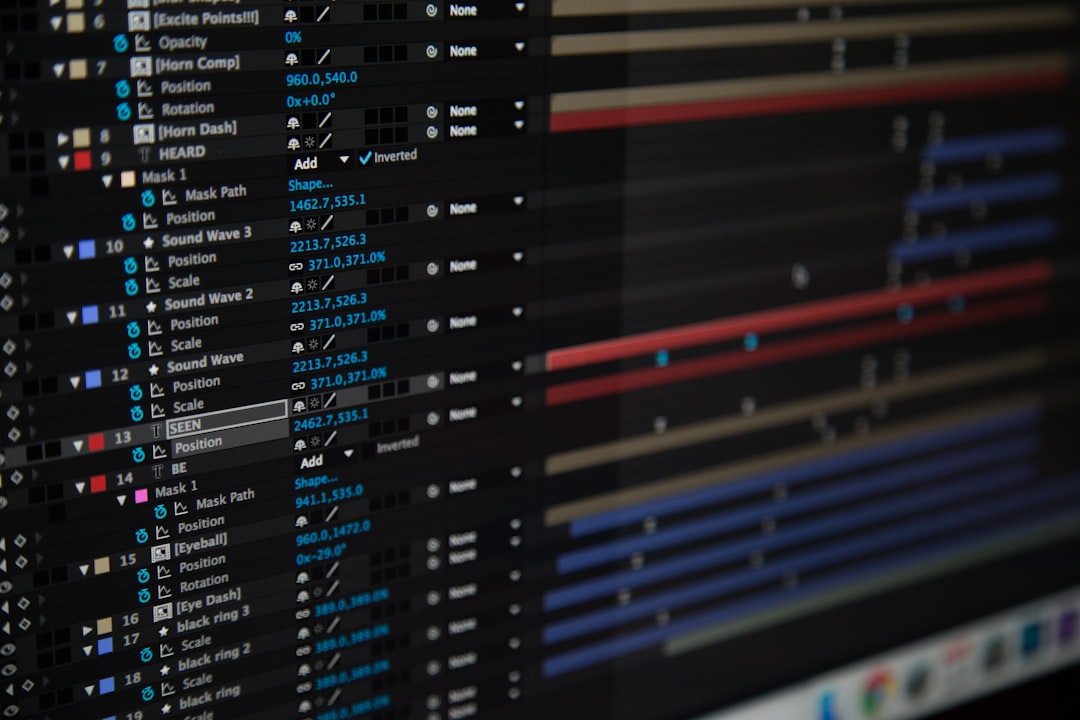
How do these platforms perform on real client timelines during a dialogue cleanup pass?
Dialogue cleanup and silence removal passes
Trimming false starts and double-spoken lines by hand on a 60-minute interview can take over four hours [3]. Modern automation cuts that initial rough pass down to roughly 90 seconds [3]. You can read our breakdown on manual vs AI repeat removal workflows to see detailed speed comparisons [3].
Descript removes silence by deleting transcript text blocks [1]. But cutting audio strictly from text often leaves abrupt gaps in background room tone [1].
KreateFlo's Silence Remover analyzes both waveform decibel levels and semantic context [3]. It applies non-destructive timeline cuts with handles directly to raw clips [3]. Video teams sharing workflow benchmarks on LinkedIn emphasize the value of keeping editable handles on dialogue cuts [5].
Handling international audio and 40+ languages
If you edit multi-lingual shows or corporate videos, language support matters. KreateFlo supports speech processing across 40+ languages, including full support for regional languages like Hindi and Bangla [3].
| Feature / Metric | KreateFlo (v1.0.3) | Descript |
|---|---|---|
| Integration Type | Native Premiere CEP Panel [3] | Standalone Desktop App [1] |
| XML Export Required? | No (Edits happen on active timeline) [3] | Yes (Required for Premiere finishing) [7] |
| Multi-Cam Support | Up to 8 Cams / 8 Speakers + Wide Shot [3] | Basic text-swapped switching [4] |
| Caption Engine | WASM Engine (22 Presets, Live Preview) [3] | Cloud/Text style templates [1] |
| Language Support | 40+ Languages (Hindi, Bangla, etc.) [3] | ~23 Languages [1] |
| Free Tier | 3 Tools Free Forever [3] | Watermarked / Limited Minutes [1] |
| Entry Pricing | $19.99/mo (20 AI Hours) [3] | Variable per-hour limits [7] |
Pro Tip: After running an automated silence pass, scrub your timeline at 2x speed. Extending clip edges by 2 to 3 frames restores natural breathing pauses before audio mastering.
Actionable Takeaway: Run rough cuts using non-destructive timeline handles so you can fine-tune dialogue rhythm during polish.
KreateFlo vs Descript for Agencies and Post-Production Teams
For editing agencies handling multiple client timelines, workflow consistency is everything. Passing project files across editors gets chaotic when external apps are involved [7].
+-------------------------------------------------------------------+
|                     AGENCY WORKFLOW EFFICIENCY                    |
|                                                                   |
| Fragmented: Premiere ---> Descript ---> XML ---> Re-link (Broken) |
| Native:     Premiere + KreateFlo (Single file, clean handoff)     |
+-------------------------------------------------------------------+
Standardizing team project handoffs without missing assets
When an assistant editor prepares a rough cut in a standalone program, they must compress media, export XML files, and hand those off to a senior editor [7]. If a missing asset error pops up during transfer, billable team time disappears [7]. Post-production leads evaluating alternative Premiere editor plugins highlight the importance of standardized single-file project handoffs [7].
Working with KreateFlo inside Premiere Pro keeps everything inside standard .prproj files [3]. Any team member opening the project sees the exact cuts, captions, and track routing on their sequence [3].
Scaling content output from 5 to 30 hours per week
When scaling production from a couple of videos to dozens of client deliverables, manual culling creates operational bottlenecks [3]. Combining multi-cam switching, repeat removal, auto-reframing, and captioning inside one panel lets editors handle significantly higher volume [3]. Video producers sharing hands-on tests on Instagram report major productivity gains when eliminating app switching [8]. Creators testing text editing tools on YouTube note similar efficiency gains when keeping cuts inside one NLE [6].
| 100|Cloud Uploads | NaN |
|---|
Actionable Takeaway: Standardize team workflows inside native Premiere project files to eliminate missing asset errors during client handoffs.
When Descript Is Still the Right Pick for Your Team
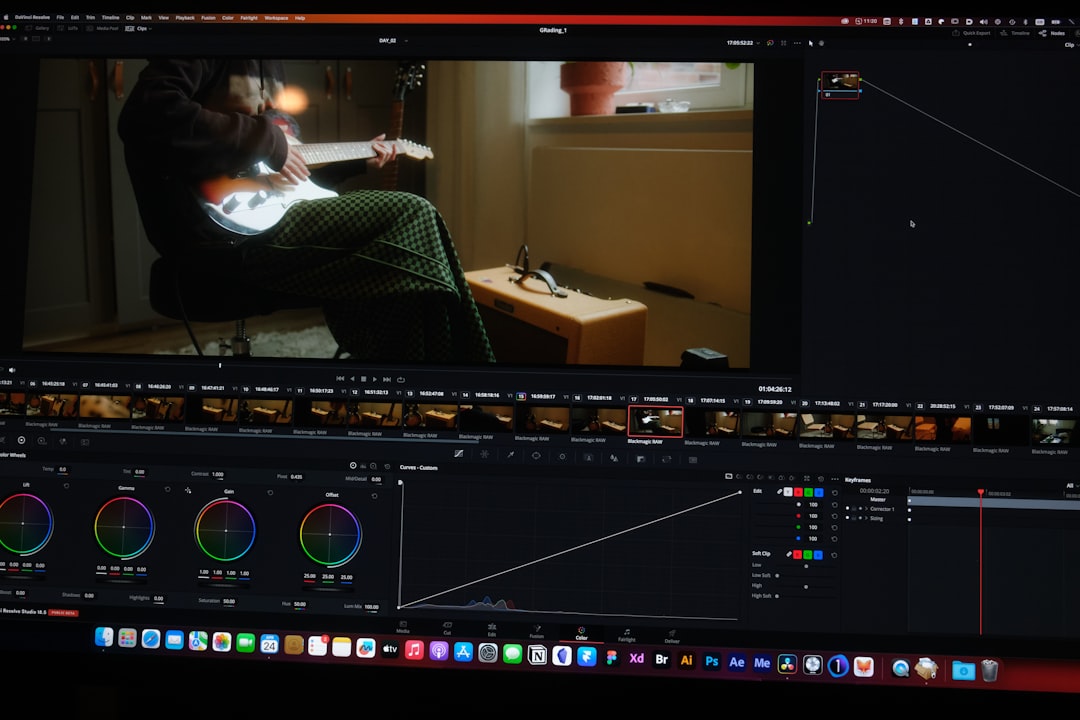
Is Descript completely useless? Absolutely not. There are specific scenarios where Descript is the better fit.
Audio-only podcasts and quick text transcription
If you produce an audio-only podcast and do not care about multi-cam sync, video codecs, or color grading, Descript works well [1]. Its text-document interface makes trimming audio as simple as editing text in Google Docs [1].
Non-editors who prefer document-style editing interfaces
If you are a founder, writer, or marketer who has never opened Adobe Premiere Pro, jumping straight into a complex NLE timeline can feel overwhelming [1][2]. In that case, Descript's text-first environment offers an easy entry point [1].
But if you edit video professionally inside Premiere Pro every day, sacrificing timeline precision and dealing with broken XML exports makes very little sense [3][7].
Actionable Takeaway: Pick Descript if you want simple text-document audio edits without opening an NLE; pick KreateFlo if you finish professional video inside Premiere Pro.
Frequently Asked Questions
Is KreateFlo a standalone application or an Adobe Premiere Pro plugin?
KreateFlo is a native CEP extension panel built specifically for Adobe Premiere Pro [3]. It runs 33+ tools directly on your active sequence without requiring standalone desktop applications or web browser uploads [3].
Why do XML exports from external text editors break multi-cam timelines in Premiere Pro?
XML exports carry basic clip positions but often fail to translate nested sequence hierarchies, VST audio routing, track locks, and frame-rate rules [7]. This causes sync drift, missing media links, and broken track assignments upon re-importing into Premiere Pro [1][7].
How does KreateFlo compare to Descript in price?
KreateFlo provides 3 core tools free forever, a Pro plan at $19.99/month for 20 AI hours, and a Studio plan at $44.99/month for 50 AI hours [3]. Descript uses metered transcription quotas that escalate quickly when uploading raw, unedited multi-track takes [7].
Can KreateFlo create animated captions for vertical video clips?
Yes [3]. KreateFlo includes CaptionFlow, featuring 22 animated caption presets powered by a WebAssembly (WASM) preview engine [3]. You can style, animate, and preview captions directly on your Premiere timeline in real time without rendering [3].
How many camera angles and speakers does KreateFlo support in multi-cam mode?
KreateFlo's AI Multi-Cam Editor supports up to 8 camera angles and 8 matching speaker audio tracks [3]. It includes customizable wide-shot fallback rules to keep camera switches smooth during overlapping talk [3].
If you produce simple audio shows, Descript's document editor gets the job done [1]. But if you edit long-form video inside Adobe Premiere Pro and want to eliminate broken XML exports, extra subscriptions, and render delays, keeping your tools native is essential [3][7].
Ready to speed up your sequence? You can download KreateFlo free today and test the Silence Remover and Multi-Cam Editor on your next cut [3].
References
- reddit.com/r/podcasting/comments/1f92w2l/descript_vs_premiere_pro_for_text_based_editing/
- youtube.com/watch
- kreateflo.com/blog/manual-vs-ai-repeat-removal-video-editing-in-2026
- facebook.com/groups/descriptusers/posts/1198984705720798/
- linkedin.com/posts/ikekehal_my-creative-team-switched-from-adobe-premiere-activity-7442544863537160192-w-KC
- youtube.com/watch
- premierecopilot.com/en/blog/descript-alternative-premiere-pro
- instagram.com/reel/DYg6k0_oQv9/
Try KreateFlo free
3 tools forever, 7-day trial on the rest. No credit card to start.
Download KreateFlo