KreateFlo vs FireCut: Ultimate AI Premiere Plugin Guide
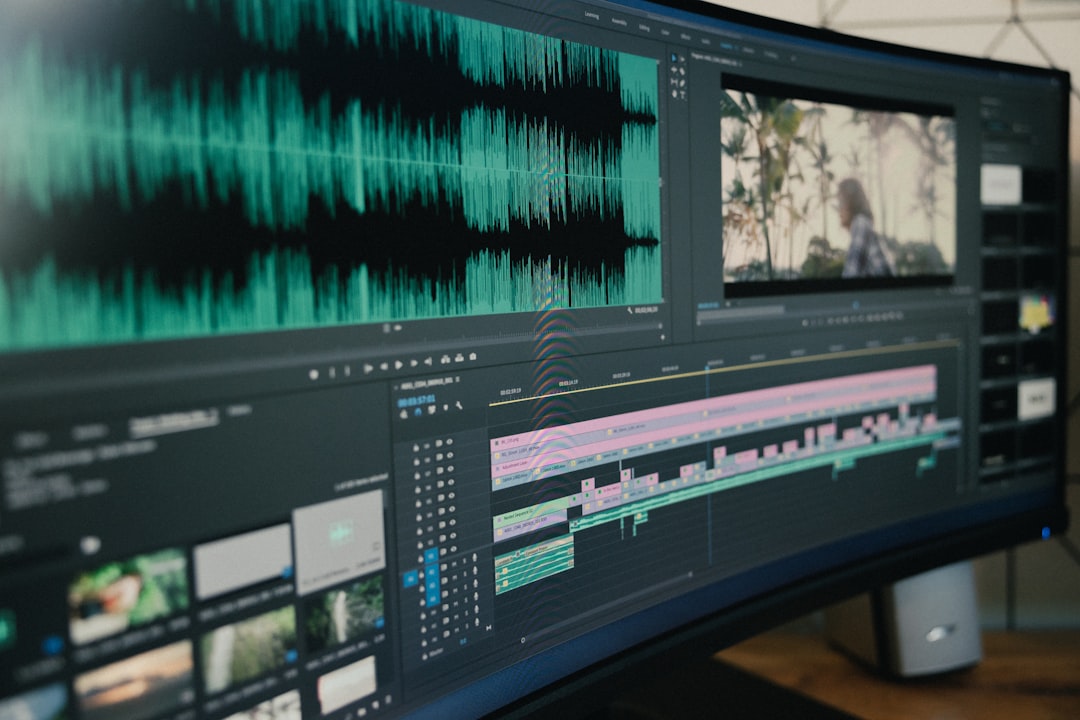
If you spend four hours manually cutting a 60-minute multi-cam podcast down to size in Adobe Premiere Pro, you are wasting half your working day on tasks a plugin can finish in 90 seconds. Most editor

If you spend four hours manually cutting a 60-minute multi-cam podcast down to size in Adobe Premiere Pro, you are wasting half your working day on tasks a plugin can finish in 90 seconds. Most editors assume manual ripple editing is the price of keeping complete control over their timeline [1]. But that mindset is killing your turnaround times and capping how many clients your studio can take on [6].
Both KreateFlo and FireCut promise to automate repetitive timeline cleanup directly inside Premiere Pro [4]. However, they handle multi-cam switching, short-form captions, and monthly billing very differently [7]. I have spent months putting both extensions through real client projects [5]. Here is how they stack up when you need to ship clean edits fast.
Key Takeaways
- Native Integration: Both plugins run natively inside Adobe Premiere Pro as CEP extensions, preserving timeline tracks, audio effects, and color grades without XML exports [4].
- Multi-Cam Power: KreateFlo supports up to 8 speakers and 8 cameras in its Multi-Cam Editor, including explicit wide-shot designation.
- Real-Time Captions: KreateFlo's CaptionFlow uses a real-time WASM preview engine with 22 animated presets, eliminating the render-and-review loop.
- Predictable Pricing: FireCut charges on a per-hour credits system [5], whereas KreateFlo offers predictable plans starting at $19.99 per month for 20 AI hours.
- Free Tier: KreateFlo includes a free tier with 3 tools forever (Silence Remover, Transition Assistant, and Copy & Paste).
- Best for Niche Users: FireCut may be better for editors who only need occasional silence cutting and prefer per-hour top-ups or DaVinci Resolve support [8].
KreateFlo vs FireCut: Which AI Plugin Speeds Up Premiere?
Choosing an AI plugin for Adobe Premiere Pro isn't just about finding a tool that deletes silent gaps. You need an extension that integrates into your daily workflow without breaking your track structures or corrupting complex audio routing [6].
Why does this matter so much? Because rebuilding a broken track routing setup takes longer than cutting silences manually.
Both tools run as extension panels inside Premiere, but their scope and feature architecture differ significantly [1].
Overview of KreateFlo v1.0.3
KreateFlo v1.0.3 is a native CEP extension designed to handle the entire lifecycle of a podcast or long-form video edit inside Adobe Premiere Pro. Instead of forcing you to jump between three different single-purpose plugins, KreateFlo bundles 33+ post-production tools into one extension panel [2].
It offers a free tier with 3 core tools forever: Silence Remover, Transition Assistant, and Copy & Paste.
For heavy workflows, the Pro plan ($19.99/mo for 20 AI hours) and Studio plan ($44.99/mo for 50 AI hours) give you access to automated multi-cam cutting, voice transcription in over 40 languages (including Hindi and Bangla), and short-form auto-reframing. Everything stays non-destructive on your active sequence.
Overview of FireCut AI
FireCut AI made a name for itself as a lightweight silence and multi-cam cutter for Premiere Pro editors [4]. It focuses heavily on standard timeline cleanup, transcript generation, and basic automated cutting [7].
FireCut operates on a per-hour credit model rather than standard feature tiers [5]. While this flexibility appeals to casual users who only edit a couple of clips per month, agency editors processing dozens of hours of interview footage can see costs add up quickly [5].
FireCut has also expanded to support DaVinci Resolve [8] [9], whereas KreateFlo concentrates strictly on delivering the deepest feature set possible for Adobe Premiere Pro.
Actionable Takeaway: Assess whether your studio needs a focused silence trimmer or a comprehensive 33+ tool suite that handles everything from multi-cam to short-form clipping directly on your Premiere timeline.
Native Premiere Pro CEP Panels vs Round-Trip Workflows
If you have ever exported an XML file to an external web tool like Descript, you know the frustration of losing your timeline setup [6]. External web apps force you into a destructive round-trip workflow that strips out custom audio routing, clip markers, and Lumetri color grades.
Native CEP panels solve this problem completely by executing AI commands directly on your sequence clips.
Why Web App Round-Trips Break Timeline Structure
Browser-based AI editors are built for text-based cutting, not multi-track video production [1]. When you re-import an XML from a web app back into Adobe Premiere Pro, tracks are frequently flattened, nested sequences get corrupted, and third-party VST audio plugins lose their parameters.
+-----------------------------------------------------------------+
|                    WEB APP ROUND-TRIP WORKFLOW                  |
| Export MP4/XML --> Upload to Web --> Edit Text --> Export XML   |
| --> Re-import to Premiere --> Re-apply FX & Fix Broken Tracks   |
+-----------------------------------------------------------------+
|                   NATIVE CEP PANEL WORKFLOW                     |
| Open Panel in Premiere --> Run AI Cut --> Timeline Updated Instantly |
+-----------------------------------------------------------------+
Native extension panels bypass this friction entirely [4]. You stay inside your workspace, execute cuts on raw source footage, and maintain complete control over every single cut point on the timeline [7].
Keeping Audio Plugins and Color Grades Intact
When I run timeline cleanup on a two-hour podcast, I usually have iZotope RX noise suppression, FabFilter EQs, and custom Lumetri color profiles applied across multiple video and audio tracks.
Both KreateFlo and FireCut operate as native CEP panels [1]. They cut, trim, and ripple your media without disturbing your active effects chain [4].
"Keeping my timeline architecture intact is non-negotiable. If a plugin strips my audio bus routing or Lumetri color nodes during an edit pass, it costs me more time to rebuild than it saved in the first place."
And here's the best part: using non-destructive AI cutting lets you keep secondary raw audio tracks hidden beneath your cut sequence as a safety backup [2]. If an automated cut clips a quiet syllable, you can pull the original audio handle back out instantly without re-importing external project files [6].
Pro Tip: Always duplicate your main sequence before running any automated cutting plugin. Keeping an unedited target sequence on a backup track ensures you can perform manual audio crossfades if a speaker has an unusually subtle speech cadence.
Actionable Takeaway: Avoid web-based round-trip tools if you use complex multi-track audio routing or custom color grades in Premiere Pro; stick to native CEP extensions.
Multi-Cam Editing Performance Across 8 Cameras
Automated multi-cam switching is where an AI plugin pays for itself [4]. Manually switching between wide shots and close-ups during an energetic multi-person debate can easily take 3 to 4 hours for a 60-minute episode.
+-------------------------------------------------------------------+
|               KREATEFLO 8-CAMERA MULTI-CAM WORKFLOW               |
| Host A Track   [Mic 1] ----+                                      |
| Host B Track   [Mic 2] ----+--> [AI Switching Engine]              |
| Guest 1 Track  [Mic 3] ----+   (With Wide-Shot Rules & Priority)  |
| ...Up to 8 Cam [Mic 8] ----+                 |                    |
|                                              v                    |
|                        Instant Cut Sequence on Premiere Timeline  |
+-------------------------------------------------------------------+
Configuring Wide-Shots and Speaker Fallback Rules
The biggest mistake editors make with multi-cam AI tools is trusting the algorithm without setting fallback rules [1]. If two speakers laugh or talk at the same time, a basic switcher will jump erratically between close-up cameras every half-second [7].
KreateFlo solves this pacing issue through explicit wide-shot rules. You can designate specific wide-angle cameras to trigger whenever multiple microphones pick up simultaneous audio.
This mirrors how human live-switched broadcasts operate. It maintains a natural flow and gives the viewer's eyes a breather during overlapping dialogue.
Handling Up to 8 Speakers and Cameras
FireCut handles standard multi-cam setups well for 2-3 camera angles [4] [7]. But what happens when you get a client with a full panel podcast?
Large round-table podcasts, panel discussions, and agency productions often require more inputs.
KreateFlo's Multi-Cam Editor supports up to 8 speakers and 8 camera angles simultaneously. You assign each audio track to its corresponding video track, set your switching sensitivity, and let the engine execute cuts across your sequence.
Instead of spending hours placing cuts, you get an edited multi-cam sequence in under two minutes [1]. So you can fine-tune individual edit points using standard Premiere shortcut keys afterward [6].
Actionable Takeaway: Use explicit wide-shot rules during multi-cam setups to prevent frantic camera jumping when speakers interrupt each other or laugh simultaneously.
Silence and Repeat Removal on Complex Audio Tracks
Silence removal sounds simple until an algorithm clips the end of a word or deletes a breath pause that gave a dramatic sentence its punch [2]. Effective AI silence removal requires precise threshold controls and dedicated logic for speech repetition [2].
Conservative Thresholds vs Aggressive Trimming
Both KreateFlo and FireCut allow you to set decibel thresholds and minimum silence durations [1] [4]. But aggressive trimming settings often result in unnatural, robotic speech rhythms.
- Aggressive Trimming: Cuts anything quieter than -30dB with gap limits under 150ms. Great for fast-paced TikTok voiceovers, bad for conversational podcasts.
- Conservative Trimming: Sets thresholds around -40dB with minimum silence padded to 300ms. Preserves natural breathing and natural pacing.
I recommend starting with conservative sensitivity settings on a test clip [2]. KreateFlo's Silence Remover lets you preview cuts on your timeline before committing them, ensuring you don't accidentally shave off trailing consonants.
Cleaning Up Filler Words Without Sounding Robotic
Removing filler words like "um," "uh," and duplicate words is where basic silence trimmers fail [2]. A silent gap is easy to detect based on volume level, but repeated words require transcript-based audio analysis [2].
KreateFlo includes dedicated repeat and filler word removal tools directly in its panel [2]. It scans the underlying audio transcript, flags double-takes where a speaker stutters or restarts a sentence, and cleanly cuts the duplicate attempt [2].
Speaker Audio: "We need to... we need to look at the numbers."
AI Action:     [ Cut First Attempt ] ---> [ Retain Clean Phrase ]
Result:        "We need to look at the numbers."
By removing repeated phrasing automatically, you eliminate the tedious task of hunting down transcript mistakes manually [2].
Pro Tip: When setting up automated filler word removal, keep a 50ms padding buffer on both sides of every cut. This prevents hard audio clicks and ensures seamless room tone transitions.
Actionable Takeaway: Run silence removal on conservative threshold settings first to evaluate how the algorithm handles subtle speech cadences before applying aggressive cuts across a full project.
Short-Form Content and Real-Time WASM Animated Captions
Converting long-form horizontal interviews into vertical clips for TikTok, Instagram Reels, and YouTube Shorts is standard practice for modern media teams [5]. Animated captions are mandatory for viewer retention, but rendering caption styles inside Premiere Pro can slow down your export process.
[[STAT:22 Presets:CaptionFlow:Animated Caption Engine]]
CaptionFlow with 22 Animated Presets
FireCut offers basic caption generation capabilities [4] [7]. However, customizing text animations often requires applying complex Premiere Pro graphic styles or relying on external tools.
KreateFlo integrates a dedicated tool called CaptionFlow, which features 22 pre-built animated caption presets. These presets include word-by-word highlighting, kinetic bounce effects, dynamic color fills, and custom font styling designed specifically for vertical social feeds.
Preset Style 1:  [Word]  Word   Word  (Single Highlight)
Preset Style 2:   WORD   WORD   WORD  (Kinetic Scale & Glow)
Preset Style 3:  |Word|  Word   Word  (Box Backdrop Fill)
Real-Time WASM Preview vs Render Loops
Ever get stuck waiting for Premiere to re-render graphics every time you tweak a font size?
The biggest bottleneck in caption creation is the render-and-review loop. In standard Premiere graphics workflows, modifying a caption style, font weight, or stroke width requires rendering a timeline preview to check performance.
KreateFlo solves this bottleneck by incorporating a WebAssembly (WASM) real-time preview engine directly inside the extension panel.
- Traditional Workflow: Adjust Font --> Render Timeline --> Preview Playback --> Tweak Position --> Render Again.
- KreateFlo WASM Workflow: Adjust Preset --> Preview Updates Instantly in Real Time --> Export Immediately.
By rendering caption graphics in real time through WASM, you see exactly how the animated text sits over your vertical video subject without waiting for Premiere to re-render preview files [3].
"Eliminating the preview-render loop for social captions changes how fast you can churn out vertical clips. Being able to see typography updates live in WASM saves 10-15 minutes per short clip."
Actionable Takeaway: Save custom caption color palettes and font styles as reusable brand presets inside KreateFlo to maintain visual consistency across all vertical short-form exports.
Pricing Breakdown: KreateFlo vs FireCut for Agencies
Tool costs matter, especially when scaling a content agency or production team [5]. Understanding the difference between usage-based per-hour billing and predictable monthly AI hour quotas is essential for keeping overhead manageable [5].
+-------------------------------------------------------------------+
|                     PRICING STRUCTURE COMPARISON                  |
+-------------------------------------------------------------------+
| Feature               | KreateFlo AI           | FireCut AI       |
+-----------------------+------------------------+------------------+
| Free Tier             | 3 Tools Free Forever   | Limited Trial    |
| Entry Paid Plan       | $19.99/mo (20 AI Hrs)  | Per-Hour Credits |
| High-Volume Tier      | $44.99/mo (50 AI Hrs)  | Per-Hour Top-ups |
| Billing Model         | Flat Monthly Rate      | Usage Credits    |
| Primary Platform      | Adobe Premiere Pro     | Premiere/Resolve |
+-----------------------+------------------------+------------------+
Fixed AI Monthly Quotas vs Per-Hour Charges
FireCut uses a per-hour billing model where you purchase credits based on the length of footage processed by its AI engines [5]. While this works if you edit occasionally, high-volume video agencies processing 20 to 40 hours of raw interview footage every week can face unpredictable monthly bills [5].
KreateFlo structures its pricing around fixed monthly AI hour allocations:
- Free Tier: 3 tools free forever (Silence Remover, Transition Assistant, Copy & Paste). No credit card required.
- Pro Tier ($19.99/mo): Includes 20 AI hours per month plus access to all 33+ panel tools.
- Studio Tier ($44.99/mo): Includes 50 AI hours per month, ideal for high-output post-production workflows.
For an agency cutting four weekly podcasts, a flat monthly rate of $19.99 or $44.99 provides absolute cost predictability compared to variable credit systems [5].
Free Tier and Cost Comparison for High-Volume Editors
If you are on a tight budget or just testing native Premiere automation, KreateFlo's free tier gives you lifetime access to three essential utilities: Silence Remover, Transition Assistant, and Copy & Paste. You don't need to put down a credit card just to perform daily timeline cleanup.
FireCut offers a temporary free trial [4] [7], but once those initial credits expire, every edit consumes additional usage credits [5]. High-volume editors who want access to multi-cam switching, repeat removal, auto-reframing, and animated captions in one package will find KreateFlo's bundled pricing substantially more cost-effective over time.
Actionable Takeaway: Calculate your studio's total monthly raw footage volume before choosing a plugin; if you edit more than 10 hours of video per month, flat-rate AI hour allocations will save you money over per-hour credit systems.
When KreateFlo Is NOT the Right Pick for Your Workflow
No single video editing plugin is perfect for every user. While KreateFlo is optimized for Premiere Pro editors handling long-form interviews and vertical content, there are specific scenarios where alternative tools make more sense.
When You Edit Outside Adobe Premiere Pro
KreateFlo v1.0.3 is built strictly as a native CEP panel extension for Adobe Premiere Pro. If your primary non-linear editor (NLE) is DaVinci Resolve or Final Cut Pro, KreateFlo will not run inside your workspace.
- DaVinci Resolve Editors: FireCut offers dedicated DaVinci Resolve support [8] [9], making it a strong option if you cut in Blackmagic's NLE.
- Final Cut Pro Editors: Look at tools like Recut or AutoPod XML workflows, as neither KreateFlo nor FireCut natively supports FCPX panels.
When You Only Need Basic Occasional Silence Cutting
What if you only edit one short video every month or two?
If you only edit one 10-minute YouTube video every two months and do not produce short-form vertical clips, podcasts, or multi-cam interviews, an all-in-one suite with 33+ tools might be more software than you need.
In that case, FireCut's pay-as-you-go credit top-ups [5] or standard manual ripple shortcuts in Premiere Pro might fit your light workload better. Alternatively, you can use KreateFlo's free tier to handle basic silence cuts at zero ongoing cost.
Actionable Takeaway: Choose FireCut if you require DaVinci Resolve support [8] [9]; choose KreateFlo if you work inside Adobe Premiere Pro and want a complete post-production toolset.
Final Verdict: KreateFlo vs FireCut Premiere AI Comparison
Both plugins succeed at cutting down manual timeline cleanup in Adobe Premiere Pro [1] [4]. They help editors ditch tedious manual ripple cuts and ship finished videos in a fraction of the time [5] [6].
Feature Comparison Matrix
| Feature / Capability | KreateFlo v1.0.3 | FireCut AI |
|---|---|---|
| Native Premiere CEP Panel | Yes | Yes |
| Tools Included | 33+ Post-Production Tools | Core Cutting Tools |
| Multi-Cam Speaker Limit | Up to 8 Speakers / 8 Cams | 2–4 Cameras |
| Wide-Shot Pacing Rules | Dedicated Custom Rules | Basic Automatic Switching |
| Animated Captions | 22 Presets with WASM Preview | Basic Caption Generation |
| Voice Transcription | 40+ Languages | Supported |
| Repeat Word Removal | Dedicated Tool | Supported |
| Pricing Model | Free Tier / $19.99 Flat Rate | Per-Hour Credit Charges |
| DaVinci Resolve Support | Premiere Pro Focus | Yes |
Which AI Plugin Should You Download?
If you only cut simple single-cam talking head videos occasionally and want per-hour top-ups across both Premiere and Resolve [8], FireCut is a respectable option [4] [7].
However, if you edit multi-cam podcasts, need real-time animated captions for vertical shorts, and want a complete suite of 33+ Premiere Pro editing tools under a predictable flat rate [2], KreateFlo is the superior investment for your timeline.
Ready to see how much editing time you can save on your next sequence? Download KreateFlo for Premiere Pro and start using the free tier today.
Frequently Asked Questions
How does KreateFlo pricing compare to FireCut for video editing agencies?
FireCut charges based on per-hour usage credits [5], which can cause costs to fluctuate as client workload increases [5]. KreateFlo provides flat monthly tiers starting at $19.99 per month for 20 AI hours and $44.99 per month for 50 AI hours, making monthly agency expenses predictable.
Which AI plugin handles multi-cam podcast switching best in Adobe Premiere Pro?
KreateFlo handles complex multi-cam setups with up to 8 speakers and 8 camera angles. It allows you to designate explicit wide-shot rules and speaker priorities directly inside Premiere Pro to prevent awkward rapid cuts during overlapping speech.
Can KreateFlo and FireCut automatically remove silences and filler words on the timeline?
Yes, both plugins run automatic silence detection natively on your sequence [1] [4]. However, KreateFlo also includes dedicated repeat word removal [2], auto-reframing tools, and CaptionFlow animated presets within its 33+ tool extension suite.
What is the difference between native Premiere Pro CEP extensions and web-based AI video editors?
Native CEP extensions operate inside your actual Premiere Pro panel workspace [1], keeping timeline tracks, audio effects, and color grades fully intact [4]. Web-based editors require XML or video exports, which break complex project setups and ruin audio plugin routings [6].
Does KreateFlo offer a free plan for Premiere Pro editors?
Yes, KreateFlo includes a free tier that gives you 3 tools forever: Silence Remover, Transition Assistant, and Copy & Paste, with no credit card required. You can test it by visiting kreateflo.com/download.html.
- youtube.com/watch
- kreateflo.com/blog/manual-vs-ai-repeat-removal-video-editing-in-2026
- instagram.com/reel/CwK9UZxPAd0/
- youtube.com/watch
- linkedin.com/posts/jacarson85_firecut-ai-is-my-biggest-time-saving-ai-tool-activity-7298612438420062208--CL7
- reddit.com/r/premiere/comments/1b8vnxz/plug_ins_or_ideas_to_help_speed_up_edit/
- youtube.com/watch
- instagram.com/reel/DO-7RmXkaaw/
- facebook.com/aliabdaal/posts/by-popular-demand-we-just-released-firecut-for-davinci-resolve-%EF%B8%8Ffirecut-is-a-plu/1557494985210029/
Try KreateFlo free
3 tools forever, 7-day trial on the rest. No credit card to start.
Download KreateFlo