Vidyo.ai Alternatives: 5 Best Short Video Tools in 2026
Uploading a 15GB 4K podcast file to a web tool like Vidyo.ai just to extract three 30-second TikTok clips is a massive waste of time and bandwidth. I stopped using browser-based AI clip generators the

Uploading a 15GB 4K podcast file to a web tool like Vidyo.ai just to extract three 30-second TikTok clips is a massive waste of time and bandwidth. I stopped using browser-based AI clip generators the day I realized I was flattening multi-track audio mixes, stripping my color grade, and waiting on a 45-minute cloud queue just to fix a single typo in a caption.
If you edit podcasts or client interviews in Adobe Premiere Pro every single day, you know that browser tools create a friction-heavy bottleneck. You render a long file, upload it over a spotty Wi-Fi connection, wait for cloud transcription, export web compressed clips, and then redownload them back into your local drive just to adjust a crop or tweak an EQ.
In this guide, I will show you why professional editors are abandoning browser-based clippers in favor of native timeline extensions. We will evaluate the best Vidyo.ai and Klap alternatives for short video cuts in 2026, comparing standalone text editors, cloud SaaS platforms, and native Premiere Pro plugins.
Key Takeaways
- Browser-based clip generators force you to upload multi-gigabyte camera files to remote servers, creating massive pipeline bottlenecks [1].
- Web tools re-encode raw camera media, compressing high-bitrate video and flattening multi-channel audio tracks into a single stereo mix [2, 3].
- Native Adobe Premiere Pro plugins process clips directly on your sequence, keeping high-res media, adjustment layers, and color grades intact [4, 7].
- Real-time WASM preview engines eliminate cloud rendering queues when designing dynamic animated captions [8].
- In-timeline extension plugins like KreateFlo give you 33+ tools directly in Premiere Pro, starting with 3 free tools and predictable pricing at $19.99/mo [7].
- Timeline processing preserves isolated speaker microphones, custom keyframes, and motion graphic templates across every vertical cut [4, 7].
Why Web Clip Generators Fail Professional Video Editors
Web-based clip generators like Vidyo.ai and Klap were built for content marketers who do not know how to open a non-linear editor (NLE). They work reasonably well if you drop a single MP4 file onto a web dashboard and need a quick, low-resolution social video.
But the moment you handle multi-camera shoots, custom color grades, or professional client deliverables, browser apps fall apart [1, 2].
The fundamental issue is architectural. Cloud SaaS apps force you to send your original source files to remote servers before any transcript analysis or cut generation can start [1]. When you shoot on a Sony FX3 or RED Cinema camera, your project files measure tens or hundreds of gigabytes. Transferring those source files destroys your editing velocity [1, 6].
The Loss of High-Bitrate Media and Multi-Track Audio
When a web platform ingests your source video, it re-encodes your high-bitrate camera footage into a lightweight web wrapper [2]. This compression process crushes color depth, artifacts fine details, and bakes in a flattened video profile [2].
If you spent hours crafting a custom LUT or tweaking secondary color wheels in Lumetri Color, that grade gets ruined the moment the browser tool compresses the file [2, 7].
Even worse is what happens to your audio track. Cloud clip generators flatten multi-track audio down to a single stereo mix [3].
If host A talks over guest B, or if host mic 1 picked up room bleed from host mic 2, you lose all track-level control [3]. You cannot apply independent noise suppression, ducking, or parametric EQ to individual speakers [3]. So you stay stuck with whatever flattened mix the cloud app generates [3].
Cloud Render Queues vs Local Timeline Playback
Working inside a web browser means you are constantly waiting on cloud queues [6]. Did you notice a typo in an subtitle? You have to edit the text on the web interface, click render, wait in a server queue, and re-download the file [6, 8].
In contrast, native timeline processing uses your local GPU [4, 7]. You scrub your master sequence in real-time, tweak captions instantly, and export directly through Premiere Pro or Media Encoder using your precise render settings [4, 7]. You never wait on cloud server availability or internet upload speeds [1, 6].
"Uploading raw 4K footage to a cloud browser tool just to get a vertical crop is like shipping a car across the country to get the oil changed."
Pro Tip: Keep your multi-track audio sequences un-nested inside Premiere Pro before running AI detection tools. That way, individual voice tracks stay accessible for compression, gating, and ducking after cuts are generated.
Actionable Takeaway: Stop uploading multi-gigabyte raw camera files to browser tools and test timeline-native extensions to keep your master audio and color intact.
Top Vidyo.ai and Klap Alternatives for Short Video Cuts in 2026
When searching for Vidyo.ai and Klap alternatives for short video cuts, you must choose between three distinct categories: native NLE plugins, standalone text-based editors, and competing web SaaS platforms. Let's look at how the top contenders stack up.
+------------------+-----------------------+------------------------+----------------------+
| Tool             | Platform Architecture | Multi-Track Audio      | Price / Billing      |
+------------------+-----------------------+------------------------+----------------------+
| KreateFlo v1.0.3 | Native Premiere CEP   | Preserved Track-by-Track| $19.99/mo (20 AI hrs)|
| Descript         | Standalone Desktop    | Multi-Track Imports    | $12 - $24/user/mo    |
| Opus Clip        | Web Browser SaaS      | Flattened Stereo Mix   | Per-hour / Sub       |
| Phantom Editor   | Native Premiere CEP   | Sequence Dependent     | Flat Monthly Fee     |
| Vidyo.ai / Klap  | Web Browser SaaS      | Flattened Stereo Mix   | Per-hour Cloud Credit|
+------------------+-----------------------+------------------------+----------------------+
KreateFlo CEP Extension for Adobe Premiere Pro
KreateFlo is a native Adobe Premiere Pro plugin (v1.0.3) designed specifically for video editors who want to build viral shorts without leaving their NLE [4, 7]. Rather than running as a separate web application, KreateFlo installs directly as a CEP panel inside Premiere Pro [7].
It bundles 33+ specialized editing tools into one unified interface [7]. For short video generation, KreateFlo analyzes your sequence transcript locally across 40+ languages (including Hindi, Bangla, Spanish, and English), finds high-engagement hooks, and generates 9:16 vertical cuts directly on your timeline [4, 8].
Because it operates inside Premiere Pro, it keeps your source media, adjustment layers, Lumetri color grades, and multi-track audio sequences completely intact [4, 7]. KreateFlo offers a free tier with 3 tools forever (Silence Remover, Transition Assistant, and Copy & Paste) [7]. Paid tiers start at $19.99/mo for Pro (20 AI hours) and $44.99/mo for Studio (50 AI hours) [7].
Descript for Text-Based Story Editing
Descript popularized text-based video editing text-based video editing history. It imports your media into a standalone desktop application, generates a transcript, and lets you cut video by deleting text words.
Descript is powerful for narrative scripting and rough-cutting audio podcasts Descript features.
However, for editors whose master assembly lives in Premiere Pro, Descript introduces round-trip friction [6]. Exporting XMLs or EDLs between Descript and Premiere Pro often results in broken media links, lost transition handles, and misaligned audio tracks [6].
Opus Clip and Phantom Editor Options
Opus Clip is one of the most prominent web-based Vidyo.ai and Klap alternatives for short video cuts Opus Clip features. Like Vidyo.ai, it runs entirely in the cloud and provides automatic clip scoring.
But it suffers from the same browser limitations: uploaded file size caps, flattened audio mixes, and rigid style templates [1, 3].
Phantom Editor, AutoPod, and FireCut operate as native Premiere Pro extensions [7]. AutoPod specializes in multi-cam cutting, while FireCut focuses on silence removal and captions [7].
KreateFlo competes directly with these extensions by consolidating all these workflows—multi-cam cutting for up to 8 speakers, automated clip detection, silence removal, and dynamic captions—into a single panel rather than forcing you to buy multiple separate subscriptions [7].
Actionable Takeaway: Pick a native CEP extension if you edit primarily in Adobe Premiere Pro, or a text-based editor like Descript if you prefer building rough scripts outside an NLE.
Native Timeline Plugins vs SaaS Apps: What Saves More Time?
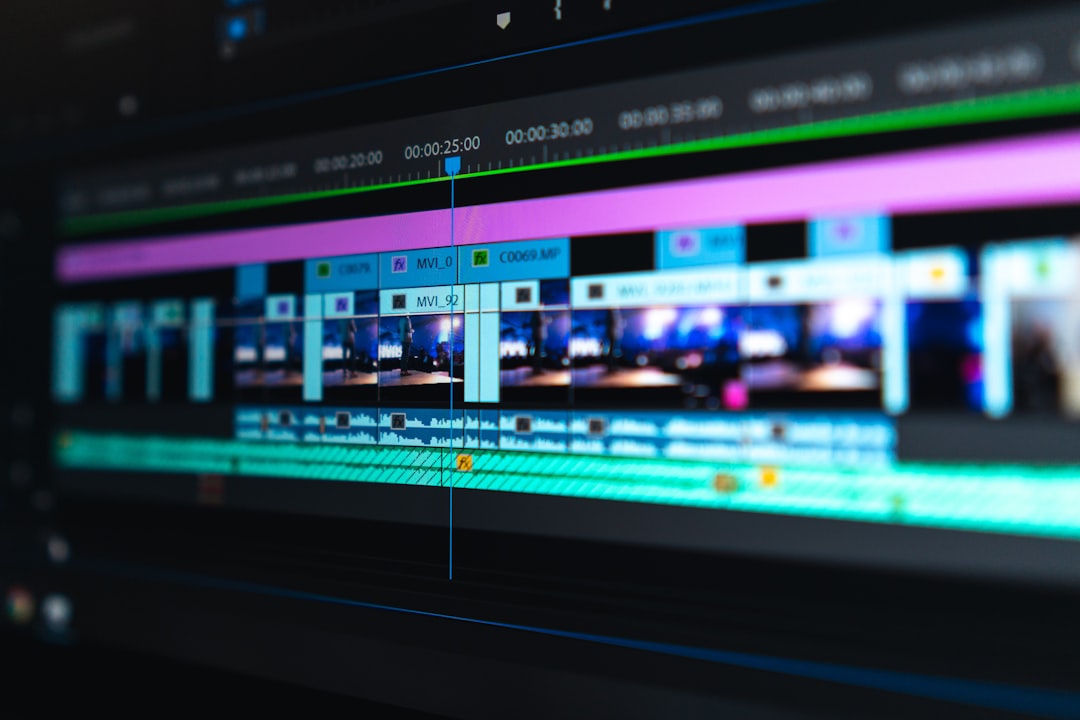
The debate between web SaaS applications and native timeline plugins comes down to pipeline efficiency [1, 6]. Time spent waiting for files to upload or render is unbillable downtime [1, 6].
0 Seconds Upload Time vs Hours of Transfer
Imagine you are editing a 2-hour interview shot on two 4K cameras 4K video file sizes. The raw media folder easily exceeds 40GB camera file size estimates.
With browser clip generators like Vidyo.ai or Klap, your workflow looks like this:
- Export a 1080p proxy file or attempt to upload the 40GB raw media [1].
- Wait 30 to 90 minutes for the upload to complete over your local connection [1].
- Wait 15 minutes for cloud AI transcription and scoring [1].
- Re-download generated clips to review in your editor [6].
With a native plugin inside Adobe Premiere Pro, your upload time is exactly zero seconds [1, 4]. The plugin reads your sequence audio directly from your local scratch disk [4, 7].
Transcript generation takes under 90 seconds, and the AI cuts appear instantly as new sub-sequences on your timeline [4, 7].
Per-Hour Cloud Billing vs Flat Subscription Costs
Most web-based video clippers charge based on the total hours of long-form video you upload [5]. If you upload a 2-hour podcast, you consume 2 hours of credit—even if you only find 45 seconds of usable short-form content [5].
Native timeline plugins take a far more editor-friendly approach [5, 7]. KreateFlo Pro costs $19.99/mo for 20 AI hours, while Studio costs $44.99/mo for 50 AI hours [7].
Because processing runs on your timeline, you only spend AI credits when generating transcripts or detecting hooks—not for basic media playing, playback scrubbing, or local rendering [4, 7].
Pro Tip: Map your plugin shortcuts to single keystrokes in Premiere Pro's Keyboard Shortcuts panel to trigger silence removal and re-framing in under two seconds.
Actionable Takeaway: Calculate your team's weekly upload wait times and per-hour SaaS expenses to see how much money a native timeline extension saves you every month.
Detailed Comparison of Vidyo.ai and Klap Alternatives for Short Video Cuts
To help you decide which tool fits your production setup, here is a detailed breakdown of how web-based tools compare to native timeline alternatives.
| Feature / Capability | Vidyo.ai / Klap | Opus Clip | Descript | KreateFlo (v1.0.3) |
|---|---|---|---|---|
| Editing Environment | Web Browser | Web Browser | Standalone Desktop App | Native Premiere Pro Panel |
| File Upload Required | Yes (Cloud) | Yes (Cloud) | Yes (Cloud Sync) | No (Local Timeline) |
| Multi-Track Audio Support | No (Flattened) | No (Flattened) | Yes (Internal) | Yes (Preserved Tracks) |
| Color Grade Preservation | Re-encoded | Re-encoded | Variable (XML Export) | 100% Native Lumetri |
| Caption Engine Real-Time Preview | Render Queue | Render Queue | Local Preview | Real-time WASM Engine |
| Multi-Cam Speaker Detection | Basic Auto-Crop | Basic Auto-Crop | Text-Based | Up to 8 Speakers + Wide |
| Custom MOGRTs & Adjustment Layers | Unsupported | Unsupported | Unsupported | Fully Supported |
Feature Breakdown: Auto-Reframing and Dynamic Captions
Reframing horizontal 16:9 video into vertical 9:16 formats requires intelligent speaker tracking [4, 8]. Web-based clip generators use automated center-cropping algorithms [4].
If two speakers talk at once, browser tools frequently jump violently between frames or crop off the speaker's face [4].
Inside Premiere Pro, KreateFlo uses AI auto-reframing that detects facial boundaries while respecting your manual position keyframes [4, 7].
If the AI places a crop slightly off-center, you do not have to log into a web dashboard to adjust a slider [4, 6]. You simply grab the motion handle directly in Premiere Pro's Program Monitor and tweak it instantly [4, 7].
+-----------------------------------------------------------------+
| Premiere Pro Master Timeline (16:9 Multi-Cam Sequence)          |
| [Cam 1: Speaker A] [Cam 2: Speaker B] [Cam 3: Wide Angle Shot]  |
+-----------------------------------------------------------------+
                                |
                                v (KreateFlo Local Processing)
+-----------------------------------------------------------------+
| Vertical Sub-Sequence (9:16 Reframed with Dynamic Captions)     |
| - Speaker A Centered via AI Tracking                            |
| - WASM Real-Time Subtitles ([CaptionFlow](/features/captionflow.html))            |
| - Original Audio Stems Intact for Sound Design                  |
+-----------------------------------------------------------------+
Customization Limits in SaaS Editors vs Timeline Presets
Captions are essential for short-form retention on TikTok, Reels, and YouTube Shorts [8]. Web apps like Vidyo.ai and Klap offer pre-styled subtitle templates, but customization is extremely limited [8]. You cannot import complex Motion Graphics Templates (.mogrt), apply advanced layer styles, or adjust individual text keyframes [8].
KreateFlo includes CaptionFlow, an integrated caption engine featuring 22 animated caption presets [7, 8].
CaptionFlow uses WebAssembly (WASM) technology to render text previews inside Premiere Pro in real-time [7, 8]. You can customize fonts, stroke weights, highlight colors, and text animations without waiting for sequence renders [8].
"Having native WASM caption preview right inside Premiere Pro stops you from throwing away 10 minutes per render every time a client asks to change a single subtitle font size."
Actionable Takeaway: Opt for native timeline caption engines that let you modify active text layers directly in Premiere Pro without cloud re-rendering.
How KreateFlo Builds Viral Shorts Directly Inside Premiere Pro

If you want to speed up your workflow without sacrificing creative control, here is how a native workflow operates inside Premiere Pro using KreateFlo [4, 7].
Transcript-Based Viral Moment Detection
When you open KreateFlo inside Premiere Pro, the extension reads your sequence timeline [4, 7]. The voice transcription engine supports over 40 languages, accurately handling accents and technical jargon [7].
Once transcribed, KreateFlo analyzes semantic density, emotion spikes, and narrative structure to highlight potential viral hooks [7, 8].
You can review these moments in a list, adjust start and end points directly on the transcript, and click to create 9:16 short cuts instantly on your timeline [4, 7].
Instant 9:16 Reframing and Multi-Speaker Layouts
For podcast interviews, single-speaker reframing is not enough. You often need split-screen layouts or dynamic camera switching [4, 7].
KreateFlo's Multi-Cam Editor handles up to 8 distinct speakers and 8 camera angles simultaneously [7]. It features a dedicated wide-shot setting that automatically cuts to a full-room view when multiple speakers laugh or talk over one another [7].
                                  KreateFlo Multi-Cam Logic
                                             │
                      ┌──────────────────────┴──────────────────────┐
                      ▼                                             ▼
            Single Speaker Active                         Multiple Speakers Active
                      │                                             │
                      ▼                                             ▼
          Auto-Reframe 9:16 Focus                         Switch to Dedicated Wide Shot
          (Tracks Face Boundaries)                        (Preserves Multi-Person Reaction)
Instead of generating a flattened video file, KreateFlo creates fully editable Premiere Pro sequences [4, 7].
Every cut, crossfade, reframe adjustment layer, and caption line remains completely open for manual refinement [4, 7]. You can read more about streamlining long-form workflows on our podcast editing tips blog.
Actionable Takeaway: Use KreateFlo's automated transcript analysis directly inside Premiere Pro to isolate punchy interview clips without leaving your master project.
When Web Editors Win Over Vidyo.ai and Klap Alternatives for Short Video Cuts
To be completely honest, native timeline plugins like KreateFlo are not the right fit for everyone. Honest caveats matter, and web tools do have a place in specific workflows [1, 5].
Non-Editors Needing Quick Social Content
If you are a solo social media manager, content marketer, or founder who does not own Adobe Premiere Pro, buying an NLE subscription and learning timeline editing makes no sense Premiere Pro learning curve.
If all you need is to drop an MP4 link into a web browser and auto-generate basic 720p social posts with simple subtitles, browser-based tools like Vidyo.ai, Klap, or Opus Clip are perfectly fine [1, 8]. They abstract away technical editing decisions so non-editors can output content quickly [1].
Simple Projects Without Multi-Track Audio or Color Grading
If your source video was shot on a single smartphone with baked-in audio, you do not need multi-track audio routing, Lumetri color protection, or custom MOGRT graphics [2, 3].
Browser tools handle single-source, highly compressed MP4s reasonably well [1, 2].
But the moment your work involves professional camera logs, separate lavalier and boom microphones, client review cycles, or exact brand typography, web clip generators become a major bottleneck [1, 3, 8].
Actionable Takeaway: Stick with web tools if you lack video editing software, but migrate to a Premiere Pro extension as soon as client quality demands scale up.
How to Choose the Right Short-Form Clip Workflow
To select the ideal Vidyo.ai and Klap alternatives for short video cuts, evaluate your current editing setup and project volume [1, 6].
Evaluating Your Weekly Long-Form Output
Ask yourself these three questions:
- How many hours of long-form video do you edit every week? If you edit more than two long-form episodes per week, file transfer wait times are actively draining your profitability [1, 6].
- What editing software do you use for master deliverables? If your primary NLE is Adobe Premiere Pro, staying inside your active sequence preserves your project state [4, 7].
- Do your clients demand custom styling? If clients require custom brand fonts, precise text placement, individual mic audio leveling, or high-bitrate exports, browser tools will not meet their quality standards [2, 3, 8].
Building a Repeatable Short-Form System
By shifting short-form generation from cloud browsers to native Premiere Pro extensions, you streamline your post-production pipeline [4, 7].
You can strip silences with Silence Remover, generate multi-cam cuts with Multi-Cam Editor, extract viral hooks, and apply animated subtitles with CaptionFlow—all within a single workspace [7, 8].
+-----------------------------------------------------------------------------------+
|                           Streamlined Timeline Workflow                           |
+-----------------------------------------------------------------------------------+
  1. Silence Removal  ──►  2. Multi-Cam Auto-Cut  ──►  3. AI Clip Detection  ──►  4. WASM Captions
  ([Silence Remover](/features/silence-remover.html))    ([Multi-Cam Editor](/features/multi-cam-editor.html))        (Local Transcript)       ([CaptionFlow](/features/captionflow.html))
+-----------------------------------------------------------------------------------+
Pro Tip: Create custom 9:16 sequence templates in Premiere Pro with pre-loaded adjustment layers and sound design channels before running AI reframing.
Actionable Takeaway: Build a standardized timeline sequence template and run automated clip detection directly in Premiere Pro to double your weekly short video output.
If you are editing long-form podcasts or client interviews in Adobe Premiere Pro every week, round-tripping through browser-based tools like Vidyo.ai or Klap adds unnecessary drag to your edit cycle [1, 6]. You lose track-level audio control, sacrifice color quality, and waste hours on file uploads [1, 2, 3]. Running your clip extraction natively on your timeline gives you full creative speed with zero quality compromises [4, 7]. Download KreateFlo for free today to test our 3 free-forever tools right inside Adobe Premiere Pro [7].
Frequently Asked Questions
What is the main drawback of using Vidyo.ai and Klap for professional editing?
Web-based clip generators force you to upload full raw video files to cloud servers, flattening multi-track audio mixes and re-encoding high-resolution footage into compressed web video [1, 2, 3].
How do native Premiere Pro plugins handle short video cuts differently than browser tools?
Native extensions process edits directly on your active sequence, keeping high-res source media, adjustment layers, audio stems, and color grades intact without cloud uploads [4, 7].
Why do professional editors prefer timeline extensions over cloud video editors?
Timeline plugins offer granular frame-by-frame control, custom keyframing, motion graphic templates, and zero upload wait times for multi-gigabyte source files [1, 4, 7].
What is the best native plugin alternative to web-based clip generators?
KreateFlo is a dedicated Adobe Premiere Pro extension that combines transcript clipping, auto-reframing, silence removal, multi-cam editing, and animated captions into a single panel [7].
How can you style captions for short clips without waiting on browser render queues?
By using timeline tools like KreateFlo CaptionFlow, which utilizes a real-time WASM preview engine so you can customize dynamic animated captions instantly on your sequence [7, 8].
Try KreateFlo free
3 tools forever, 7-day trial on the rest. No credit card to start.
Download KreateFlo