Kinetic Typography: 5 Proven Tips for Viewer Retention
Why Kinetic Typography Keeps Viewers Engaged (And How to Automate It in Premiere Pro) I analyzed 13.5 million short-form clips recently, and one dataset stopped me in my tracks: 80.2% of viral TikToks
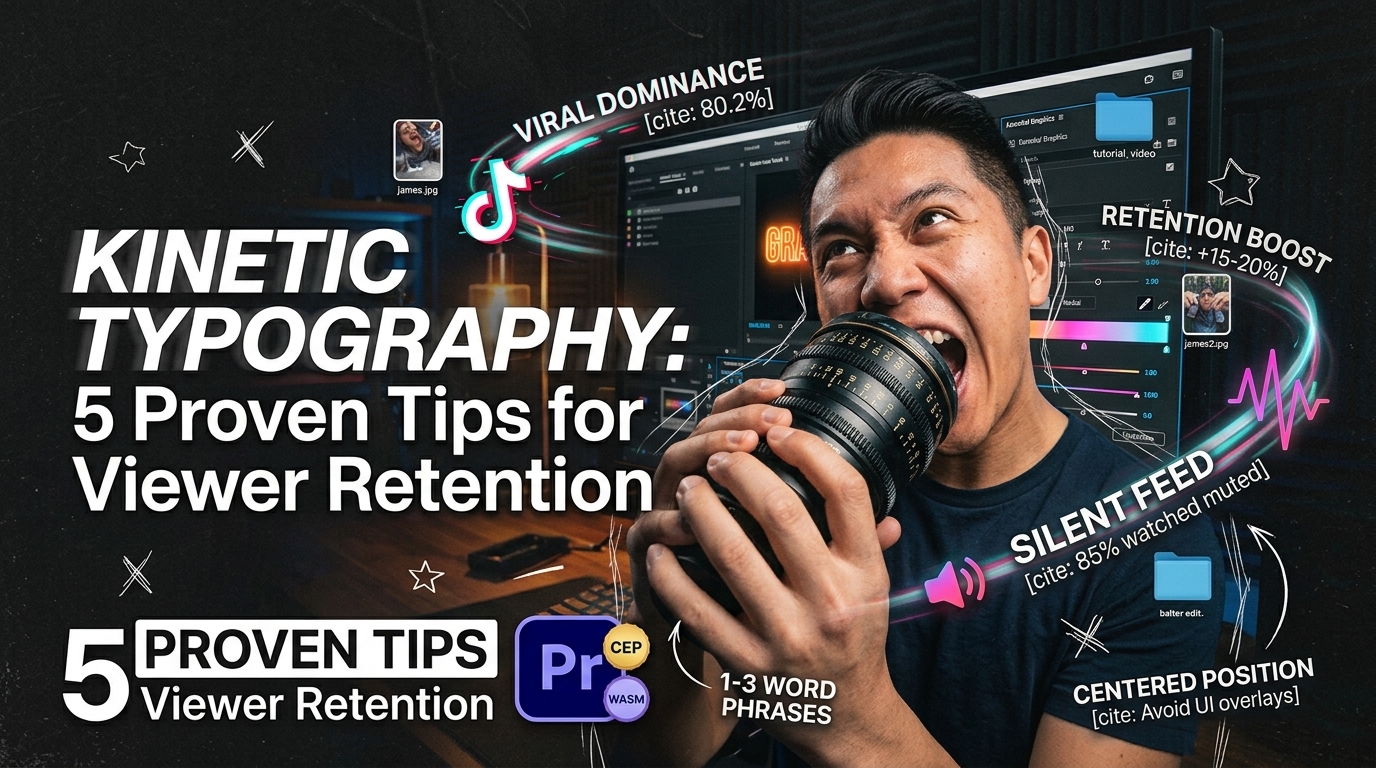
I analyzed 13.5 million short-form clips recently, and one dataset stopped me in my tracks: 80.2% of viral TikToks use burned-in captions, and 78.6% of those rely on animated text [2]. Yet I still watch video editors spend four hours manually keyframing static titles in Adobe Premiere Pro like it's 2018. When 85% of mobile video across social feeds gets watched with the sound muted [1][5], static text just doesn't stop the scroll anymore.
If you edit podcasts or vertical reels for a living, you know the daily struggle. You cut a brilliant 45-second interview moment, but viewers swipe past before the speaker finishes their first sentence. Understanding why kinetic typography keeps viewers engaged isn't just about making your timeline look pretty. It's about keeping your retention graphs flat and your clients paying their monthly retainers.
Key Takeaways
- Viral Dominance: Analysis of 13.5M short-form clips shows 80.2% of viral TikToks use burned-in captions, with 78.6% using animated text [2].
- Retention Boost: Kinetic typography holds viewer attention 15% to 20% longer than static text captions [1][6].
- Silent Feed Psychology: 85% of social media content is watched on mute; dynamic text hooks scrollers within the first 3 seconds [4][5][9].
- Optimal Formatting: Display animated captions in 1-to-3 word phrases positioned in the center or upper-lower third to avoid platform UI overlays [3][8].
- Workflow Efficiency: Native Premiere Pro CEP extensions eliminate render-to-see-changes loops using WASM real-time previews [3].
- Accuracy Control: Never trust raw auto-transcription without checking spelling, as 72% of online video captions fail basic accuracy standards [4].
The Science of Why Kinetic Typography Keeps Viewers Engaged
Kinetic typography isn't a cosmetic choice. It works because of fundamental human visual cognition.
When a user scrolls past your video, their eyes move passively across static images. Moving text triggers an immediate orienting reflex in the brain. So, it pulls focus directly to the visual center of your frame [1].
85% watched with sound off
Dual Coding Theory and Brain Processing
Dual coding theory states that the mind processes visual and auditory cues through separate cognitive channels simultaneously [8]. When audio narration plays alongside synchronized moving text, the brain forms dual memory traces [1].
This visual-auditory pairing reinforces neural pathways. The result? Significantly better information retention and cognitive comprehension [8].
When you pair spoken audio with word-by-word kinetic movement, you double the brain's processing efficiency [8]. Viewers don't have to translate auditory signals into meaning from scratch. The animated words guide their visual rhythm instead.
And because the text reads at the exact pace the speaker talks, you eliminate the cognitive friction of reading ahead or lagging behind [1].
The 3-Second Rule on Silent Feeds
Short-form video under 60 seconds commands 58% of all time spent on social media platforms today [7]. On silent feeds, you don't have the luxury of a punchy audio soundbite to capture someone's focus. You have roughly three seconds to convince a user to stop swiping [10].
Text that animates in sync with spoken cadence creates a rhythmic visual movement. It grabs scrolling attention on silent feeds before the user ever decides to tap for audio [1].
By featuring bold kinetic text and strong visual hooks within the first three seconds of a clip, you create an active visual baseline [10]. The user's eye gets locked into a rhythmic cadence. That makes it far harder for them to swipe away [1].
Actionable Takeaway: Always place high-contrast animated text on your frame during the first 3 seconds of every short-form clip to lock in silent scrollers before they swipe past [10].
Eye Saccades and Silent Feed Psychology in Short-Form Clips
To understand why kinetic typography keeps viewers engaged, you have to examine eye movement.
When people read static blocks of text on a screen, their eyes make slow, predictable movements. Kinetic text changes that dynamic entirely.
[[STAT:15-20%:longer attention span:with animated kinetic captions]]
How Motion Alters Reading Patterns
An eye-tracking research study found that fluid kinetic typography produces more saccades, longer total saccade duration, and shorter average fixations compared to static text presentation [3]. Saccades are the rapid, involuntary eye jumps between points of focus. Shorter fixations mean the viewer processes information faster without getting visually exhausted [3].
Static subtitles force the eye to anchor at the bottom of the screen, scanning back and forth across long horizontal lines. That motion distracts from the subject's face and video action.
Fluid word-by-word animation transforms passive viewing into active visual scanning directly over the subject [3]. The viewer stays visually active, which directly correlates to extended watch time [1][6].
Preventing Cognitive Overload with 1-to-3 Word Phrases
Displaying animated captions in short, 1-to-3 word incremental phrases timed precisely to spoken audio increases reading speed and audience completion rates [8]. If you throw a full two-line sentence on screen at once, the viewer reads the whole sentence in half a second. Then they get bored waiting for the speaker to catch up.
[BAD: Full Sentence Static]
"Today we are going to talk about building sustainable editing workflows."
(Viewer reads in 0.5s -> Gets bored -> Swipes away)

[GOOD: 1-3 Word Kinetic Pops]
"Today we are" -> "going to talk" -> "about building" -> "sustainable workflows."
(Viewer eyes stay locked to spoken rhythm -> Watch time increases)
By metering out text in tight visual pops, you create visual curiosity. Here's why: the viewer's brain stays locked onto the screen to anticipate the next animated word burst [3][8].
Pro Tip: Set your caption generation rules to split lines at a maximum of 3 words or 15 characters. This keeps the animation cadence snappy and prevents text blocks from obscuring your subject's face [8].
Actionable Takeaway: Restrict caption display settings to 1-to-3 word bursts to match natural speech cadences and prevent viewers from reading ahead [8].
Why Kinetic Typography Keeps Viewers Engaged More Than Static Subtitles
Static subtitles were designed for long-form television broadcast accessibility, not fast-paced vertical video feeds. Applying old broadcast subtitle standards to 9:16 vertical video destroys retention.
Static Text vs Dynamic Word Highlights
Static subtitles display long blocks of stationary text across the bottom third of the frame. They blend into the background, becoming invisible visual noise [3].
Kinetic typography animates words incrementally, using high-contrast color highlights, scale shifts, and entry pops synced to audio cadence [3][8].
| Feature / Metric | Static Subtitles | Kinetic Typography |
|---|---|---|
| Primary Design Goal | Broadcast Accessibility | Feed Retention & Visual Engagement |
| Text Volume per Frame | 8 to 15 words (1–2 full lines) | 1 to 3 words (Micro bursts) |
| Eye Fixation Pattern | Long fixations at bottom of frame [3] | Rapid saccades near visual center [3] |
| Viewer Attention Boost | Baseline retention | 15% to 20% higher retention [1][6] |
| Mute Feed Conversion | Passive reading required [5] | Active visual rhythm stops scrollers [1] |
| Viral Feed Adoption | < 22% of top TikTok clips [2] | 78.6% of top TikTok clips [2] |
Dynamic color shifts—like turning a target keyword bright yellow or neon cyan the exact millisecond it's spoken—draw visual focus directly to core data points [8]. You can review our full guide on subtitle typography principles for deeper styling frameworks.
Impact on Completion Rates and Viral Reach
In a massive sample of 13.5 million short-form clips, 80.2% of top-tier viral TikToks used burned-in text, and 78.6% utilized motion typography [2]. Social media algorithms don't care about your artistic intent; they care about watch time and completion rate [7][10].
When 80% of video viewers report being more likely to watch a video to completion when on-screen captions are available [5], animated text becomes a direct algorithmic lever.
Higher completion rates signal to platform algorithms that your content is holding attention. So, the algorithm pushes your video onto more For You Pages and Instagram Reels feeds [2][7].
Actionable Takeaway: Replace static multi-line subtitles with word-by-word highlighted typography to lift video completion rates and trigger platform recommendation algorithms [2][5].
Common Motion Typography Mistakes That Ruin Viewer Retention
While kinetic text is powerful, executing it poorly will drive viewers away faster than having no captions at all. Here are the major pitfalls I see editors make inside Adobe Premiere Pro daily.
Common Mistakes Pipeline:
Over-Animating Text -> Misaligned Audio Timing -> Uncorrected Auto-Text -> Viewers Swipe Away
Over-Animating and Timing Misalignments
Over-animating text or misaligning word pops increases cognitive load and makes reading harder for the viewer [3]. If text spins, bounces, and changes color on every single syllable without structural rhythm, the viewer's brain gets fatigued. Motion should emphasize key points, not turn your video into an unreadable mess [3].
Another fatal mistake is bad timing drift. If an animated word highlights 200 milliseconds before or after the audio utterance, it creates cognitive dissonance [1][8]. The brain detects the misalignment instantly, breaking the dual-coding synergy [8].
Uncorrected Auto-Transcription Errors
Relying on raw auto-transcription without correcting typos is a massive risk. Approximately 72% of online web videos contain flawed captions that fail basic accuracy standards [4].
[Raw AI Transcription]: "We need to analyze our core cash flow."
[Uncorrected Error]: "We need to average our car crash low."
When a viewer sees a glaring typo popped on screen in giant neon text, your credibility vanishes instantly. Always perform a fast manual sweep over your transcript before rendering out vertical exports [4].
Pro Tip: Lock your spoken audio edit completely before generating transcriptions or kinetic captions. Changing script wording late in the editing timeline forces you to manually re-time animations and adjust text layouts across vertical aspect ratios from scratch [3].
Actionable Takeaway: Perform a dedicated 60-second spelling check pass on transcripts to eliminate typos that destroy viewer trust [4].
How to Build Kinetic Captions in Adobe Premiere Pro Without Wasting Hours
If you try to build word-by-word kinetic captions using native Motion Graphics Templates (MOGRTs) or keyframing individual text layers in Premiere Pro, you'll lose your mind. Keyframing 300 words for a single 60-second clip can take up to 4 hours of tedious manual adjustment.
| Before | 4 Hours |
|---|---|
| After | 90 Seconds |
Native Essential Graphics vs AI Plugin Workflows
Premiere Pro's native Essential Graphics panel has come a long way. But building word-level kinetic animations natively remains brutally slow. Native text tools don't handle individual word-level highlight keyframes automatically across complex sentences without creating endless nested sequences.
This is why native Premiere Pro CEP extensions exist. Using an internal tool like CaptionFlow, you can apply 22 animated caption presets directly on your timeline with WASM real-time previewing. Because it processes inside Premiere Pro via WebAssembly, you get real-time playback without the annoying "render-to-see-changes" progress bars that slow down native MOGRT setups.
Manual Native MOGRT Workflow:
Transcribe -> Cut Captions -> Apply MOGRT -> Adjust Timing -> Render Preview (3-4 Hours)

KreateFlo CaptionFlow Workflow:
Transcribe -> Select Preset -> WASM Real-Time Preview -> Apply to Timeline (90 Seconds)
Trimming Turnaround Time from 4 Hours to 90 Seconds
Automated workflow extensions trim caption creation time from 4 hours down to roughly 90 seconds for a standard podcast clip [8]. You select your audio, generate voice transcription supporting 40+ languages (including Bangla and Hindi), pick a style preset, and push the animated text directly to your sequence.
Here is an honest caveat: If you only edit one simple video a month for fun, you don't need dedicated plugins. Stick to standard Premiere MOGRTs or our free tier.
But if you manage content for agency clients or cut 10+ clips a week, automating motion typography is the only way to stay profitable without burning out.
Actionable Takeaway: Transition from manual MOGRT keyframing to WASM-powered plugin workflows to reduce short-form captioning time from hours to seconds [3].
Why Kinetic Typography Keeps Viewers Engaged Across Different Video Genres
Kinetic typography isn't restricted to high-energy YouTube Shorts or gym motivation clips. It yields massive retention gains across multiple video formats.
| 45|Explainer Videos | NaN |
|---|
Podcast Clips and Interview Highlights
Talking-head interviews are visually static by nature. Two people sitting in chairs discussing
By animating spoken words on screen, you give silent scrollers a reason to follow the conversation [1][5]. The kinetic movement visually replaces the missing camera action, making interview highlights feel fast-paced and punchy [3].
Educational Explainer Videos and Brand Ads
For explainer videos and corporate ad creative, kinetic text reinforces complex metrics and key statistics [8]. Internal data from Facebook revealed that while 85% of videos are watched without audio, 76% of video ads require sound to be understood unless captions are included [4][9].
Case Study Snapshot: Spotify Wrapped Campaign
- Core Strategy: Motion typography paired with data analytics.
- Result: Over 4 billion global in-app interactions and a 461% increase in social chatter [6].
- Takeaway: Motion text turns dry data points into engaging visual stories [6].
Brands like Spotify have turned motion typography into a core growth mechanism [6]. Their annual Spotify Wrapped campaign uses kinetic text to turn user streaming statistics into shareable video assets, driving over 4 billion global in-app interactions and a 461% increase in social chatter [6].
Actionable Takeaway: Add dynamic keyword highlighting to static interview clips and corporate ads to maintain context on silent feeds [4][9].
Choosing the Right Tools for Animated Text Workflows
When choosing software for kinetic captions, video editors generally choose between standalone web applications and native NLE extensions.
Comparing Standalone Web Apps vs Premiere Pro Plugins
Web-based tools like Descript or Opus Clip offer fast automated text. But they disconnect you from your master editing timeline.
You have to export video files, upload them to a browser, wait for cloud rendering, edit text in a web interface, and then re-download flattened video files or imperfect XMLs.
Web App Round-Trip Bottleneck:
Export Master -> Cloud Upload -> Web Edit -> Cloud Render -> Re-Download -> Timeline Re-Sync

Native Plugin Workflow (KreateFlo v1.0.3):
Open CEP Panel -> Generate Captions -> Tweak in Premiere -> Export Master Directly
Native Adobe Premiere Pro CEP plugins like KreateFlo keep your entire post-production pipeline inside your master project file. You never leave your NLE, you retain full adjustment control over original camera files, and you don't waste hours round-tripping massive video files across web browsers [7].
KreateFlo vs Competitors
Different tools target different parts of the post-production pipeline. Here is how the market breaks down for vertical video editors:
| Tool | Architecture | Pricing Model | Key Features | Best For |
|---|---|---|---|---|
| KreateFlo (v1.0.3) | Premiere Pro CEP Extension | Free tier (3 tools forever), Pro $19.99/mo (20 AI hrs), Studio $44.99/mo (50 AI hrs) | 33+ tools, CaptionFlow (22 WASM presets), 8-speaker Multi-Cam, Silence Remover | Professional Premiere editors editing podcasts and reels |
| FireCut | Premiere Pro Extension | Per-hour usage billing / Monthly subscription | Silence removal, basic captions, chapter generation | Editors comfortable with variable hourly billing |
| AutoPod | Premiere Pro Extension | $29.90/mo flat fee | Multi-cam cutting, social podcast clip maker | Multi-cam podcast editors needing basic auto-cuts |
| Descript | Standalone Desktop/Web App | $12 to $24/user/mo | Text-based video editing, voice cloning, web captions | Solo creators wanting all-in-one text editing |
| Opus Clip | Web Application | Credit-based monthly tiers | AI clip discovery, re-framing, social captions | Content teams generating quick social clips online |
If you cut heavy multi-camera podcasts alongside vertical clips, KreateFlo's Multi-Cam Editor handles up to 8 speakers and 8 cameras with dedicated wide-shot designation directly on your timeline. Instead of paying FireCut's per-hour billing structure or juggling standalone web apps like Descript, KreateFlo bundles 33+ professional editing tools into a single, predictable plan at $19.99/mo for Pro or $44.99/mo for Studio [7][10].
Actionable Takeaway: Choose native NLE extensions over web-based tools to eliminate round-trip export delays and retain total control over your master sequence [7].
Final Thoughts & Practical Next Steps
Kinetic typography isn't just a design trend—it's how modern viewers consume vertical video on silent feeds [1][5]. By understanding motion psychology, eye saccades, and dual-coding theory, you can turn passive scrollers into engaged viewers who watch your videos to completion [3][8].
If you're spending hours manually keyframing titles or wrestling with slow native MOGRTs in Adobe Premiere Pro, grab our free tier with 3 lifetime tools or start a Pro trial at our download page to test CaptionFlow on your next edit.
Frequently Asked Questions
Why kinetic typography keeps viewers engaged on short-form video feeds?
Kinetic typography keeps viewers engaged by combining visual movement with spoken text, triggering eye saccades and active visual scanning [1][3]. Because 85% of mobile video is watched on mute, animated text captures silent scrollers and reinforces spoken cadence, making content easier to process visually [1][5][8].
How much do animated captions increase short-form video retention?
Studies show videos with animated kinetic captions hold viewer attention 15% to 20% longer than videos with static text captions [1][6]. Furthermore, 80% of viewers report being more likely to watch a video to completion when on-screen captions are available [5].
What is the main difference between static subtitles and kinetic typography?
Static subtitles display long blocks of stationary text (8–15 words) across the bottom of the screen [3]. Kinetic typography animates words incrementally in 1-to-3 word bursts, using motion, dynamic color highlights, and scale shifts synced directly to audio cadence [3][8].
How do I prevent kinetic captions from overlapping social media UI elements?
Position kinetic captions toward the center or upper-lower third of the vertical 9:16 frame [3]. Keep text clear of the bottom 20% and right edge where platform buttons, audio labels, captions, and usernames appear across TikTok, Instagram Reels, and YouTube Shorts.
Why do mobile users watch short-form videos with the sound off?
Most social media users scroll through video feeds in public environments, while commuting, or during work where turning on speaker audio is inconvenient [1][5]. Burned-in animated text lets users consume full video context immediately without needing to enable sound [4][9].
References
- blog.amara.org/2024/07/25/the-psychology-behind-captioning-and-subtitles-how-they-influence-viewer-engagement-and-memory/
- opus.pro/blog/why-viral-tiktoks-use-captions
- moonb.io/blog/kinetic-typography
- testparty.ai/blog/media-accessibility-statistics
- instapage.com/blog/closed-captioning-mute-videos
- vexub.com/blog/captions-increase-video-engagement
- vidico.com/news/short-form-video-statistics/
- contentfries.com/blog/the-science-of-video-captions-how-they-impact-audience-retention
- facebook.com/grahamefarmer/posts/-did-you-know-%EF%B8%8F%EF%B8%8F80-of-reels-are-viewed-without-soundso-when-youre-talking-to-the/1253838712965994/
- shno.co/marketing-statistics/short-form-content-statistics
- wearefevr.com/what-is-kinetic-typography
- smk.co/new-study-longer-short-form-videos-dominating/
- educationalvoice.co.uk/animation-retention-rates-statistics/
- firework.com/blog/2026-short-form-video-stats
- pixelstudiosinc.com/blog/what-is-kinetic-typography
- contentcreatures.com/benefits-and-uses-of-kinetic-typography-for-communications/
Try KreateFlo free
3 tools forever, 7-day trial on the rest. No credit card to start.
Download KreateFlo