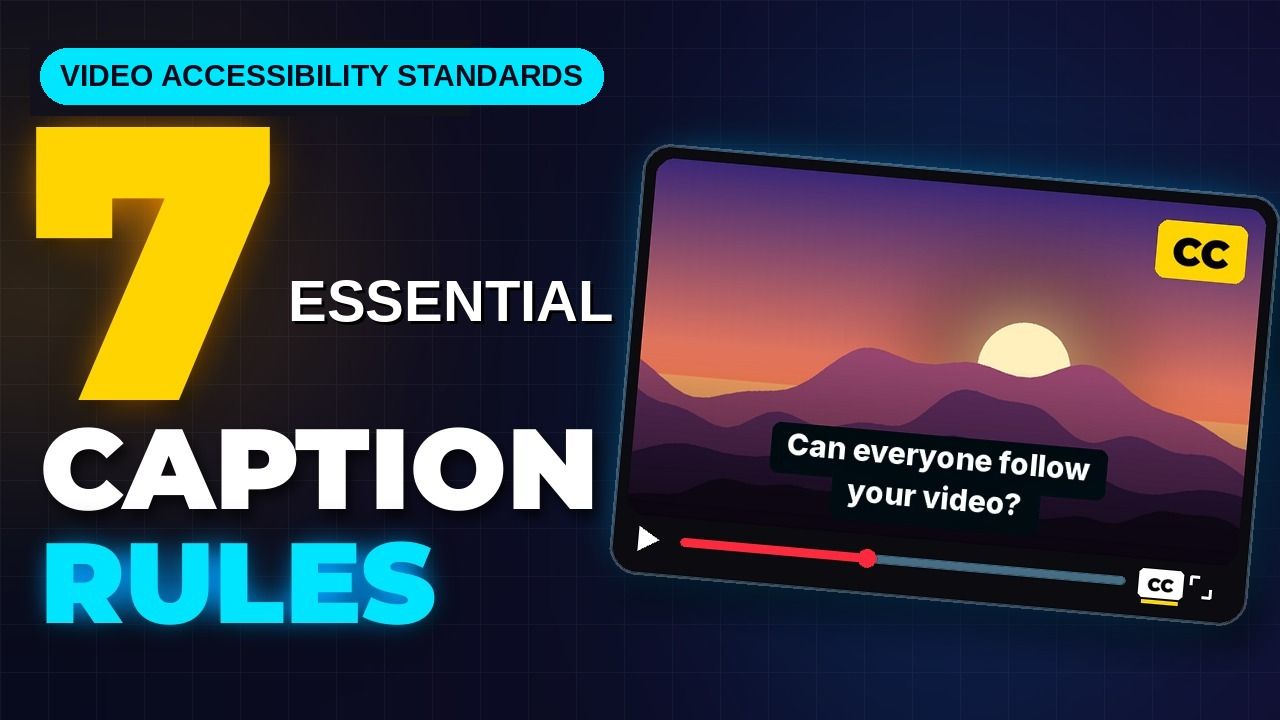
Video Accessibility Standards: 7 Essential Caption Rules
Your client does not care how slick your multi-cam cuts look if their legal team gets hit with an ADA compliance demand letter. A client rejected my entire 12-episode interview series last year becaus
Your client does not care how slick your multi-cam cuts look if their legal team gets hit with an ADA compliance demand letter.
A client rejected my entire 12-episode interview series last year because lower-third graphic overlays covered up caption text on frame 412. I used to think burning styled white text over video inside Adobe Premiere Pro was enough to ship accessible video. I was wrong.
In 2026, unedited platform captions and poorly styled subtitles are a massive financial liability for brands, agencies, and public institutions.
If you edit client podcasts, corporate interviews, or web content, staying compliant is no longer optional. Regulatory agencies across the US and Europe are enforcing strict legal standards for digital media. You need to know what accessibility standards require for online video captions to keep your exports audit-safe without adding four hours of manual labor to your timeline.
Key Takeaways
- Mandatory Deadlines: Public entities face strict DOJ ADA Title II compliance deadlines on April 26, 2027 (population 50,000+) and April 26, 2028 (smaller entities) [5], [6].
- Contrast Standards: WCAG 2.1 Level AA mandates a minimum 4.5:1 color contrast ratio for standard caption text against background video frames [4], [7].
- Formatting Rules: Captions must strictly limit text to 32 characters per line and a maximum of 2 lines on screen simultaneously [1], [7].
- Closed vs. Open Captions: Burned-in open captions alone fail web compliance audits because screen readers require machine-readable sidecar files like WebVTT or SRT [1], [7].
- International Reach: The European Accessibility Act (EAA) applies to any company selling products into the EU, mandating WCAG 2.1 AA compliant video captions [8], [9].
- AI Accuracy Gap: Pure AI transcription accuracy drops from 95% down to 60% on noisy tracks, making human-in-the-loop review essential for legal compliance [6].
- **Section 508 Positioning:Actionable Takeaway: Audit your active client roster today. Flag public sector, higher education, and international e-commerce clients that require immediate WCAG 2.1 Level AA compliance updates.
2. What Accessibility Standards Require for Online Video Captions: Technical Formatting
Meeting accessibility guidelines requires locking in exact technical parameters during post-production. You cannot eyeball font choices or lower-third background colors based on aesthetics alone.
Data shows that 80% of viewers aged 18 to 24 use captions regularly [3].
Line Count and Character Restrictions
Section 508 design guidelines and WCAG standards establish strict limits on text volume [1], [2].
Captions must adhere to a maximum limit of 32 characters per line [1], [7]. Each caption block is capped at no more than 2 lines visible on screen simultaneously [1], [2].
+-------------------------------------------------------+
|                                                       |
|                                                       |
|                                                       |
|         [SARAH] We need to finalize the               |  <-- Line 1 (Max 32 chars)
|         project deliverables by Friday.               |  <-- Line 2 (Max 32 chars)
+-------------------------------------------------------+
Enforcing hard breaks at 32 characters stops caption text from spilling across widescreen monitors [1], [2].
Long three-line blocks obscure vital video action. They force viewers to scan back and forth across the frame instead of watching the scene [1], [2].
Contrast Ratios and Background Styling
WCAG 2.1 Level AA Success Criterion 1.4.3 requires a minimum color contrast ratio of 4.5:1 for standard caption text against its visual background [4], [7]. For large text (18-point bold or 24-point standard font sizes), the contrast floor drops to 3:1 [4], [7].
Video backgrounds change dynamically as camera angles switch between bright highlights and deep shadows [7]. White text placed directly over video frames drops below 4.5:1 on light backgrounds [4], [7].
To guarantee compliance across every single frame, apply a translucent or solid black background box behind your text [2], [7].
Setting a black background box to 75% opacity satisfies WebAIM color contrast guidelines without completely masking underlying video assets [4], [7].
| Caption Parameter | WCAG / Section 508 Standard | Premiere Pro Editor Implementation |
|---|---|---|
| Color Contrast | Minimum 4.5:1 ratio for standard text [4] | Add 75% opacity black background box [2], [7] |
| Baseline Font | Clear sans-serif (Arial, Helvetica, Tiresias) [1], [2] | Set baseline font size to 18-point centered [1], [2] |
| Line Restrictions | Max 32 characters/line, max 2 lines/screen [1], [7] | Set hard line breaks at 32 characters [1] |
| Pacing Cap | Max 180 words per minute (~3 words/sec) [2], [7] | Split fast dialogue across sequential frames [2] |
| Display Duration | 3.0 seconds minimum to 7.0 seconds maximum [2], [7] | Adjust display windows to prevent frame flicker [2] |
Pacing and Reading Speed Limits
Section 508 synchronized media standards cap spoken pacing at 180 words per minute, which averages out to roughly 3 words per second [2], [7].
What happens when a podcast host speaks rapidly at 220 words per minute?
Forcing all spoken words into a single short subtitle block ruins reading comprehension [2], [7].
Subtitle blocks must remain visible on screen for a minimum duration of 3 seconds and a maximum of 7 seconds per frame [2], [7]. Flashing a two-word caption block on screen for half a second creates visual flicker that triggers reading fatigue [2].
When dialogue speeds up, split the audio naturally across consecutive two-line frames to maintain a comfortable reading cadence [2], [7].
Pro Tip: Build a master Caption Track Style preset inside Adobe Premiere Pro using Arial 18pt font, centered alignment, and a 75% opacity black background box. Saving this preset prevents you from re-formatting text elements manually on every project export.
Actionable Takeaway: Lock your sequence settings to 18pt sans-serif text with a 75% opaque black background box to maintain a 4.5:1 contrast ratio over changing footage.
3. Open vs. Closed Captions: Screen Reader Compatibility
Understanding the technical distinction between open and closed captions determines whether your client exports pass formal web accessibility audits.
Project Deliverables Folder/
├── Master_Video_Export_1080p.mp4
├── Master_Video_Export_Captions.srt  <-- Required for Screen Readers
└── Master_Video_Export_Captions.vtt  <-- Standard for Web Players
Why Burned-In Text Fails Accessibility Audits
Open captions are permanently burned into the video pixels during final render [7].
While open captions work well for social platforms like TikTok or Instagram Reels where users scroll with sound off [7], open captions alone fail formal web compliance standards [1], [7].
Screen readers cannot parse pixels. If your caption text is baked into the video export without a sidecar file, your content is invisible to blind and low-vision users using assistive tools.
Screen readers and assistive speech software cannot parse text pixels baked into a flat video stream [1], [7]. Screen readers require structured text tracks provided by closed caption sidecar files [1], [7].
Additionally, burned-in open text prevents viewers with low vision from customizing font sizing, adjusting background opacity, or selecting alternative languages in their web player [4], [10].
Sidecar Files (WebVTT and SRT)
To clear legal audits under Section 508 captioning mandates, export separate closed caption data alongside your master video file [1], [2]:
- WebVTT (.vtt): The gold standard for web video players (HTML5, YouTube, Vimeo) [6], [7]. WebVTT supports explicit styling tags, speaker alignment positioning, and cue settings [6].
- SubRip (.srt): A universal plain-text sidecar file supported across virtually every editing platform, video host, and social media channel [6], [7].
- CEA-608 / CEA-708: Embedded closed caption data streams encoded directly into broadcast container wrappers like MXF or MOV files [7].
Handling Lower-Third Graphics and Section 508
Section 508 Rule 503.4 mandates that captions must not obscure critical visual elements on screen, including speaker nameplates, lower-third graphics, or lower text titles [2], [7].
+-------------------------------------------------------+
|         [CAPTIONS MOVED TO TOP THIRD OF FRAME]        |  <-- Top Third Shift
|         [DR. ARLIS] Let's analyze the quarterly data. |
|                                                       |
|                                                       |
|         +-----------------------------------+         |
|         | LOWER-THIRD GRAPHIC OVERLAY HERE  |         |  <-- Unobscured Graphic
|         +-----------------------------------+         |
+-------------------------------------------------------+
When lower-third graphics appear on your sequence timeline, adjust your caption track placement [2], [7].
Shift the caption block to the top third of the frame for the duration of that graphic overlay [2], [7].
Burning bottom-aligned subtitles directly over lower-third graphics causes overlapping text clutter that triggers immediate audit rejections [2], [7].
Actionable Takeaway: Deliver a separate .vtt or .srt closed caption sidecar file with every master video export, and verify that lower-third graphics do not collide with subtitle boxes.
4. What Accessibility Standards Require for Online Video Captions Beyond Speech
Transcribing spoken words is only half the battle. Accessible captions must provide equivalent narrative context for viewers who are deaf or hard of hearing [2], [7].
Sound Cues and Non-Speech Audio
Compliance guidelines require transcribing significant sound effects, background noises, and musical cues [2], [9].
Missing critical non-speech audio cues results in audit failures under W3C WCAG guidelines [8], [9].
Place meaningful sound descriptions inside square brackets using sentence-case text [2], [7]:
[upbeat acoustic music playing][loud applause and cheering][thunder rumbles in distance][door creaks open slowly]
Avoid cluttering the screen with trivial ambient sounds like standard room tone [2]. Focus exclusively on audio events that alter the emotional tone or advance the video narrative [2], [7].
Speaker Identification for Off-Screen Audio
When video footage cuts between multiple speakers or includes off-screen commentary, viewers must be able to identify who is speaking [2], [7].
Under Section 508 standards, label speakers using uppercase bracketed tags whenever a new voice enters the scene [2], [7]:
[SARAH] We need to finalize the budget today.[HOST] Welcome back to the interview.[NARRATOR, OFF-SCREEN] The team launched the project at dawn.
If a single speaker is clearly visible on screen in a tight solo shot, explicit speaker tags can be omitted [2], [7].
However, the moment your cut switches to a wide multi-cam view or an off-screen voice interrupts, speaker labeling becomes mandatory [2], [7].
Atmospheric Sound Context
How words are spoken often carries as much meaning as the words themselves [2].
When a speaker's tone, volume, or emotional delivery changes significantly, include descriptive sound cues inside brackets before the dialogue [2]:
[whispering] Keep your voice down.[sarcastically] Oh, that is a fantastic idea.[shouting] Stop the line right now!
Actionable Takeaway: Perform a dedicated audio-only editing pass on your timeline to insert bracketed sound effects and speaker tags for every off-screen voice change.
5. Why Pure AI Speech Recognition Fails Compliance Audits

Many content teams assume that enabling automated speech recognition on YouTube or social platforms fulfills their accessibility duties.
This assumption creates massive legal exposure [5], [6].
Accuracy Drops in Real-World Audio
Modern Automatic Speech Recognition (ASR) engines achieve 90% to 95% accuracy on clean, single-speaker studio recordings [6].
However, accuracy degrades rapidly on real-world audio tracks [6].
When audio includes background music, overlapping dialogue, ambient noise, or regional accents, AI transcription accuracy drops down to 60% or 75% [6].
At 90% accuracy, one out of every ten words in your transcript is wrong [6].
Worse, AI errors cluster precisely where context matters most: technical industry terms, proper nouns, brand names, and speaker labels [2], [6].
Prominent legal settlements, such as National Association of the Deaf v. Harvard and NAD v. MIT (which resulted in over $1.5 million in legal fees), established that inaccurate auto-captions fail effective communication standards [6].
The Human-in-the-Loop Requirement
Regulatory bodies and courts explicitly require accurate captions [6], [7].
Unedited ASR output routinely drops punctuation, creates awkward line breaks, and completely skips non-speech sound effects [2], [6].
Raw AI Output (Fails Audit):
"we cat appliance is important for online video"

Human Reviewed Pass (Audit-Safe):
"[HOST] WCAG compliance is important for online video."
An audit-safe workflow relies on a hybrid approach [6], [7].
You use automated tools to generate a fast baseline transcript, followed by a human editing pass to verify spelling, adjust line breaks, and insert speaker tags [6], [7].
Common Hallucinations and Misattributions
AI models routinely hallucinate words during silent pauses or misattribute speech during rapid multi-person conversations [2], [6].
When two podcast guests talk over each other, automated tools merge the dialogue into a single garbled sentence [2].
Manual review is the only way to disentangle overlapping voices and preserve proper speaker attribution [2], [7].
Actionable Takeaway: Never publish unedited raw AI transcripts to client sites. Schedule a fast manual check to verify technical terms, speaker tags, and line breaks.
6. Building an Audit-Safe Caption Workflow in Adobe Premiere Pro
Editing captions manually line by line used to take hours of tedious timeline work [7].
You do not need to spend four hours tweaking text blocks to stay compliant [7].
You can finish an audit-safe caption pass in 90 seconds using an integrated plugin workflow directly inside Adobe Premiere Pro [7].
Raw Sequence Audio
  └─► [Silence Remover] ──> Cuts Dead Air / Silent Pauses
        └─► [Multi-Cam Editor] ──> Cuts up to 8 Speakers / 8 Cameras
              └─► [CaptionFlow] ──> AI Draft Pass (40+ Languages)
                    └─► Real-Time WASM Preview (22 Presets)
                          └─► Fast 5-Min Human QC Pass
                                └─► Export Sidecar (.vtt / .srt)
Generating Drafts with KreateFlo CaptionFlow
Stop jumping between web transcription portals, downloading SRTs, and importing them back into your sequence. Stay inside Premiere Pro [7].
KreateFlo is a native Adobe Premiere Pro plugin (CEP extension) designed to handle demanding podcast and video workflows [7].
Using KreateFlo's CaptionFlow tool, you can automatically transcribe audio across 40+ languages (including Hindi and Bangla) directly on your editing timeline [7].
If you edit multi-speaker interviews, pair CaptionFlow with KreateFlo's Multi-Cam Editor to automatically cut up to 8 speakers and 8 cameras before generating your text tracks [7].
Before running your initial transcription draft pass, run KreateFlo's Silence Remover to strip dead air automatically [7].
Eliminating silent gaps upfront prevents the transcription engine from creating empty caption blocks that ruin playback timing [2], [7].
For a deeper look at timeline compliance setups, explore our guide on WCAG and ADA basics for video editors [7].
Real-Time Styling and WASM Previews
Traditional Premiere Pro subtitle workflows force you to render preview cuts just to see how animated captions or background boxes render over your footage [7].
KreateFlo v1.0.3 eliminates this friction using WebAssembly (WASM) real-time preview rendering [7].
You can preview 22 animated caption presets, adjust text padding, and tweak background box contrast in real time without hitting render loops [7].
This lets you lock in compliant 4.5:1 contrast boxes and 32-character line limits instantly [4], [7].
Exporting Sidecar Files and Placement Positioning
Once your text track is reviewed, export your sequence captions as a clean sidecar .vtt file alongside your master MP4 or ProRes render [6], [7].
When scanning your timeline before export, check for lower-third graphic overlays [2], [7]. Reposition any overlapping subtitle cues to the top third of the screen to maintain Section 508 compliance [2], [7].
Pro Tip: Run a dedicated audio-only review pass in Premiere Pro with your eyes off the Program Monitor to catch missing sound cues, garbled names, and improper speaker attribution.
Actionable Takeaway: Combine KreateFlo CaptionFlow inside Premiere Pro with a 5-minute manual review pass to ship 99% accurate, audit-safe sidecar caption files in minutes.
7. Choosing Your Tooling: KreateFlo, Descript, and Standalone Options
Choosing the right post-production software impacts your budget, turnaround times, and timeline flexibility.
| Feature / Metric | KreateFlo (v1.0.3) | FireCut | Descript | Manual Human Vendor (e.g. Rev) |
|---|---|---|---|---|
| Integration Type | Native Premiere Pro CEP Extension | Premiere Pro Plugin | Standalone Web App | External Web Portal |
| Pricing Model | $19.99/mo (Pro) / $44.99/mo (Studio) | Per-hour usage billing | Monthly per-seat subscription | $1.99 per video minute [6] |
| Free Tier | 3 tools free forever | Free trial available | Free tier available | None |
| Multi-Cam Support | Up to 8 speakers / 8 cameras | Multi-cam support | Basic web script editing | N/A |
| Caption Styling | 22 presets + Real-Time WASM Preview | Static caption presets | Web text presets | Plain SRT/VTT export |
| Turnaround Time | ~90 seconds AI draft | Variable | Requires round-trip export | 12–24 hours |
KreateFlo vs. FireCut Pricing Model
Competitors like FireCut charge video editors on a per-hour billing model, making costs unpredictable when processing high volumes of long-form interview content.
KreateFlo offers flat predictable pricing [7].
The Pro plan costs $19.99/mo for 20 AI hours, while the Studio plan costs $44.99/mo for 50 AI hours [7].
KreateFlo also provides a free tier containing 3 core tools free forever: Silence Remover, Transition Assistant, and Copy & Paste [7].
Outsourcing human transcription services like Rev costs approximately $1.99 per video minute—which quickly reaches $120 for a single one-hour podcast episode [6].
When KreateFlo Is (and Isn't) the Right Pick
Here is my honest take on tool selection.
KreateFlo is engineered strictly as a CEP extension plugin for Adobe Premiere Pro [7].
If you edit primarily in DaVinci Resolve or Final Cut Pro, KreateFlo will not work for your NLE setup [7].
Similarly, if your agency workflow prefers editing video text inside a standalone web browser rather than natively on a Premiere sequence timeline, web-based tools like Descript might fit your team better [7].
But if you edit daily inside Premiere Pro, bundling 33+ AI tools into one extension panel eliminates round-trip app swapping entirely [7].
Integrating Automated Tools into Production Agencies
For content agencies scaling output, pairing automated draft tools with an in-house editor review pass creates the ultimate workflow [6], [7].
You eliminate tedious manual transcription typing while guaranteeing 100% compliance across every client export [6], [7].
Actionable Takeaway: Calculate your monthly captioning costs. Switching from per-minute vendors or per-hour plugins to a flat $19.99/mo Premiere extension saves hundreds of dollars per project.
Frequently Asked Questions

Are captions compliant under ADA standards?
No. Raw captions fall short of compliance standards because their accuracy drops below legal requirements on complex audio and they lack necessary non-speech audio cues [5], [6]. A human review pass is required to fix errors and add speaker tags [6], [7].
What color contrast ratio is required for video captions under WCAG 2.1 AA?
WCAG 2.1 Level AA mandates a minimum color contrast ratio of 4.5:1 for standard caption text against its background [4], [7]. Placing text inside a semi-transparent or solid black box ensures this ratio remains steady over changing video frames [2], [7].
Does the European Accessibility Act apply to US-based websites and businesses?
Yes. The European Accessibility Act applies to any business that offers products, services, or digital content to consumers located within the EU, regardless of where the publishing business is physically headquartered [8], [9].
What is the difference between open captions and closed captions for compliance?
Open captions are permanently burned into the video pixels, making them visual only [1], [7]. Closed captions exist as separate text tracks or sidecar files (like .vtt or .srt) that screen readers and custom viewer settings can read and adjust [1], [7].
When are the DOJ ADA Title II compliance deadlines for public institutions?
Public entities serving populations of 50,000 or more must comply by April 26, 2027 [5], [7]. Public entities serving populations under 50,000 have until April 26, 2028 to bring all web and video content into full compliance [5], [6].
Build Audit-Safe Caption Workflows Today
Meeting video accessibility standards isn't just about avoiding legal risk—it's about making your content accessible to every viewer.
By pairing fast AI draft tools with human verification inside Adobe Premiere Pro, you can turn a multi-hour captioning headache into a quick 5-minute task.
Download KreateFlo for Premiere Pro today to test our free tools forever, or explore CaptionFlow to build audit-safe, 99% accurate caption workflows without slowing down your post-production timeline.
References
- pmc.ncbi.nlm.nih.gov/articles/PMC5214590/
- section508.gov/create/captions-transcripts/
- usu.edu/accessibility/captions/benefits
- journals.ala.org/index.php/ltr/article/download/7526/10401
- swarmify.com/blog/video-accessibility-captions-wcag/
- convertaudiototext.com/blog/accessibility-captions-ada-compliance
- kreateflo.com/blog/wcag-and-ada-basics-for-video-editors-creating-accessible-captions
- captionhub.com/blog-post/eaa
- makeinfluence.com/en/academy/eu-accessibility-act-and-caption-requirements-for-influencer-and-brand-video-content
- verbit.ai/blog/ai-technology/whats-new-in-fcc-standards-for-online-videos/
- closedcaptioncreator.com/blog/articles/fcc-closed-captioning-requirements.html
- bonomotion.com/ada-captioning-requirements/
- 5centscdn.net/blog/video-accessibility-compliance/
- beaccessible.com/post/video-accessibility/
- 3playmedia.com/blog/wcag-2-0-requirements-for-video-captioning-and-audio-description/
- testparty.ai/blog/media-accessibility-statistics
- searchlab.nl/en/statistics/digital-accessibility-statistics-2026
- loopdesk.ai/blog/are-auto-captions-ada-wcag-compliant
- tvtechnology.com/insights/analysis/study-nearly-half-of-americans-always-or-often-watch-video-with-captions
- sonix.ai/resources/subtitle-generation-trends/
- xr.global/blog/everyone-is-watching-with-captions-on
- skynettechnologies.com/blog/closed-captions-for-video-accessibility
- researchnester.com/reports/captioning-and-subtitling-solutions-market/6638
Try KreateFlo free
3 tools forever, 7-day trial on the rest. No credit card to start.
Download KreateFlo